Mastering Gel Temperature: A Scientist's Guide to Optimizing Voltage and Preventing Overheating in SDS-PAGE
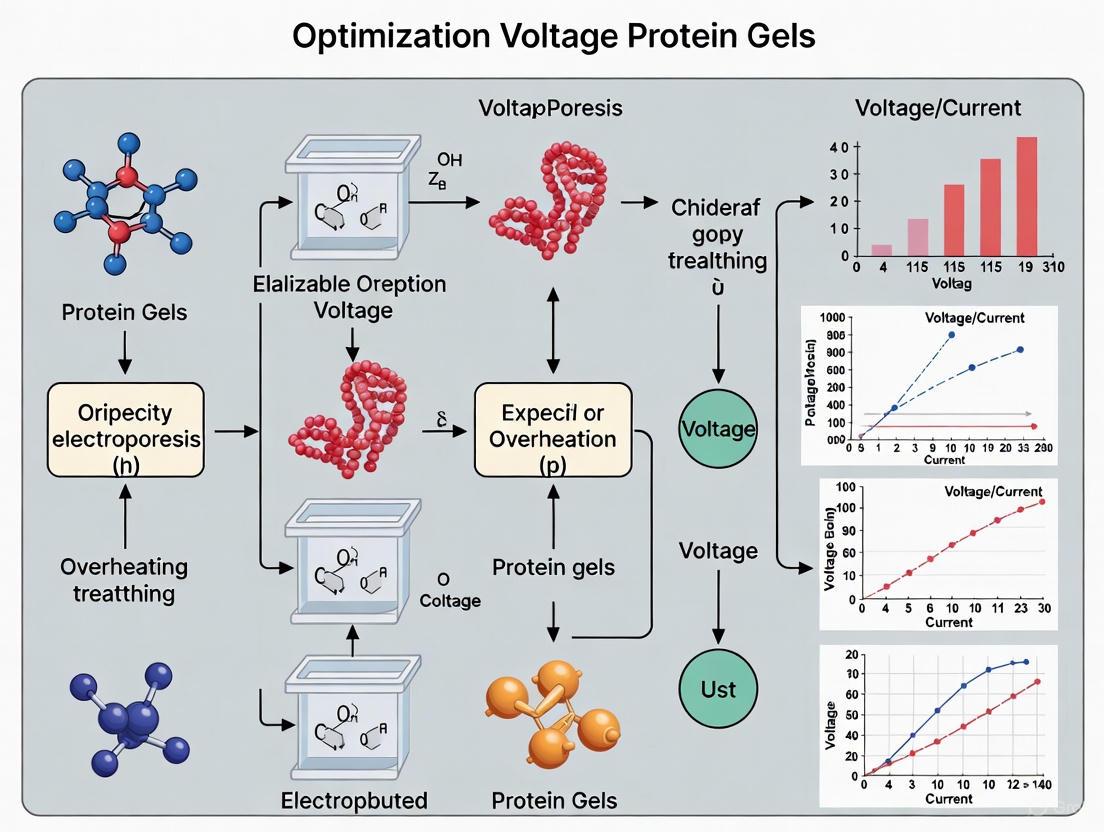
This article provides a comprehensive guide for researchers and drug development professionals on optimizing electrophoresis voltage settings to prevent overheating in protein gels.
Mastering Gel Temperature: A Scientist's Guide to Optimizing Voltage and Preventing Overheating in SDS-PAGE
Abstract
This article provides a comprehensive guide for researchers and drug development professionals on optimizing electrophoresis voltage settings to prevent overheating in protein gels. It covers the fundamental principles of Joule heating and its effects on protein separation, delivers practical methodologies for setting constant current, voltage, or power, and offers advanced troubleshooting strategies for common issues like smiling gels, smeared bands, and poor resolution. Furthermore, it explores validation techniques and compares the latest technological advancements, including AI-assisted gel analysis, to ensure reproducible, high-quality results for downstream applications like western blotting.
The Science of Heat: Understanding Joule Heating and Its Impact on Protein Separation
This technical support center resource delves into the electrical principles of SDS-PAGE (Sodium Dodecyl Sulfate – Polyacrylamide Gel Electrophoresis), a foundational technique for protein analysis. The separation of proteins by molecular weight is driven by an electric current, making the understanding of current, voltage, and power paramount. A central challenge in this process is Joule heating, an unavoidable byproduct of the applied current that can lead to distorted bands, smiling gels, and poor resolution if not properly managed. This guide, framed within the broader thesis of optimizing voltage to prevent overheating, provides researchers with a detailed FAQ and troubleshooting resource to ensure reproducible and high-quality results.
FAQs: Electrical Parameters and SDS-PAGE
1. What is the difference between running a gel at constant current, constant voltage, or constant power?
Most modern power supplies allow you to set one electrical parameter to be constant, while the other two fluctuate according to Ohm's Law. The choice impacts heat generation and run consistency [1] [2].
- Constant Current: The current (I, in milliamps) is fixed. As resistance (R) increases during the run (e.g., from buffer depletion), the voltage (V) must increase to compensate (from V = I x R), leading to increased heat production over time. The key advantage is a constant sample migration rate, allowing for predictable run times [1] [2].
- Constant Voltage: The voltage (V) is fixed. As resistance increases, the current decreases, which limits heat production, making this a safer option. However, the migration rate of samples will slow down, potentially leading to longer run times and more diffuse bands [1] [2].
- Constant Power: The power (P, in watts) is fixed. Power is the product of voltage and current (P = I x V). If resistance increases, the power supply adjusts both voltage and current to keep their product constant. This aims to limit heat production but makes the sample migration rate unpredictable [1].
Table 1: Pros and Cons of Different Electrophoresis Modes
| Mode | Pros | Cons | Recommended Starting Settings |
|---|---|---|---|
| Constant Current | Constant migration rate; predictable run times; sharper bands [1] | Voltage and heat can increase significantly, risking "smiling" bands or damaged gels [1] [2] | 100-120 mA for a standard mini-gel [1] |
| Constant Voltage | Safer; heat production decreases over time; allows multiple chambers on one power pack [1] | Migration slows down; longer run times; can cause diffuse bands [1] [2] | 5-15 V per cm of gel length (e.g., ~150V for a standard mini-gel) [1] [3] [2] |
| Constant Power | Heat production remains relatively constant [1] | Unpredictable sample migration rate; extended run times [1] | Less common; refer to specific protocol or power supply manual |
2. How does Ohm's Law relate to SDS-PAGE?
Ohm's Law (V = I x R) describes the fundamental relationship between the electrical parameters you control during electrophoresis [1] [2].
- Voltage (V): The "driving force" that pushes the negatively charged proteins through the gel matrix. Higher voltage leads to faster migration [2].
- Current (I): The flow of electric charge. It is carried by ions in the running buffer.
- Resistance (R): A measure of how difficult it is for the current to flow through the gel. It is influenced by the gel matrix itself, the ionic strength of the buffer, and the temperature [1].
During a run, resistance typically increases as buffer electrolytes are used up. How your power supply handles this change depends on whether you've set a constant current or constant voltage, as explained above.
3. What is the "Second Law" in the context of SDS-PAGE?
In this context, the "Second Law" refers to the equation for electrical Power: P = I x V [1]. Power, measured in watts, directly correlates with the amount of heat generated within the system, a phenomenon known as Joule or Ohmic heating [1] [2]. By combining this with Ohm's Law, we see that Power can also be expressed as P = I² x R. This reveals that heat production is disproportionately sensitive to changes in current; doubling the current quadruples the heat generated [1].
4. Why is overheating a problem, and how can I prevent it?
Excessive heat is a primary cause of poor results in SDS-PAGE [3] [4]. It can cause the acrylamide gel to expand, leading to uneven migration and the characteristic "smiling" bands where bands curve upwards at the edges [1] [3]. In extreme cases, it can denature proteins excessively, create smeary bands, or even boil the buffer, ruining the gel [1] [3].
Strategies to prevent overheating:
- Optimize Voltage: Run the gel at a lower voltage for a longer time [3] [5]. A standard practice is 150V for a mini-gel, but this can be adjusted down if overheating is an issue.
- Use a Cooling System: Run the gel apparatus in a cold room, submerge it in an ice bath, or use a unit with a built-in cooling pack [1] [2] [5].
- Ensure Fresh Buffers: Overused or improperly formulated buffers can alter ionic strength and resistance, exacerbating heat problems [5].
- Choose Constant Voltage Mode: This mode naturally reduces current (and thus heat) as resistance builds [1].
Troubleshooting Guides
Table 2: Troubleshooting Common SDS-PAGE Issues Related to Electrical Parameters
| Problem | Possible Cause | Solution |
|---|---|---|
| "Smiling" Bands (curved bands) | Excessive heat causing gel expansion [1] [3] [2]. | Run gel at lower voltage [3]; use a cooling system (cold room, ice pack) [1] [2] [5]. |
| Smeared Bands | Voltage set too high [3]; protein degraded by heat; incomplete denaturation. | Lower the voltage and increase run time [3]; ensure proper sample prep (fresh reducing agent, adequate boiling) [5] [4]. |
| Poor Band Resolution (bands not sharp) | Gel run at constant voltage, leading to slowed migration and diffuse bands [1]; gel percentage inappropriate for protein size. | For sharper bands, use constant current mode [1]; adjust polyacrylamide percentage (higher % for smaller proteins, lower % for larger proteins) [5]. |
| Very Slow Migration | Buffer too dilute or incorrect [4]; current set too low [4]; constant voltage mode. | Check buffer recipe and remake if necessary [3] [4]; ensure current is set correctly for constant current runs [4]. |
| Bands Migrate Too Fast | Running buffer too diluted [3]; voltage set very high [3]. | Remake running buffer to correct ionic strength [3]; lower the operating voltage [3]. |
| Wavy Dye Front | Uneven heating across the gel; difference in buffer levels between inner and outer chambers [4]. | Ensure both buffer chambers are filled to the correct level to act as a heat sink [4]; use fresh, correctly diluted running buffer [4]. |
The Scientist's Toolkit: Essential Reagents and Materials
Table 3: Key Research Reagent Solutions for SDS-PAGE
| Item | Function |
|---|---|
| Acrylamide/Bis-acrylamide | Forms the cross-linked polymer matrix (gel) that acts as a molecular sieve to separate proteins by size [6]. |
| SDS (Sodium Dodecyl Sulfate) | Denatures proteins and confers a uniform negative charge, allowing separation based solely on molecular weight [6]. |
| TEMED & APS (Ammonium Persulfate) | Catalysts that initiate and drive the free-radical polymerization of acrylamide to form the gel [6]. |
| DTT or β-Mercaptoethanol (BME) | Reducing agents that break disulfide bonds in proteins, aiding in complete denaturation [6]. |
| Tris-based Running Buffer | Provides the ions necessary to carry current and maintains a stable pH during electrophoresis [3]. |
| Protein Ladder (Molecular Weight Marker) | A set of pre-stained proteins of known sizes run alongside samples to estimate the molecular weight of unknown proteins. |
Experimental Protocol: Optimizing Voltage to Prevent Overheating
Objective: To systematically determine the optimal voltage for running an SDS-PAGE gel that provides clear, sharp protein resolution while minimizing heat-induced distortions.
Materials:
- Standard protein sample (e.g., BSA or a cell lysate with known banding pattern)
- Pre-cast or freshly cast polyacrylamide gels (e.g., 4-20% gradient or 10%)
- SDS-PAGE running buffer (1X)
- Power supply and vertical electrophoresis unit
- Cooling system (ice bath or cold room)
Methodology:
- Prepare Identical Samples: Aliquot the same protein sample and load equal amounts into multiple wells of the same gel.
- Set Up Electrophoresis: Assemble the gel apparatus and fill with fresh running buffer.
- Run Gels at Different Voltages: Run identical gels simultaneously at different constant voltages (e.g., 80V, 120V, 150V, 200V). If only one chamber is available, run the experiments sequentially.
- Monitor Temperature: If possible, use a thermometer to record the buffer temperature at the start, middle, and end of each run.
- Document Results: After electrophoresis, stain the gels and image them. Analyze the band shapes, sharpness, and the presence of any artifacts like smiling.
Expected Outcomes:
- Low Voltage (e.g., 80-120V): Longer run time, but bands will be sharp with minimal smiling. Ideal for high-resolution needs.
- Medium Voltage (e.g., 150V): A good balance between run time (~45-90 mins) and band quality. Slight heating may occur.
- High Voltage (e.g., 200V+): Very fast run time, but high risk of smiling, smearing, and distorted bands due to excessive heat.
Electrical Parameter Decision Workflow
The following diagram outlines a logical workflow for selecting and adjusting electrical parameters to prevent overheating while maintaining gel quality.
Joule heating, also known as Ohmic heating, is the process by which an electric current passing through a conductive medium generates heat. In gel electrophoresis, this current passes through your running buffer, and the resulting heat is an inevitable byproduct of the separation process [7].
The underlying physics are described by a combination of Ohm's Law and the Power Formula [1]:
- Ohm's Law: Voltage (V) = Current (I) × Resistance (R)
- Power Formula: Power (P) = Voltage (V) × Current (I) = Current² (I²) × Resistance (R)
The power (P), measured in watts, directly corresponds to the amount of heat generated within the gel matrix and buffer. This means that the electrical energy supplied by the power supply is converted into thermal energy, leading to a rise in temperature within the electrophoresis system [1] [8].
Troubleshooting Heat-Related Issues in Protein Gels
Excessive Joule heating manifests in specific, identifiable problems. The table below diagnoses common issues and their heat-related roots.
Table 1: Diagnosing Heat-Related Gel Problems
| Observed Problem | Primary Cause | Underlying Heat-Related Mechanism |
|---|---|---|
| Distorted Bands ("Smiling" or "Frowning") [9] | Uneven heat distribution across the gel [9] | The center of the gel becomes hotter than the edges, causing samples in the middle to migrate faster and creating curved bands [9]. |
| Band Smearing or Fuzziness [9] [10] | Localized overheating or sample degradation [9] | Excessive heat can denature proteins, breaking them into fragments of various sizes, which appear as a continuous smear [9]. |
| Poor Band Resolution [9] [10] | Rapid run causing diffusion and reduced separation [9] | High voltage increases heat, which in turn accelerates diffusion of the samples, causing bands to spread and merge [9]. |
| Faint or Absent Bands [10] | Extreme overheating [9] | Excessive heat can denature proteins to the point where they are degraded or become undetectable [9]. |
Optimizing Voltage and Power Supply Settings
The configuration of your power supply is your most direct tool for managing Joule heating. The three primary operational modes offer different trade-offs between speed, band quality, and heat generation, making certain modes more suitable for protein gels.
Table 2: Power Supply Operational Modes for Protein Gels
| Mode | How It Works | Impact on Heat & Gel Quality | Recommendation for Protein Gels |
|---|---|---|---|
| Constant Current [11] [1] | Current (I) is fixed; Voltage (V) fluctuates as resistance changes. | Maintains a uniform migration rate but can lead to increasing voltage and power, causing significant heat buildup over time [1]. | Often preferred for SDS-PAGE. Promotes even heating and prevents band distortion, but requires monitoring to prevent overheating [11] [1]. |
| Constant Voltage [11] [1] | Voltage (V) is fixed; Current (I) and power decrease as resistance increases. | Generates less heat over time but leads to slower migration and potentially diffuse bands [1]. | A safer option that prevents runaway heating. Useful for running multiple chambers from one power supply [1]. |
| Constant Power [11] [1] | Power (P) is fixed; both Voltage and Current fluctuate to maintain a constant power output. | Keeps heat production consistent, preventing sample degradation from overheating, but can result in unpredictable run times [11] [1]. | Ideal for sensitive separations requiring strict temperature control, as it prevents gel boiling [11] [1]. |
The following diagram illustrates the decision-making process for selecting a power supply mode to optimize your protein gel run and minimize heat-related issues.
Research Reagent Solutions for Heat Management
The right reagents and materials are foundational for effective heat control. The table below lists key components for a robust experiment.
Table 3: Essential Research Reagents and Materials for Heat Management
| Item | Function in Heat Management |
|---|---|
| Low-Conductivity Buffer [7] | Reduces the current flow (I) for a given voltage, directly lowering heat generation (P = I²R). |
| Pre-cast Gels with Consistent Thickness [10] | Ensures even electrical resistance and heat distribution, preventing localized hot spots. |
| High-Quality, Fresh Buffer Reagents [12] | Prevents changes in pH and ionic strength that can alter conductivity and lead to inconsistent heating. |
| Proper Gel Comb [10] | Creates well-formed wells that prevent sample leakage and subsequent band smearing, which can be exacerbated by heat. |
| Cooling Apparatus [7] | Active or passive cooling systems (e.g., water jackets, Peltier coolers) directly dissipate heat from the gel apparatus. |
Frequently Asked Questions (FAQs)
What is the single most important factor for improving resolution in a protein gel?
The gel concentration is the most critical factor, as the pore size must be optimized for the molecular weight of your target proteins. However, managing heat through appropriate voltage and power settings is equally vital to prevent band diffusion and smearing, which destroys resolution [9].
My protein bands are "smiling" (curving upward). What should I do first?
"Smiling" bands are a classic sign of uneven heating across the gel. The first corrective action is to reduce the voltage to minimize Joule heating. Alternatively, use a power supply with a constant current mode, which helps maintain a more uniform temperature [9] [11].
When should a constant current power supply be used over a constant voltage one?
A constant current power supply is typically the best choice for protein electrophoresis (SDS-PAGE) as it ensures uniform heat generation across the gel, preventing band distortion and "smiling." A constant voltage setting is a safer, more forgiving option that reduces the risk of extreme overheating [11] [1].
Are programmable features necessary for a power supply?
While not essential for basic runs, programmable features significantly improve reproducibility. They allow you to save and recall optimized methods that define voltage, current, and run time, saving time and reducing human error, which is crucial for the consistent results required in research and drug development [11].
Troubleshooting Guides
Voltage and Heat Management Troubleshooting
This guide helps diagnose and resolve common issues related to overheating in protein gel electrophoresis.
| Problem Symptom | Primary Cause | Troubleshooting Steps | Preventive Measures |
|---|---|---|---|
| Smeared Bands [13] | Gel run at excessively high voltage. | Run gel at 10-15 V/cm; use lower voltage for longer time [13]. | Use a power supply with constant voltage setting; monitor voltage throughout run. |
| "Smiling" Bands (curved bands) [13] | Excessive heat generation during electrophoresis, causing uneven gel expansion. | Run gel in a cold room; place ice packs in gel apparatus; lower voltage [13]. | Pre-cool running buffer; ensure proper apparatus ventilation. |
| Poor Band Resolution [13] | Insufficient run time; uneven gel concentration; improper buffer. | Run gel until dye front nears bottom; ensure adequate run time for protein size; remake running buffer [13]. | Use fresh, properly prepared running buffer; control experimental variables [14]. |
| Bands Migrating Off Gel [13] | Gel run for too long. | Stop run when dye front reaches bottom of gel; adjust time for target protein size [13]. | Monitor run progress closely; use a timer. |
| Overheating Buffer/Gel [14] | High voltage or extended run time. | Run gel at lower voltage; ensure adequate buffer volume; use cooling system [14]. | Use recommended voltages (e.g., 80-120V for agarose; 120V for SDS-PAGE) [14] [15]. |
Sample and Gel Preparation Troubleshooting
Issues often originate from sample handling and gel casting. This table addresses these common problems.
| Problem Symptom | Primary Cause | Troubleshooting Steps | Preventive Measures |
|---|---|---|---|
| Smeared Bands [10] | Sample degraded; well overloading; poorly formed wells. | Use nuclease-free reagents; load 0.1–0.2 μg DNA/mm well width; avoid puncturing wells [10]. | Wear gloves; use clean combs; practice careful pipetting [14]. |
| Distorted Peripheral Bands (Edge Effect) [13] | Empty wells at gel periphery. | Load unused wells with ladder or dummy protein sample [13]. | Plan experiment to fill all wells, or load buffer in empty wells [15]. |
| No Bands Visible [14] | Sample degraded; incorrect staining/visualization. | Check sample integrity; ensure correct staining protocol and visualization light source [14] [10]. | Use fresh reagents; validate staining and imaging protocols with a control. |
| Protein Diffused from Wells [13] | Long delay between sample loading and starting run. | Start electrophoresis immediately after loading final sample [13]. | Load samples quickly and systematically; prepare power supply settings beforehand. |
Frequently Asked Questions (FAQs)
Why is heat considered a "double-edged sword" in protein gel electrophoresis?
Heat is essential for the initial denaturation of protein samples in SDS-PAGE. Heating samples to 100°C in the presence of SDS and a reducing agent like DTT breaks down complex structures into linear, uniformly charged molecules, allowing separation purely by size [16]. However, excessive heat generated during the electrophoresis run can damage the gel matrix, cause band smearing, create "smiling" bands, and lead to poor resolution, ultimately compromising your results [14] [13].
What is the optimal voltage for running an SDS-PAGE gel to balance speed and resolution?
A two-step voltage approach is often best. Start with a lower voltage (e.g., 80V) to allow proteins to concentrate into sharp bands as they enter the separating gel. Once the samples have entered the separating gel, increase the voltage to 120V to accelerate migration and complete the separation [15]. Consistently running at very high voltages can generate excessive heat and cause smearing [13].
My protein bands are curved ("smiling"). How do I fix this?
"Smiling" bands are a classic sign of overheating. To resolve this, you can:
- Run the gel at a lower voltage for a longer duration.
- Run the gel in a cold room or use a gel apparatus with a cooling core.
- Place ice packs in the buffer tank of the gel-running apparatus to dissipate heat [13].
What is the "edge effect," and how can I prevent it?
The "edge effect" occurs when the outermost lanes of a gel show distorted or curved bands, often because the wells at the periphery are left empty. This creates uneven electrical fields and heat distribution across the gel [13]. To prevent it, avoid leaving peripheral wells empty. Load them with a protein ladder or a dummy protein sample from your lab stock. If no samples are available, load an equal volume of 1x loading buffer [15] [13].
Can I reuse my electrophoresis running buffer?
It is possible to reuse running buffer 1-2 times, depending on your lab's conditions. However, for the most reliable and reproducible results, it is highly recommended to prepare fresh buffer for each run. Ions in the buffer are critical for maintaining proper current flow and pH; degraded or imbalanced buffer can lead to poor band resolution [15] [13].
Experimental Protocols & Methodologies
Protocol 1: Optimizing Voltage to Prevent Overheating
Principle: This protocol provides a methodical approach to determine the ideal voltage for running an SDS-PAGE gel that provides clear resolution without thermal artifacts.
Materials:
- Pre-cast or hand-cast SDS-polyacrylamide gel
- Protein samples and molecular weight marker
- SDS-PAGE running buffer
- Power supply
Methodology:
- Prepare and load samples: Denature protein samples by heating at 100°C for 5 minutes in a loading buffer containing SDS and a reducing agent [16]. Load equal volumes into the gel.
- Set up the run: Place the gel in the electrophoresis chamber filled with fresh running buffer.
- Apply initial voltage: Set the power supply to a constant voltage of 80V. Begin the run [15].
- Increase voltage: Once the dye front has completely entered the separating gel (typically after 20-30 minutes), increase the voltage to 120V [15].
- Monitor and stop: Continue the run until the dye front is approximately 0.5-1 cm from the bottom of the gel. Do not over-run [13].
- Troubleshoot: If smearing or smiling occurs, repeat the experiment at a lower voltage (e.g., 100V constant) or implement cooling measures [13].
Protocol 2: Native vs. Denaturing Gel Electrophoresis
Principle: This protocol compares two main types of polyacrylamide gel electrophoresis (PAGE) to help select the appropriate method based on the experimental goal.
Materials:
- Polyacrylamide gel solutions (for native or denaturing conditions)
- Native sample buffer (non-denaturing, non-reducing) or Denaturing sample buffer (with SDS and DTT)
- Appropriate running buffers
Methodology:
- Select the Gel Type:
- Native (Non-denaturing) PAGE: Choose to analyze proteins in their native state, preserving function, activity, and subunit interactions (quaternary structure) [17] [16].
- Denaturing (SDS-PAGE): Choose to separate proteins based solely on molecular weight by disrupting all non-covalent interactions and disulfide bonds [17] [16].
- Prepare Samples:
- Run the Gel: Load and run the gels using the appropriate, freshly prepared buffers. For SDS-PAGE, follow a voltage optimization protocol as above. For native PAGE, use recommended voltages for the specific system [16].
- Analysis: After separation, proteins can be visualized through staining (e.g., Coomassie Brilliant Blue, Silver Stain) or further analyzed via Western Blotting [14].
Visualizations
Diagram: The Interplay of Voltage, Denaturation, and Gel Integrity
This diagram illustrates the central thesis: optimizing voltage is critical to harnessing the benefits of denaturation while mitigating the risks of heat-induced gel damage.
Diagram: SDS-PAGE Experimental Workflow
This workflow outlines the key steps in a standard SDS-PAGE experiment, highlighting critical points for temperature and voltage management.
The Scientist's Toolkit: Research Reagent Solutions
| Item | Function | Key Consideration |
|---|---|---|
| Sodium Dodecyl Sulfate (SDS) | Anionic detergent that denatures proteins and confers a uniform negative charge, enabling separation by size [16]. | Use in excess in sample buffer to fully coat proteins. |
| Dithiothreitol (DTT) | Reducing agent that breaks disulfide bonds within and between protein subunits, ensuring complete unfolding [16]. | Prepare fresh aliquots as it oxidizes over time. |
| Polyacrylamide Gel | Matrix for separating proteins. Stacking gel concentrates samples; resolving gel separates by size. | Tailor the percentage of the resolving gel to your target protein's size (e.g., 10-12% for most proteins) [14]. |
| Fresh Running Buffer | Conducts current and maintains stable pH during electrophoresis. | Avoid repeated re-use; fresh buffer ensures consistent ion concentration and buffering capacity [15] [13]. |
| Coomassie Blue/Silver Stain | Dyes used to visualize separated protein bands post-electrophoresis [14]. | Coomassie is less sensitive; silver staining offers higher sensitivity but is more complex [14]. |
Troubleshooting Guides & FAQs
Frequently Asked Questions
Q1: What are the immediate visual signs that my SDS-PAGE gel is overheating?
The most common visual signs are "smiling" bands and smeared bands. "Smiling" bands curve upwards at the edges of the gel, giving them a U-shaped appearance, and are a direct result of uneven heat distribution causing the gel to expand. Smeared bands appear as diffuse, blurry streaks rather than sharp, distinct lines, often due to running the gel at an excessively high voltage [18] [4].
Q2: How does overheating lead to poor protein separation and resolution?
Overheating can cause several issues that degrade separation quality. It can induce protein aggregation or partial denaturation before entering the resolving gel, leading to blurred or poorly resolved bands [18] [19]. Furthermore, excessive heat can disrupt the stable pH environment and alter the gel matrix itself, reducing its ability to sieve proteins effectively based on size [18] [20].
Q3: What are the best practices to prevent overheating during electrophoresis?
Preventing overheating involves controlling the electrophoretic conditions and the gel's thermal environment. Key strategies include running gels at a lower voltage for a longer duration, using a cooled electrophoresis apparatus, performing the run in a cold room, or placing ice packs in the tank buffer [18] [4]. Ensuring your running buffer is correctly formulated and not overly concentrated also helps maintain stable current and temperature [18].
Troubleshooting Common Overheating Issues
The table below summarizes common problems, their causes, and solutions related to overheating in SDS-PAGE.
Table 1: Troubleshooting Guide for Overheating Issues in SDS-PAGE
| Problem Observed | Primary Cause | Recommended Solution |
|---|---|---|
| Smeared Bands [18] [4] | Voltage too high; protein aggregation; excess salt in sample. | Run gel at 10-15 V/cm; precipitate sample to remove salt; ensure fresh reducing agents. |
| 'Smiling' Bands [18] [4] | Uneven heat distribution expands gel. | Run gel at lower voltage; use a cold room or ice packs; check gel expiration date. |
| Poor Band Resolution [18] | Gel run time too short; incorrect acrylamide concentration; improper buffer. | Run gel until dye front nears bottom; optimize acrylamide % for target protein MW; remake running buffer. |
| Bands Distorted at Gel Edges (Edge Effect) [18] | Empty wells at periphery. | Load all wells with sample, ladder, or control protein. |
| Protein Samples Migrated Out of Well Before Run [18] | Long delay between loading and applying current. | Start electrophoresis immediately after loading samples. |
| Vertical Streaks [4] | High salt concentration in sample; debris in well. | Desalt sample via dialysis or column; centrifuge sample before loading. |
Experimental Protocols for Optimizing Voltage and Preventing Overheating
Protocol 1: Systematic Optimization of Electrophoretic Conditions
This protocol is designed to empirically determine the optimal voltage for your specific SDS-PAGE setup to maximize resolution while preventing heat-induced artifacts.
- Gel Preparation: Cast identical SDS-polyacrylamide gels (e.g., 12% resolving gel) for consistency [21].
- Sample Preparation: Prepare a single, well-defined protein sample or ladder. Treat with fresh SDS and reducing agent (e.g., DTT or β-mercaptoethanol) to ensure complete denaturation and a uniform charge-to-mass ratio [4] [21].
- Experimental Setup: Load identical volumes of the sample across multiple gel lanes.
- Voltage Gradient Application: Run each gel at a different constant voltage (e.g., 80V, 100V, 120V, 150V, 180V). Use a power supply that can maintain stable voltage.
- Temperature Monitoring: Monitor the buffer temperature in the tank throughout the run using a thermometer.
- Analysis: After staining, compare the gels for band sharpness, smearing, and curvature. The highest voltage that produces sharp, straight bands without distortion is the optimal condition for your setup.
Diagram: Experimental workflow for voltage optimization
Protocol 2: Validating Heat-Induced Denaturation Using Temperature-Controlled Electrophoresis
This methodology investigates the direct impact of temperature on protein migration, building on techniques like Temperature Gradient Gel Electrophoresis (TGGE) [22].
- Apparatus Setup: Utilize an electrophoresis tank with an integrated temperature control unit, such as a circulating water bath or Peltier device.
- Gel Casting: Cast a single SDS-polyacrylamide gel.
- Temperature Gradient Creation: Establish a stable, uniform temperature across the gel. For a focused study, compare runs at a controlled low temperature (e.g., 10°C) versus a high temperature (e.g., 30°C).
- Electrophoresis: Run the gel at a standard, fixed voltage under each temperature condition.
- Analysis: Compare the resulting protein bands for differences in migration distance, sharpness, and resolution. This helps characterize how thermal denaturation during the run affects separation.
The Scientist's Toolkit: Essential Reagents and Materials
Table 2: Key Research Reagents and Materials for SDS-PAGE
| Item Name | Function / Explanation |
|---|---|
| SDS (Sodium Dodecyl Sulfate) | Anionic detergent that denatures proteins and imparts a uniform negative charge, enabling separation primarily by molecular weight [21]. |
| Polyacrylamide Gel | Acts as a molecular sieve. The concentration determines pore size, optimizing resolution for different protein size ranges [18] [21]. |
| Reducing Agents (DTT, β-mercaptoethanol) | Break disulfide bonds in proteins, ensuring complete denaturation and preventing aberrant migration from re-oxidation [4]. |
| Tris-Glycine or Bis-Tris Running Buffer | Maintains stable pH and provides ions necessary for conducting current through the gel [18] [4]. |
| Pre-stained Protein Ladder | Provides a visual reference for protein size during the run and helps monitor migration progress [21]. |
| Antioxidant (for certain gel types) | Added to running buffer in some systems (e.g., NuPAGE) to prevent re-oxidation of proteins during electrophoresis, which can cause smearing [4]. |
Diagram: Relationship between root causes, consequences, and solutions for overheating
Practical Protocols: Implementing Optimal Voltage, Current, and Power Settings
In protein gel electrophoresis, the choice of electrical mode—constant current, voltage, or power—is a critical decision that directly impacts the quality of your results, particularly in preventing the overheating that can distort bands and ruin experiments. Each mode controls the electrical parameters differently, influencing heat generation, run time, and band sharpness. This guide provides troubleshooting and FAQs to help you select the optimal mode for robust, reproducible protein analysis.
Core Concepts and Definitions
Understanding the fundamental parameters is essential for selecting the correct mode.
- Voltage (V; in volts) is the driving force that propels charged molecules through the gel.
- Current (I; in milliamps) is the flow of electrical charge.
- Resistance (R; in ohms) is the opposition to that current flow within the gel and buffer system.
- Power (P; in watts) is the rate of energy generation, which manifests as heat (
P = I V). [1]
These parameters are intrinsically linked by Ohm's Law (V = I R). When you set one parameter to be constant, the others must fluctuate in response. [1]
Comparison of Electrophoresis Modes
The table below summarizes the key characteristics, advantages, and disadvantages of each operational mode.
| Mode | How It Works | Primary Application | Pros | Cons |
|---|---|---|---|---|
| Constant Current | Current (I) is fixed. Voltage (V) increases as resistance (R) increases. [1] [11] | Protein separation (SDS-PAGE). [11] | Constant migration rate for predictable run times; sharper bands. [1] | Can cause excessive heat generation as voltage rises, leading to "smiling" bands or boiled buffers. [1] |
| Constant Voltage | Voltage (V) is fixed. Current (I) decreases as resistance increases. [1] [11] | DNA separation on agarose gels. [11] | Safer; generates less heat over time; multiple chambers can run from one power pack. [1] | Slowing migration rate leads to longer run times and diffuse bands. [1] |
| Constant Power | Power (P) is fixed. Both voltage and current fluctuate inversely. [1] [11] | Sensitive separations requiring strict temperature control. [11] | Prevents sample degradation by maintaining consistent heat generation. [11] | Unpredictable sample migration rate; longer run times. [1] |
Decision Flow for Electrophoresis Mode Selection
Troubleshooting Common Protein Gel Issues
Problem: "Smiling" or Wavy Bands
- Explanation: Bands curve upwards at the edges, often due to uneven heat distribution across the gel. [23]
- Solution:
- Switch to Constant Current: This mode helps ensure uniform heating and band resolution. [11]
- Reduce Heat: Run the gel at a lower voltage for a longer time, in a cold room, or with ice packs in the apparatus. [1] [23]
- Ensure Proper Buffer Levels: Fill both buffer chambers to the electrodes to act as a heat sink. [4]
Problem: Smeared Bands
- Explanation: Bands appear diffuse and poorly resolved.
- Solution:
Problem: Slow or Uneven Migration
- Explanation: Samples migrate too slowly or at different rates across the gel.
- Solution:
Frequently Asked Questions (FAQs)
When should I use constant current versus constant voltage?
- Use Constant Current for SDS-PAGE (protein gels). It maintains a constant migration rate, leading to sharper bands and predictable run times, which is crucial for protein separation. [11]
- Use Constant Voltage for standard DNA agarose gels. It is simpler and sufficient for most nucleic acid separations. [11]
How does constant power prevent overheating?
Constant power (P = I V) maintains a consistent rate of heat generation throughout the run by allowing the voltage and current to fluctuate inversely. [1] [11] This prevents localized hot spots and overall gel overheating, which is critical for temperature-sensitive samples. [11]
What are the recommended run settings?
- Constant Current: Start at 100–120 mA for a standard mini-gel. [1]
- Constant Voltage: A common rule is 5-15 V/cm of gel for standard 1-mm-thick PAGE gels. [1]
- General Practice: For many SDS-PAGE gels, running at around 150V is a standard practice. [23]
Can I run multiple gel tanks from one power supply?
Yes, but only in Constant Voltage mode. In this mode, multiple chambers connected to the same power pack will receive the identical voltage, ensuring consistent electrical potential across different units. [1] For reliable results, avoid running gels of different percentages in the same tank. [1]
Essential Research Reagent Solutions
The table below lists key materials and their functions for successful protein gel electrophoresis.
| Item | Function | Key Consideration |
|---|---|---|
| Polyacrylamide Gel | Matrix for separating proteins based on molecular weight. [1] | Higher % gels for lower MW proteins; lower % for higher MW proteins. [23] |
| SDS Running Buffer | Provides ions to carry current and maintains pH for separation. [23] | Incorrect concentration disrupts current flow and band resolution. [4] [23] |
| Power Supply | Provides controlled electrical energy for the separation process. [11] | Must offer the mode (CV, CC, CP) and output range needed for your application. [11] |
The two-step run method for SDS-PAGE is an established technique designed to optimize protein separation while minimizing heat-related artifacts. This approach applies a lower voltage initially when proteins are moving through the stacking gel, followed by a higher voltage during the resolving phase. The fundamental principle behind this method is to leverage the different pore sizes and pH environments of the stacking and resolving gels to first concentrate protein samples into sharp bands before separating them by molecular weight [24]. The primary benefit of this staged voltage approach is the significant reduction in joule heating, which can cause gel deformation, band smiling, and poor resolution [25] [26]. By controlling voltage strategically throughout the electrophoresis process, researchers can achieve superior band sharpness and reproducibility, which is particularly crucial for downstream applications like western blotting and quantitative analysis.
Experimental Protocol & Methodology
Step-by-Step Guide to the Two-Step Method
Gel Preparation: The foundation of a successful run is proper gel casting. A standard discontinuous gel system is used, comprising a stacking gel (typically 4-5% acrylamide, pH 6.8) layered on top of a resolving gel (anywhere from 8-16% acrylamide, pH 8.8, chosen based on the target protein's molecular weight) [24]. Ensure the gel is fully polymerized; incomplete polymerization, often due to old or insufficient ammonium persulfate (APS) and TEMED, will result in poor resolution and irregular migration [5] [27]. Before running, carefully remove the comb and place the gel cassette into the electrophoresis chamber, then fill the inner and outer chambers with fresh running buffer. Reusing running buffer can lead to contamination and altered ionic strength, which compromises resolution [28] [27].
Sample Preparation: Protein samples should be denatured in Laemmli buffer containing SDS and a reducing agent (like DTT or β-mercaptoethanol) by heating at 95-100°C for 5 minutes [5]. After boiling, immediately place samples on ice to prevent renaturation. Centrifuge briefly to collect condensation before loading. Load an appropriate mass of protein; overloading wells causes smearing, while underloading results in faint bands [5] [27].
Electrophoresis Execution:
- Step 1 - Low Voltage Stacking: Once samples are loaded into the wells, secure the lid and connect the apparatus to the power supply. Initiate the run by applying a constant voltage of 50-60 V [26] [28]. This step should be continued until the dye front has migrated through the entire stacking gel and has just entered the resolving gel. This process typically takes about 20-30 minutes. The low voltage allows proteins to concentrate into a tight, sharp line at the interface between the stacking and resolving gels, which is critical for good separation.
- Step 2 - Higher Voltage Separation: After the proteins have entered the resolving gel, increase the voltage to the separation setting. A general guideline is to use 5-15 V per centimeter of gel length [26]. For a standard mini-gel (approx. 8 cm in length), this translates to a voltage of 100-150 V [25] [26]. Continue the run until the bromophenol blue dye front reaches the bottom of the gel (approximately 1 to 1.5 hours for a mini-gel), then turn off the power supply.
Thermal Management During Electrophoresis
Managing heat is critical during SDS-PAGE. Excessive heat causes "smiling" bands (curved bands that bend upwards at the edges) because the center of the gel becomes warmer and less dense than the edges, allowing proteins to migrate faster in the center [25] [26]. To mitigate this:
- Use a Cold Environment: Run the gel apparatus in a cold room or use a specialized gel tank equipped with a cooling core or ice pack compartment [26] [5].
- Monitor Power Settings: If using constant current, be aware that voltage (and thus heat) will increase as the run progresses. Constant voltage provides more stable thermal conditions [26].
Troubleshooting Guide: FAQs
Q1: My protein bands are smeared. Is this related to the voltage? Yes, smearing is a classic sign of running the gel at too high a voltage, especially during the separation step [25] [27]. High voltage generates excessive heat, which can denature proteins unevenly and cause diffusion. Solution: Ensure you are using the two-step method. If smearing persists, further reduce the voltage in the second step by 25-50% and extend the run time [27]. Also, verify that your sample is not overloaded and is properly denatured [5].
Q2: I observe "smiling" or "frowning" bands. How can I fix this? "Smiling" bands are almost always caused by uneven heating across the gel [25] [26]. Solution: Implement the two-step method to reduce overall heat generation. For additional cooling, run the gel in a cold room, place the entire tank in an ice bath, or use a gel tank with a built-in cooling system [26] [5]. Also, ensure the gel apparatus is placed on a level surface.
Q3: The protein separation is poor, and bands are not sharp. What went wrong? Poor resolution can have several causes:
- Insufficient Run Time: The gel may not have been run long enough for proper separation [25].
- Incorrect Gel Percentage: The acrylamide percentage of the resolving gel must be appropriate for your protein's size. Use lower percentages (e.g., 8-10%) for high molecular weight proteins and higher percentages (e.g., 12-15%) for low molecular weight proteins [24] [5].
- Improper Buffer: Old, contaminated, or incorrectly prepared running buffer can hinder resolution. Always use fresh buffer [25] [5].
- Voltage Too High: As with smearing, excessive voltage can cause poor resolution [25].
Q4: My samples migrated out of the wells before I started the run. Why? This occurs when there is a significant delay between loading the samples and applying the electric current, allowing the samples to diffuse out of the wells [25]. Solution: Minimize the time between loading the first sample and starting the electrophoresis. Start the run immediately after loading the last sample [25].
The following tables summarize key operational parameters and their effects for the two-step SDS-PAGE method.
Table 1: Two-Step Voltage Protocol for Different Gel Sizes
| Gel Size | Stacking Step Voltage | Separation Step Voltage | Approximate Total Run Time |
|---|---|---|---|
| Mini Gel | 50-60 V [26] [28] | 100-150 V [25] [26] | 1 - 1.5 hours |
| Midi/Large Gel | 50-60 V | 150-200 V [26] | 1.5 - 3 hours |
Table 2: Troubleshooting Common Voltage-Related Issues
| Problem | Primary Cause | Solution | Preventive Measure |
|---|---|---|---|
| Smeared Bands | Voltage too high [25] [27] | Reduce separation voltage by 25-50% [27] | Use two-step method; ensure proper cooling |
| "Smiling" Bands | Uneven gel heating [25] [26] | Run at lower voltage; use cooling system [26] | Use cold room or cooling ice pack |
| Poor Resolution | Incorrect gel %; short run time [25] [5] | Optimize acrylamide concentration; extend run | Use gradient gels; follow dye front |
| Vertical Streaking | Sample precipitation; overloading [27] | Centrifuge sample; load less protein [27] | Filter samples; determine optimal load |
Workflow and Logic Diagrams
Diagram 1: Two-step voltage method workflow. The dashed line indicates a supportive action (cooling) that can be applied throughout the process to manage heat.
Diagram 2: The causal relationship between high voltage, heat generation, and common gel artifacts. Managing voltage is key to preventing this chain of events.
Research Reagent Solutions
Table 3: Essential Materials and Reagents for SDS-PAGE
| Item | Function / Role | Key Consideration |
|---|---|---|
| Acrylamide/Bis-Acrylamide | Forms the cross-linked porous gel matrix for molecular sieving [24]. | Concentration determines pore size; choose % based on target protein size [5]. |
| SDS (Sodium Dodecyl Sulfate) | Denatures proteins and confers a uniform negative charge, enabling separation by size alone [24] [5]. | Must be in excess in sample buffer (typically 1-2%) [24]. |
| TEMED & Ammonium Persulfate (APS) | Catalyzes the polymerization of acrylamide [24]. | Must be fresh for complete gel polymerization [5] [27]. |
| Tris-Glycine Buffer | Standard running buffer system; conducts current and maintains pH [25] [24]. | Must be fresh and correctly formulated for proper ion concentration and conductivity [25] [5]. |
| Loading Buffer/Dye | Provides glycerol for sample density and a visible dye to track migration [29]. | Contains SDS and often a reducing agent to maintain denatured state [5]. |
| Protein Ladder (MW Marker) | Provides molecular weight standards for estimating sample protein sizes [24]. | Should cover the expected molecular weight range of your target proteins. |
| Cooling Apparatus | Manages joule heat generated during electrophoresis. | Can be an ice pack, a specialized cooling unit, or a cold room environment [26] [5]. |
Within the broader research on optimizing voltage to prevent overheating in protein gels, establishing standard operating parameters is a critical step. Excessive voltage generates heat, which can denature proteins, cause band smiling, distortion, or even lead to gel melting, ultimately compromising the accuracy and reproducibility of results. This guide provides detailed protocols and troubleshooting advice to help researchers fine-tune these essential parameters for successful electrophoresis.
Core Operating Parameters & Tables
The following tables summarize the key quantitative data for agarose and polyacrylamide gel electrophoresis. Adherence to these guidelines is fundamental for preventing heat-related issues.
Table 1: Agarose Gel Electrophoresis Parameters [30]
| % Agarose | Size Range for Optimum Resolution (bp) | Recommended Voltage (V/cm) | Additional Run Time Notes |
|---|---|---|---|
| 0.5% | 1,000 - 30,000 | 0.25 - 7 | High voltages can cause band smearing, especially for fragments >10 kb. |
| 0.7% | 800 - 12,000 | 0.25 - 7 | |
| 1.0% | 500 - 10,000 | 0.25 - 7 | |
| 1.2% | 400 - 7,000 | 0.25 - 7 | |
| 1.5% | 200 - 3,000 | 0.25 - 7 | |
| General Note | For sharpest bands: Run in TBE buffer overnight at 0.25 - 0.5 V/cm. |
Table 2: Polyacrylamide Gel Electrophoresis Parameters [30]
| % Acrylamide | Size Range for Optimum Resolution (bp) | Recommended Voltage | Additional Run Time Notes |
|---|---|---|---|
| 3.5% | 1,000 - 2,000 | Do not exceed 20 V/cm* | For the sharpest bands on a native gel, run slowly at ~5 V/cm. |
| 5.0% | 80 - 500 | Do not exceed 20 V/cm* | |
| 8.0% | 60 - 400 | Do not exceed 20 V/cm* | |
| 12.0% | 25 - 150 | Do not exceed 20 V/cm* | |
| 15.0% | 25 - 150 | Do not exceed 20 V/cm* | |
| 20.0% | 6 - 100 | Do not exceed 20 V/cm* | |
| General Note | Measured from anode to cathode. | To prevent overheating, ensure the gel temperature does not exceed 30°C. |
Table 3: Research Reagent Solutions [30]
| Reagent/Solution | Function | Key Considerations for Overheating Prevention |
|---|---|---|
| TBE Buffer (Tris-Boric Acid-EDTA) | Running buffer for gel electrophoresis. | Yields sharper bands, allows running at higher voltages, and is less prone to buffer exhaustion compared to TAE. |
| TAE Buffer (Tris-Acetic Acid-EDTA) | Running buffer for gel electrophoresis. | Can be made as a 50X stock, but buffers less efficiently, which may contribute to overheating and smeared bands at high voltages. |
| Ammonium Persulfate (APS) | Catalyst for polyacrylamide gel polymerization. | Use fresh aliquots; old APS causes slow/incomplete polymerization, leading to unstable gels that are prone to failure under heat. |
| Urea | Denaturant for polyacrylamide gels. | Prevents nucleic acid secondary structure, ensuring migration is based solely on length. Use in denaturing gels. |
| Non-mutagenic stains (e.g., SYBR-safe, GelRed) | Safer alternatives to ethidium bromide for nucleic acid visualization. | Reduces toxicity concerns; avoid the need to microwave ethidium bromide-containing solutions, which produces toxic fumes. |
Experimental Protocols for Parameter Optimization
Protocol: Determining Optimal Voltage for a Native Polyacrylamide Gel
This protocol is designed to systematically find the voltage that provides the best resolution for your specific sample without causing heat-induced artifacts.
Key Materials:
- Polyacrylamide gel of appropriate percentage (see Table 2)
- TBE or TBE-based running buffer
- Pre-cooled electrophoresis unit (can be placed in a cold room or connected to a circulator)
- Power supply
- Test samples
Methodology:
- Setup: Assemble the gel apparatus according to the manufacturer's instructions. Fill the buffer chambers with fresh, pre-cooled running buffer.
- Load Samples: Load an identical amount of your test sample into multiple wells.
- Initial Run: Begin the electrophoresis run at a low voltage (e.g., 5 V/cm as recommended in [30]).
- Monitor Temperature: Use a thermometer strip on the glass plates or monitor the buffer temperature. The gel temperature should not exceed 30°C.
- Voltage Escalation: After the dye front has migrated a short distance, you may carefully increase the voltage in small increments. Continuously monitor the gel for any signs of overheating (e.g., band smiling, distortion).
- Data Collection: Once the run is complete, document the voltage, run time, and temperature conditions alongside the resulting gel image. Compare the band sharpness and resolution.
Protocol: Overnight Agarose Gel Run for Maximum Resolution
For applications requiring the highest possible resolution of large DNA fragments (e.g., >10 kb), a low-voltage, extended run is optimal.
Key Materials:
- Agarose gel of appropriate percentage (see Table 1)
- TBE Buffer
- Power supply capable of low-voltage, long-duration output
Methodology:
- Cast the Gel: Prepare and cast an agarose gel in TBE buffer as standard.
- Set Low Voltage: Calculate the gel length in cm and set the power supply to 0.25 - 0.5 V/cm, as per the parameters in [30].
- Initiate Run: Load your samples and start the electrophoresis. The run will typically proceed for 16-18 hours (overnight).
- Completion: The slow migration minimizes lane-to-lane temperature variation, preventing "smiling" and producing straight, sharp bands ideal for analysis.
The workflow below outlines the decision process for selecting and troubleshooting electrophoresis parameters:
Troubleshooting FAQs
FAQ 1: My voltage/current is unstable during a run. What could be the cause and how can I fix it?
Voltage or current instability is a common issue that can directly cause overheating and aberrant results.
- Cause A: Buffer or Electrode Issues. The electrode may be oxidized or dirty, or the buffer may be depleted or uneven [31] [32].
- Solution: Regularly clean electrodes with a soft cloth and deionized water after each use. For severely oxidized platinum electrodes, cleaning with 30% nitric acid (with appropriate safety precautions) can be effective. Always use fresh running buffer and ensure its level is sufficient and uniform in both chambers [32].
- Cause B: Power Supply or Circuit Problems. An unstable external power source or an internal fault in the power supply module can cause fluctuations [32].
- Solution: Ensure the instrument is plugged into a stable outlet, avoiding circuits shared with other high-power equipment. If the problem persists, the power supply module may require professional inspection for faulty components like capacitors [32].
FAQ 2: I observe "smiling" bands (curved bands at the edges) or distorted band shapes. Is this related to voltage?
Yes, this is a classic symptom of overheating, often directly related to excessive voltage.
- Cause: The center of the gel becomes hotter than the edges, causing DNA or proteins to migrate faster in the center than on the sides [30].
- Solution:
- Reduce Voltage: The primary action is to lower the voltage setting (V/cm) on your power supply.
- Improve Cooling: Run the gel in a cold room, use a circulating water cooler if available, or ensure the gel apparatus lid is not trapping heat.
- Check Buffer Composition: Using TBE buffer for agarose gels can improve performance at moderate voltages [30].
FAQ 3: My gel appears to have melted or is very soft after a run. What went wrong?
This occurs when the heat generated within the gel exceeds its melting point.
- Cause: Applying too high a voltage, particularly for low-concentration agarose gels, generates excessive Joule heating [30].
- Solution:
- Adhere to Voltage Guidelines: Strictly follow the recommended voltage per cm for your gel type and percentage (see Tables 1 & 2).
- Use Robust Buffers: For agarose, prefer TBE buffer for runs where higher voltages might be used.
- Passive Cooling: If no active cooling system is available, ensure the gel tank is placed on a bench top to allow for heat dissipation and consider using a lower voltage for a longer duration.
Overheating during gel electrophoresis is a major source of experimental artifacts, leading to distorted bands, poor resolution, and smearing that can compromise data integrity. This technical guide details active cooling strategies to manage heat generation, a byproduct of the electrical current flowing through the gel matrix. Proper thermal management is essential for achieving reproducible, high-quality results, particularly in sensitive applications like protein analysis for drug development.
Troubleshooting Guides
FAQ: How does overheating affect my protein gel?
Overheating can cause several distinct issues that degrade the quality of your separation:
- "Smiling" or "Frowning" Bands: Uneven heat distribution across the gel causes bands in the center or edges to migrate faster, creating a curved appearance [33] [9].
- Band Smearing: Excessive heat can denature proteins or cause localized gel melting, resulting in diffuse, smeared bands rather than sharp, distinct ones [33] [9].
- Poor Resolution: High temperatures increase diffusion, preventing clear separation between bands of similar molecular weights [9].
- Gel Artifacts: In severe cases, heat can cause the gel to lift off its cassette or lead to dehydration, ruining the run [4].
FAQ: What are the primary causes of overheating?
The main causes are related to the electrophoretic conditions and setup:
- Excessive Voltage: Running the gel at too high a voltage is a primary cause of Joule heating [33] [9].
- Inadequate Buffer Volume: The running buffer acts as a heat sink. Insufficient buffer levels reduce this cooling capacity [4].
- Old or Incorrect Buffer: Reused or improperly prepared buffer can have altered ionic strength, increasing resistance and heat generation [34] [9].
FAQ: When should I consider using active cooling?
Incorporate active cooling strategies under these circumstances:
- When running gels at higher voltages for faster results.
- When troubleshooting smiling, frowning, or smeared bands.
- When using high-percentage gels or running for extended durations.
- As a standard practice for achieving optimal resolution and reproducibility.
Active Cooling Methodologies
The following table summarizes the core strategies for managing gel temperature.
Table: Comparison of Active Cooling Strategies for Gel Electrophoresis
| Strategy | Protocol / Methodology | Key Advantages | Best For |
|---|---|---|---|
| Cold Room | Perform the entire gel electrophoresis run in a refrigerated environment (e.g., 4°C). | Provides a consistently cool ambient temperature for the entire apparatus [33]. | Standardized, long-duration runs; labs with established cold room access. |
| Ice Packs | Submerge sealed ice packs or ice blocks directly into the buffer tank of the gel apparatus. Ensure they do not touch the gel cassette or interfere with electrodes [33]. | Low-cost, readily available adaptation to standard equipment [33]. | Quick troubleshooting; labs without specialized cooled gel tanks. |
| Specialized Equipment | Use a gel tank with a built-in cooling coil connected to a recirculating chiller. Set the chiller to maintain buffer at a specific temperature (e.g., 4-10°C). | Precise temperature control; most effective and hands-off method [9]. | High-throughput labs, critical experiments requiring maximum reproducibility. |
| Optimized Voltage | Instead of a single high voltage, run the gel at a lower voltage for a longer period [33] [15]. For example, use 80-120V instead of 150-200V. | Simple to implement; reduces heat generation at the source [33] [34]. | All experiments, as a fundamental best practice. |
Protocol: Using Ice Packs for In-Tank Cooling
This protocol provides a step-by-step method for a common and accessible cooling approach.
Equipment and Reagents:
- Standard gel electrophoresis apparatus and power supply
- Sealed laboratory ice packs or plastic bags filled with ice
- Insulated gloves
Methodology:
- Prepare the Gel: Cast and load your protein gel according to your standard protocol.
- Fill the Tank: Fill the electrophoresis tank with the appropriate running buffer, ensuring the gel is completely submerged.
- Pre-cool Ice Packs: Ensure ice packs are fully frozen.
- Introduce Cooling: Gently place the sealed ice packs into the buffer tank. Critical: Position them so they do not physically touch the gel cassette, electrodes, or electrical connections to avoid artifacts or short circuits.
- Monitor Temperature: If possible, monitor the buffer temperature with a thermometer. Replenish ice packs as needed during long runs.
- Run the Gel: Connect the power supply and run the gel at your optimized, lower voltage.
- Post-run: Carefully remove the ice packs before disassembling the apparatus.
The Scientist's Toolkit: Key Research Reagent Solutions
Table: Essential Materials for Gel Electrophoresis Cooling and Run Optimization
| Item | Function |
|---|---|
| Recirculating Chiller | Specialized equipment that circulates coolant through a ported gel tank to maintain precise buffer temperature [9]. |
| Laboratory Ice Packs | Reusable, sealed packs that provide passive cooling when submerged in the running buffer [33]. |
| Tris-Glycine or Bis-Tris Buffers | Standard running buffers. Their concentration and pH are critical for proper conductivity and minimizing Joule heating [34] [35]. |
| Constant Current Power Supply | A power supply that maintains a set current, which can help manage heat generation more consistently than constant voltage mode [9]. |
| * Antioxidant (e.g., for NuPAGE Gels)* | Added to running buffer in some specialized protein gel systems to prevent sample re-oxidation, which can be exacerbated by heat [4]. |
Troubleshooting Workflow for Overheating
The following diagram outlines a logical decision-making process for diagnosing and resolving overheating issues in your gel electrophoresis.
Diagnosing and Solving Overheating Issues for Flawless Gels
In protein gel electrophoresis, the appearance of smeared bands is a frequent challenge that directly compromises data integrity and experimental reproducibility. A primary contributor to this issue is excessive voltage, which leads to gel overheating. This overheating can denature proteins unpredictably and disrupt the precise sieving action of the polyacrylamide matrix [36] [9]. Within the context of optimizing voltage to prevent overheating in protein gels research, it is critical to understand that heat generation is an unavoidable side-effect of the electric current flowing through the apparatus [36]. This guide provides a systematic, troubleshooting-focused approach to diagnosing and resolving smearing, with a particular emphasis on voltage management and sample preparation to ensure the generation of publication-quality results.
Troubleshooting Guide: Smeared Bands
Smeared bands appear as diffuse, fuzzy streaks rather than sharp, distinct bands, making interpretation difficult or impossible. The causes can be broadly categorized into issues related to electrophoresis conditions and sample preparation.
Electrophoresis Run Conditions
The conditions under which the gel is run are often the most immediate cause of smearing.
- Excessive Voltage: Running your gel at too high a voltage is a common mistake. High voltage generates excessive Joule heating, which can denature proteins and cause band distortion and smearing [36].
- Incorrect Buffer: Using an improperly prepared or depleted running buffer can compromise the ionic strength and pH, both essential for consistent protein migration and sharp bands [36] [9].
- Long Run Times: Extremely long run times can cause band diffusion, leading to smearing as the separated proteins begin to spread out within the gel [10].
Sample Preparation and Integrity
The quality and preparation of the loaded sample are equally critical.
- Sample Degradation: Proteins can be degraded by proteases present in the sample if not handled correctly. This creates a heterogeneous mixture of protein fragments that appears as a continuous smear down the lane [10] [9].
- Improper Denaturation: If proteins are not completely denatured and reduced, they may not bind SDS uniformly or may retain secondary structure. This results in proteins migrating at various rates instead of strictly by size, creating a smear. Using reducing agents that are not fresh can cause re-oxidation and improper unfolding [4].
- Sample Overloading: Loading too much protein per well overwhelms the gel's capacity, leading to over-saturation and trailing smears [10] [4].
- High Salt Concentration: Excess salt in the sample can create a region of high conductivity, distorting the local electric field and leading to band distortion and smearing [10] [4].
Quantitative Data for Voltage Optimization
Applying the correct voltage is paramount to preventing overheating. The table below summarizes key recommendations from technical literature.
Table 1: Voltage Guidelines for Gel Electrophoresis
| Gel Type | Recommended Voltage | Key Considerations and Rationale |
|---|---|---|
| Agarose Gels (DNA) | 4–10 V/cm of interelectrode distance [37] [38] | Voltages >10 V/cm can cause band streaking, especially for large DNA (>15 kb), due to gel overheating. Lower voltages reduce DNA diffusion and band broadening [38]. |
| SDS-PAGE (Protein) | 10-15 V/cm [36] | Running at a lower voltage for a longer time is a good practice for better band resolution. High voltage causes rapid buffer and gel heating [36]. |
| Large DNA Fragments (>15 kb) | <5 V/cm [38] | Lower voltages are critical for resolving large DNA fragments, as high voltages induce overheating and poor separation. |
| General High-Resolution | Lower voltage for longer duration [37] [9] | A general strategy for improving resolution for any sample type; reduces heat-induced diffusion and allows for better separation between bands of similar sizes. |
Step-by-Step Experimental Protocol for Preventing Smeared Bands
Sample Preparation Protocol
Proper sample preparation is the first and most critical defense against smearing.
- Denaturation: Mix your protein sample with an appropriate volume of 2X Laemmli sample buffer (containing SDS and a reducing agent like fresh DTT or β-mercaptoethanol) [4].
- Heat Denaturation: Heat the mixture at 95–100°C for 5 minutes to fully denature the proteins [39]. Note: For proteins known to contain heat-labile Asp-Pro bonds, heating at 75°C for 5 minutes is sufficient to inactivate proteases and avoid acid cleavage of this bond [39].
- Immediate Use: Load the sample immediately after heating. If storage is necessary, snap-cool and store at -20°C. Before loading, briefly re-heat and centrifuge at 17,000 x g for 2 minutes to remove any insoluble material that could cause streaking [39].
- Avoid Contamination: Wear gloves at all times to prevent keratin contamination from skin, which can appear as a heterogeneous cluster of bands around 55-65 kDa [39].
Gel Running Protocol with Optimized Voltage
Following a controlled running protocol ensures consistent results.
- Assemble Apparatus: Place the polymerized gel in the electrophoresis tank and fill both inner and outer chambers with fresh, correctly prepared 1X running buffer [36] [4].
- Load Samples: Using gel-loading tips, carefully load the prepared samples into the wells. Avoid puncturing the well bottoms [10].
- Set Power Parameters: For a standard mini-gel, set the power supply to constant voltage.
- Initial Run: Start by running the gel at a lower voltage (e.g., 80-100 V) until the samples have fully entered the resolving gel. This helps create sharper starting bands.
- Main Run: Increase the voltage to the optimal range (e.g., 100-150 V for standard SDS-PAGE, adhering to the ~10-15 V/cm guideline) for the remainder of the run [36].
- Monitor Temperature: If possible, run the gel in a cold room or use a unit with a cooling apparatus to dissipate heat. If the apparatus becomes warm to the touch, reduce the voltage [36].
- Stop the Run: Terminate the run when the dye front is about to reach the bottom of the gel to prevent smaller proteins from running off [36].
The following diagram summarizes the logical troubleshooting pathway for smeared bands, integrating both voltage and sample preparation factors.
Troubleshooting Smeared Bands
The Scientist's Toolkit: Essential Research Reagent Solutions
Table 2: Key Reagents for Preventing Smeared Bands
| Reagent | Function | Critical Consideration for Smearing Prevention |
|---|---|---|
| SDS (Sodium Dodecyl Sulfate) | Anionic detergent that denatures proteins and confers a uniform negative charge. | Ensure excess SDS is present (recommended 3:1 SDS-to-protein mass ratio). Inadequate SDS causes incomplete unfolding and smearing [39]. |
| Fresh Reducing Agents (DTT, β-Mercaptoethanol) | Breaks disulfide bonds to fully unfold proteins. | Use fresh aliquots. Old or oxidized agents cause re-oxidation and improper unfolding during the run, leading to smearing [4]. |
| Protease Inhibitor Cocktails | Prevents proteolytic degradation of the sample before and during preparation. | Essential for sensitive samples. Protease activity before heating creates a mixture of fragments, causing a smear [39]. |
| High-Purity Urea | A denaturant used for difficult-to-solubilize proteins (e.g., membrane proteins). | Use fresh solutions and consider deionizing resins. Aged urea contains cyanate ions that carbamylate proteins, altering charge and mobility and creating smears [39]. |
| Tris-Glycine or Bis-Tris Buffers | Common running buffers that maintain stable pH during electrophoresis. | Prepare fresh and use correct dilution. Incorrect ionic strength or pH disrupts current flow and protein mobility, causing poor resolution [36] [4]. |
FAQs on Smeared Bands and Voltage Management
Q1: My protein bands are smeared. What is the first thing I should check? The two most immediate factors to check are the voltage setting and the freshness of your sample and reagents. First, try reducing the voltage by 20-25% and running the gel for a longer duration. If smearing persists, prepare a completely fresh sample and fresh running buffer to rule out degradation or buffer issues [36] [4] [9].
Q2: Why does high voltage cause smearing in SDS-PAGE gels? High voltage generates excessive heat (Joule heating) through the gel. This heat can cause localized denaturation of the polyacrylamide gel matrix, denature proteins in a non-uniform way, and increase diffusion. The result is a loss of sharp band resolution, appearing as a smear [36] [9].
Q3: I've reduced the voltage, but I still see smearing. What else could be wrong? Persistent smearing strongly points to sample quality issues. Key areas to investigate are:
- Sample Degradation: Ensure samples are kept on ice and protease inhibitors are used.
- Improper Denaturation: Confirm that your sample buffer contains fresh reducing agent and that the heating step was performed correctly.
- Overloading: Reduce the amount of protein loaded per well. The general recommendation is 0.1–0.2 μg of sample per millimeter of gel well width for nucleic acids, and similar principles apply to proteins [10] [4].
- High Salt: Desalt your samples if the salt concentration is too high [10] [4].
Q4: What does it mean if my bands are both smeared and "smiling" (curved upwards)? This combination is a classic indicator of overheating. The "smiling" effect occurs because the center of the gel becomes hotter than the edges, causing proteins in the middle lanes to migrate faster. The simultaneous smearing confirms that the heat is denaturing the proteins and/or the gel matrix. The solution is to run the gel at a lower voltage, use a cooling system, or run the gel in a cold room [36] [9].
In the context of optimizing voltage to prevent overheating in protein gels, researchers often encounter the phenomenon of "smiling" or "frowning" gels. These distortions represent a significant challenge in electrophoretic separation, directly resulting from uneven heat distribution across the gel matrix. When excessive Joule heating occurs, it causes regions of the gel to expand at different rates, creating curved band patterns that compromise separation quality, band resolution, and analytical reproducibility. Understanding the electrical parameters that govern heat generation is therefore crucial for maintaining gel integrity and obtaining reliable protein separation data.
Troubleshooting Guides
FAQ: What causes "smiling" or "frowning" bands in my protein gel?
Answer: "Smiling" gels (upward-curving bands) typically result from excessive voltage causing uneven heating across the gel, with the center becoming warmer than the edges. This temperature gradient causes molecules to migrate faster in the center, creating upward-curving bands [1] [40]. Conversely, "frowning" gels (downward-curving bands) may indicate issues with buffer circulation or uneven cooling.
FAQ: How does voltage setting relate to overheating in protein gels?
Answer: According to Ohm's Law (V = I × R) and the Second Law of electrophoresis (P = V × I), power (P) generated during electrophoresis translates directly to heat production [1]. This process, known as Joule heating, increases exponentially with voltage. Excessive heat causes gels to swell unevenly, leading to distorted migration patterns and potentially denaturing proteins of interest [1].
FAQ: What are the practical consequences of overheating on my protein samples?
Answer: Beyond band distortion, overheating can:
- Denature proteins,
- Produce distorted and smeary bands [1],
- Reduce band resolution,
- Create heterogeneous protein aggregates through over-aggregation [41].
Table: Optimal Voltage Settings for SDS-PAGE to Prevent Overheating
| Gel Type | Initial Voltage (Stacking) | Final Voltage (Separating) | Maximum Recommended Voltage | Typical Run Time |
|---|---|---|---|---|
| Standard SDS-PAGE (1mm thick) | 80V [15] | 120V [15] | 15V/cm of gel [1] | 80-90 minutes [15] |
| High-Percentage Gels (15%) | Lower than standard | Lower than standard | Reduce by 20-30% | Extended [15] |
| Large Protein Transfer | 5-15V/cm [1] | N/A | 15V/cm [1] | Longer transfer times [40] |
Experimental Protocol: Optimizing Voltage Parameters
Objective: Establish optimal voltage settings to prevent heat-induced distortions in SDS-PAGE.
Materials:
- Protein samples and molecular weight markers
- SDS-PAGE gel apparatus
- Adjustable power supply
- Pre-chilled running buffer (25 mM Tris, 192 mM glycine, 0.1% SDS)
- Cooling apparatus (ice pack or refrigerated chamber)
Methodology:
- Prepare protein samples according to standard protocols [40].
- Load equal protein amounts across all wells, including molecular weight markers.
- Set up electrophoresis chamber with pre-chilled running buffer.
- Apply constant voltage mode: Begin separation at 80V until samples enter the separating gel, then increase to 120V for the remainder of the run [15].
- Monitor temperature throughout the run using an external thermometer.
- If distortions occur, implement active cooling: run in a cold room or with ice packs surrounding the chamber [1].
- For large proteins (>100 kDa) or high-percentage gels, consider reducing voltage by 20-30% and extending run time.
Troubleshooting Steps:
- If smiling occurs, reduce voltage by 25% and implement cooling.
- If run time is excessively long, check buffer composition and freshness.
- For persistent issues, switch to constant power mode to maintain consistent heat production [1].
Table: Comparison of Electrophoresis Modes for Heat Management
| Parameter | Constant Current | Constant Voltage | Constant Power |
|---|---|---|---|
| Heat Production | Increases over time as resistance rises [1] | Decreases over time as resistance increases [1] | Remains constant throughout run [1] |
| Migration Rate | Constant [1] | Slows over time [1] | Varies unpredictably [1] |
| Band Sharpness | Sharp bands [1] | Potentially diffuse bands [1] | Variable sharpness [1] |
| Safety Profile | Risk of overheating and equipment damage [1] | Safer; power supply may shut off if resistance too high [1] | Safest; prevents boiling of gels [1] |
| Recommended Use | Sharp bands, predictable timing [1] | Multiple chambers, safety priority [1] | Heat-sensitive proteins [1] |
The Scientist's Toolkit: Essential Research Reagents
Table: Key Reagent Solutions for Optimized Protein Electrophoresis
| Reagent/Material | Function | Optimization Tips |
|---|---|---|
| Fresh Electrophoresis Buffer | Maintains consistent ionic strength and conductivity | Prepare fresh 10x buffer and dilute before use; reuse only 1-2 times [15] |
| Protease Inhibitor Cocktail | Prevents protein degradation during sample preparation | Add to lysis buffer; keep samples at 4°C [40] |
| Pre-chilled Buffer | Minimizes Joule heating effects | Cool buffer to 4°C before use [1] |
| Alternative Lysis Buffers | Addresses protein aggregation issues | For aggregating proteins, try longer incubation at 70°C or 37°C instead of 95°C [40] |
| Ponceau S Stain | Verifies transfer efficiency immediately after electrophoresis | Use for reversible protein staining before immunoblotting [40] |
Experimental Workflow for Voltage Optimization
Electrical Parameter Decision Pathway
Successful prevention of heat-induced distortions in protein gels requires careful optimization of electrical parameters, with voltage control being the primary factor. By implementing the troubleshooting guides and experimental protocols outlined above, researchers can systematically address the root causes of smiling and frowning gels. The provided workflows enable evidence-based decisions for voltage optimization, ensuring reproducible, high-quality protein separation essential for drug development and basic research. Through meticulous attention to electrophoresis conditions and proactive heat management, researchers can eliminate gel distortions that compromise experimental outcomes.
A Technical Troubleshooting Guide
Poor band resolution is a common issue in gel electrophoresis that can hinder accurate analysis of proteins or nucleic acids. This problem, characterized by poorly separated, blurry, or overlapping bands, often stems from suboptimal gel composition, buffer conditions, or electrophoresis run parameters. This guide provides targeted solutions to help you achieve sharp, well-resolved bands.
Understanding Poor Band Resolution
Poor band resolution manifests as closely stacked bands that are difficult to differentiate from one another. This lack of clear separation prevents accurate analysis of molecular sizes and quantities, compromising experimental results. The underlying causes typically involve an inappropriate gel matrix for the target molecules, degraded or incorrect buffers, or an electrophoresis run that was too short, too long, or performed at an incorrect voltage.
Troubleshooting Guide: Causes and Solutions
The following table outlines the primary causes of poor band resolution and their corresponding solutions.
| Primary Cause | Specific Problem | Recommended Solution |
|---|---|---|
| Gel Composition | Incorrect gel percentage [10] [27] | Use a higher % gel for smaller molecules and a lower % gel for larger molecules [42]. |
| Suboptimal gel type [10] | Use denaturing gels for single-stranded nucleic acids (e.g., RNA); use non-denaturing gels for double-stranded DNA [10]. | |
| Poorly formed wells [10] | Clean combs before use, avoid pushing comb to bottom of gel, allow gel to solidify fully before comb removal [10]. | |
| Sample Preparation | Sample overloading [10] | Load 0.1–0.2 µg of DNA/RNA per mm of well width; reduce protein concentration [10] [27]. |
| Sample contains protein [10] | Purify nucleic acid sample or prepare with loading dye containing SDS and heat before loading [10]. | |
| Low sample volume [10] | Ensure sample volume fills at least 30% of the well [10]. | |
| Running Conditions | Run time too short or long [10] [43] | Optimize run time; a common standard is to run until the dye front nears the gel bottom [43]. |
| Very low or high voltage [10] [43] | Apply recommended voltage for sample size and buffer; high voltage can cause smearing [10] [43]. | |
| Incompatible running buffer [10] | Use TAE for longer DNA fragments (>1 kb); use TBE for better separation of small DNA fragments [42]. | |
| Buffer & Reagents | Buffer too diluted [43] [27] | Prepare running buffer at the correct salt concentration [43]. |
| Buffer too old or contaminated [44] | Prepare fresh running and gel preparation buffers [10] [44]. |
Optimizing Voltage to Prevent Overheating in Protein Gels
The relationship between voltage, current, and heat generation is critical for preventing the band distortion caused by overheating. According to Ohm's Law, power (P, in watts), which is largely converted to heat, is equal to the product of voltage (V) and current (I): P = V x I [1]. In a system with constant resistance, increasing the voltage directly increases current and thus power, leading to more heat.
Excessive heat, or "Joule heating," can cause gels to swell and bands to bend upwards in a "smiling" pattern [1]. To optimize conditions:
- Use Constant Current for Proteins: For SDS-PAGE, running at a constant current helps maintain a uniform rate of migration and more consistent heat generation across the gel, leading to sharper bands [1] [11].
- Employ Cooling Systems: Run gels in a cold room, use a cooled apparatus, or place ice packs inside the gel-running chamber to dissipate heat [43] [1].
- Adjust Settings: If bands are smeared, try decreasing the voltage by 25-50% [27]. A good practice is running the gel at 10-15 Volts/cm of gel [43].
The diagram below illustrates the logical workflow for troubleshooting poor band resolution, with a focus on managing heat.
Experimental Protocol for Systematic Optimization
This protocol provides a methodical approach to diagnose and resolve band resolution issues.
Objective: To identify the optimal gel percentage, buffer condition, and run duration for resolving target biomolecules.
Materials:
- Pre-cast gels of varying percentages (e.g., 8%, 10%, 12% for proteins; 0.8%, 1%, 1.5% for DNA) or reagents for hand-casting gels.
- Freshly prepared running buffer (TAE or TBE for DNA; SDS-PAGE buffer for proteins) [42] [27].
- Standard ladder appropriate for your target size range [42].
- Your experimental samples.
- Power supply capable of constant current, voltage, or power modes [11].
Method:
- Gel Percentage Matrix: Load identical samples and ladder across gels of different percentages. Run them at standard conditions to determine which gel provides the best resolution for your target size [42].
- Buffer Freshness Test: Prepare two batches of running buffer—one fresh and one that has been used and stored. Run identical samples on two identical gels, one with each buffer, comparing the resolution [27].
- Run Duration & Voltage Test: On a single gel, load multiple identical samples. Stop the run at different time points (e.g., when dye front is 25%, 50%, 75%, and 100% down the gel) to visualize the optimal run length for your purpose [43]. Separately, run identical gels at different voltages (e.g., 100V, 150V, 200V) to find the voltage that provides the best resolution without smearing or smiling [10] [27].
- Power Mode Evaluation: For protein gels, run duplicates at a constant current (e.g., 30 mA) and constant voltage (e.g., 150V). Compare the band resolution and sharpness, noting the heat generated in each system [1] [11].
Analysis: Document the band resolution, sharpness, and any signs of distortion (smiling, smearing) for each condition. The condition that yields the sharpest, most distinct bands with correct ladder separation is optimal for your experimental setup.
The Scientist's Toolkit: Essential Research Reagents
| Reagent/Material | Function | Optimization Tip |
|---|---|---|
| Agarose/Polyacrylamide | Forms the porous gel matrix that separates molecules by size. | Choose concentration based on target size: lower % for larger molecules, higher % for smaller molecules [42]. |
| TAE Buffer (Tris-Acetate-EDTA) | Running buffer for DNA electrophoresis. | Better for resolving longer fragments (>1 kb) and is compatible with enzymatic downstream steps [42]. |
| TBE Buffer (Tris-Borate-EDTA) | Running buffer for DNA electrophoresis. | Better for separating small DNA fragments and suitable for long runs due to higher buffering capacity [42]. |
| SDS-PAGE Running Buffer | Conducts current and maintains pH for protein separation. | Ensure proper salt concentration; prepare fresh to prevent poor resolution [43] [27]. |
| DNA/Protein Ladder | Provides a reference for estimating molecular size. | Select a ladder with sharp, well-defined bands in the size range of your target [42]. |
| Loading Dye | Adds density for well loading and provides a visual migration marker. | Be aware that dye comigrates with specific fragment sizes (e.g., Orange G ~50 bp) which could mask bands of interest [42]. |
Frequently Asked Questions (FAQs)
What is the most immediate fix to try if my bands are blurry? First, prepare and use a fresh batch of running buffer. Old or contaminated buffer is a common culprit and one of the easiest issues to resolve [27] [44].
Should I use constant voltage or constant current for better band resolution in SDS-PAGE? For protein gels (SDS-PAGE), constant current is generally preferred as it helps maintain a uniform migration rate and more consistent heat generation, which prevents band distortion and "smiling" [1] [11].
How does gel percentage specifically affect resolution? The gel percentage determines the pore size of the matrix. Using too low a percentage will not adequately resolve small molecules, while too high a percentage can hinder the migration of large molecules, in both cases resulting in poor separation [10] [42]. A gradient gel can often provide a wider effective range of separation.
My buffer and gel are fresh, but resolution is still poor. What next? The most likely cause is sample-related. You may be overloading the well. Reduce the amount of protein or nucleic acid loaded by 25-50% and compare the results [10] [27]. Also, check for excessive salt or protein in your sample that might need to be removed via purification [10].
Why do my bands look wavy or smile? This "smiling effect" is typically caused by uneven heating across the gel, often due to running at too high a voltage. To fix this, reduce the voltage and/or implement cooling (e.g., run in a cold room or with an ice pack) [42] [43] [1].
Troubleshooting Guide: FAQs on Buffer and Gel Quality
Why is verifying buffer ionic strength critical for my protein gel experiments?
The ionic strength of your running buffer is fundamental to the success of gel electrophoresis. It directly influences the current, heat generation, and migration rate of proteins through the gel matrix.
- High Ionic Strength: Increases current and heat generation, potentially leading to gel overheating, distorted bands, and the "smiling effect" where samples in center lanes migrate faster than those in outer lanes [42].
- Low Ionic Strength: Can cause poor conductivity, leading to slow and erratic protein migration [45].
- Contamination: The use of impure water with high ion content can alter the intended ionic strength of buffers, leading to inconsistent results from one experiment to another [45].
Protocol for Verification:
- Preparation: Always use high-quality water, such as Type 1 ultrapure water, to prepare all buffer solutions to minimize ionic contamination [45].
- Measurement: Calibrate a pH/conductivity meter using standard solutions. Measure the conductivity of your prepared buffer. Compare the measured value against the expected conductivity of a freshly prepared, correct batch.
- In-Experiment Check: Monitor the initial current when power is applied. A significant deviation from the expected value (e.g., based on past runs with the same buffer and voltage) can indicate a buffer ionic strength issue.
How can I confirm that my gel has polymerized correctly?
Proper gel polymerization is essential for achieving sharp, well-resolved protein bands. Incomplete or non-uniform polymerization creates artifacts that ruin separation.
- Visual Inspection: A properly polymerized polyacrylamide gel should be uniform in appearance and free from streaks, bubbles, or distortions [46].
- Physical Test: The gel should be firm and elastic to the touch, not brittle or mushy.
- Running Test: Uneven or smeared bands during a test run with a protein ladder are a primary indicator of poor polymerization quality [46].
Protocol for Verification:
- Pre-polymerization: Ensure all reagents (acrylamide, bis-acrylamide, catalysts APS and TEMED) are fresh and of high purity. Organic contaminants in water can inhibit polymerization [45].
- Post-polymerization: Before loading samples, visually inspect the gel for a straight, well-defined meniscus at the top, which indicates even polymerization across the entire gel surface.
- Control Run: Include a well-characterized protein ladder or standard in every run. The presence of sharp, expected bands in the ladder lane confirms that the gel matrix is functioning correctly.
What are the specific signs of buffer-related overheating during a run?
Overheating is a common consequence of incorrect buffer ionic strength or excessive voltage, and it directly damages your samples and results.
- "Smiling Effect": Bands that curve upwards in the center lanes, caused by faster migration in the warmer center of the gel [42].
- Band Distortion: Bands appear smeared, wavy, or blurred rather than sharp and straight.
- Gel Melting: In severe cases, the agarose gel may begin to melt or become misshapen [42].
- Buffer Evaporation: Visible steam or a noticeable decrease in buffer volume after the run.
Protocol for Mitigation:
- Use the Correct Buffer: For longer runs, TBE buffer's higher ionic strength and buffering capacity can be more stable than TAE [42].
- Control Voltage: Run the gel at a lower voltage to reduce heat generation. If time is a constraint, use a cooling system or run the gel in a cold room [42].
- Sufficient Buffer: Ensure the gel is fully submerged in running buffer, with 3–5 mm of buffer covering its surface, to facilitate heat dissipation [42].
How do I systematically troubleshoot poor band resolution?
Poor resolution can stem from issues with either the buffer or the gel, and a systematic approach is needed to identify the root cause.
Systematic Checklist:
| Checkpoint | Issue to Investigate | Corrective Action |
|---|---|---|
| Buffer | Ionic strength incorrect or inconsistent [45] | Verify conductivity; prepare fresh buffer with pure water. |
| Buffer | Type of buffer not optimal for fragment size [42] | Use TAE for longer DNA fragments (>1 kb); TBE for smaller fragments [42]. |
| Gel | Acrylamide concentration not optimal for target protein size [47] | Adjust gel concentration: higher % for smaller proteins, lower % for larger proteins [47]. |
| Gel | Polymerization was uneven or incomplete [46] | Ensure reagents are fresh and properly mixed; degas solution if necessary. |
| Running Conditions | Voltage too high, causing overheating [42] | Reduce voltage; use active cooling. |
| Running Conditions | Insufficient buffer covering the gel [42] | Add buffer until gel is submerged with 3-5 mm overlay. |
Experimental Protocols for Key Verifications
Detailed Protocol: Buffer Ionic Strength and Conductivity Calibration
This protocol ensures your electrophoresis buffer is correctly formulated for reproducible results.
Materials:
- Tris-Acetate-EDTA (TAE) or Tris-Borate-EDTA (TBE) buffer components [42]
- Type 1 Ultrapure Water [45]
- pH Meter
- Conductivity Meter
- Volumetric flasks and graduated cylinders
Method:
- Prepare a 10x or 20x stock solution of your chosen buffer (TAE or TBE) using ultrapure water.
- Precisely dilute the stock to 1x working concentration using a measured volume of ultrapure water. Consistency in dilution is key.
- Measure and record the pH of the working solution. For TAE, expect ~8.3; for TBE, ~8.0-8.3.
- Measure and record the conductivity of the working solution (mS/cm). This value becomes your baseline for future comparisons.
- If the pH or conductivity deviates significantly from the expected value, discard the buffer and prepare a fresh batch from new stock solutions.
Detailed Protocol: Visual and Functional Assessment of Gel Polymerization
This protocol provides a standardized method to confirm gel quality before committing valuable samples.
Materials:
- Acrylamide/Bis-acrylamide solution (or agarose)
- Ammonium Persulfate (APS) and TEMED (for polyacrylamide)
- Protein ladder or standard [42]
- Appropriate running buffer and electrophoresis equipment
Method:
- Polymerization Observation: After pouring the gel, note the time until complete polymerization. A significantly longer time than usual may indicate degraded catalysts.
- Visual Inspection: Examine the polymerized gel against a light background. It should be clear and homogeneous, with straight, well-formed wells. Note any bubbles, streaks, or irregularities [46].
- Test Run: Load a well with a known protein ladder or standard. Run the gel at a standard voltage for a short period.
- Functional Assessment: After staining, examine the ladder lane. The bands should be sharp and located at their expected molecular weights. Smeared or distorted bands in the ladder lane indicate a problem with the gel matrix itself [46].
Workflow and Relationship Diagrams
Gel and Buffer Troubleshooting Workflow
This diagram outlines the logical process for diagnosing common gel electrophoresis problems.
Interplay of Factors in Gel Optimization
This diagram visualizes the relationship between key experimental factors in optimizing voltage to prevent overheating.
The Scientist's Toolkit: Research Reagent Solutions
This table details essential materials and their critical functions in ensuring successful gel electrophoresis experiments.
| Item | Function & Importance |
|---|---|
| Ultrapure Water (Type 1) | Prevents ionic and organic contamination that can alter buffer ionic strength, interfere with gel polymerization, and cause high background in Western blotting [45]. |
| Tris-Based Buffers (TAE/TBE) | Maintains stable pH and provides the ions necessary for electrical conductivity. TBE is better for small DNA fragments and long runs; TAE is preferred for larger fragments and gel purification [42]. |
| High-Purity Acrylamide/Bis-acrylamide | Forms the gel matrix for protein separation. Reagents must be pure and fresh to ensure consistent and complete polymerization, which is critical for achieving sharp bands [47]. |
| Fresh Catalysts (APS & TEMED) | Initiates and accelerates the free-radical polymerization reaction of polyacrylamide gels. Degraded catalysts lead to soft, incomplete, or non-polymerized gels [47]. |
| Standardized Protein/DNA Ladder | Serves as a critical control for assessing gel performance, verifying polymerization quality, and accurately determining the size of unknown samples [42]. |
| Gel-Staining Dyes (e.g., SYBR Safe, Coomassie) | Enables visualization of separated biomolecules. The sensitivity and compatibility of the dye must be considered for the application [45] [48]. |
Beyond the Basics: Validating Results and Leveraging New Technologies
Frequently Asked Questions (FAQs)
1. What is cross-validation, and why is it crucial for my research? Cross-validation (CV) is a model validation technique used to assess how the results of a statistical analysis will generalize to an independent dataset. Its primary goal is to test a model's ability to predict new data that was not used in estimating it, helping to flag problems like overfitting or selection bias. In the context of optimizing laboratory protocols like protein gel electrophoresis, it provides an insight into how stable and reliable your predictive models are, ensuring that your conclusions about parameters like optimal voltage are robust and reproducible [49] [50].
2. How does k-fold cross-validation work? In k-fold cross-validation, the original dataset is randomly partitioned into k equal-sized subsamples (the "folds"). Of these k subsamples, a single subsample is retained as the validation data for testing the model, and the remaining k-1 subsamples are used as training data. The cross-validation process is then repeated k times, with each of the k subsamples used exactly once as the validation data. The k results are then averaged to produce a single estimation. Common choices for k are 5 or 10 [50] [51]. This process is visualized in the workflow diagram below.
3. My cross-validation results vary greatly between runs. What could be the cause? High variance in CV results often points to model instability. This can be due to several factors:
- Small Dataset Size: With limited data, different splits can lead to significantly different model performances.
- High Model Complexity: A model with high capacity (like a large neural network) might be learning noise in each different training fold rather than the underlying pattern [51].
- Lack of Random Seed Control: If your model training or data splitting involves randomness (e.g., weight initialization, random shuffling), not setting a global random seed will lead to irreproducible results [51].
- Data Imbalance: In classification tasks, if some classes are underrepresented, standard k-fold CV might create folds that do not represent the overall class distribution, leading to unstable metrics.
4. How many times should I repeat k-fold cross-validation? There is no universal rule, as the required number of repetitions (n) depends on how stable your model's predictions are. The goal is to get a "precise enough" estimate of the model's performance. You can approach this empirically:
- Start by running a small number of repetitions (e.g., n=5 or 10).
- Calculate the mean and standard deviation of your performance metric (e.g., accuracy) across these repetitions.
- Continue adding more repetitions until the estimate of the mean stabilizes (i.e., the change becomes negligible with additional runs) [52]. For a more quantitative guide, consider that the standard error of the mean decreases with the square root of the number of resamples. While this doesn't account for all sources of variance in CV, it can be a useful rough guide [52].
5. How can I ensure my cross-validation results are reproducible? To achieve full reproducibility, you must control all sources of randomness by setting a global random seed at the beginning of your code. This ensures that every time you run the cross-validation, the data splits, model initializations, and any other random processes are identical [51].
6. What is the difference between cross_val_score, cross_validate, and cross_val_predict?
These are helper functions from scikit-learn with distinct purposes:
cross_val_score: Used for single-metric evaluation. It returns an array of scores for each CV fold [49].cross_validate: Allows for specifying multiple metrics for evaluation. It returns a dictionary containing fit-times, score-times, and the test scores (and optionally training scores and fitted estimators) [49].cross_val_predict: Returns, for each element in the input, the prediction that was obtained for that element when it was in the test set. This can be used to get a sense of the model's predictions across the entire dataset, but should not be used for model evaluation as it is not a single, aggregated metric [49].
Troubleshooting Guides
Unstable Cross-Validation Scores
Problem: The performance metrics (e.g., accuracy, MSE) fluctuate significantly between different folds or repeated runs of cross-validation.
Possible Causes and Solutions:
Cause 1: High Variance in the Dataset.
- Solution: Increase the number of folds (k) in k-fold CV. While this increases the variance of each fold's estimate, it also decreases bias. Alternatively, use repeated k-fold cross-validation, where the k-fold process is repeated multiple times with different random splits, and the results are averaged. This provides a more stable estimate [50] [52].
Cause 2: Data Leakage.
- Solution: Ensure that any data preprocessing steps (like standardization, feature selection, or imputation) are learned from the training fold and applied to the validation fold within each CV loop. Using a
Pipelinein scikit-learn is the best practice to prevent this [49].
- Solution: Ensure that any data preprocessing steps (like standardization, feature selection, or imputation) are learned from the training fold and applied to the validation fold within each CV loop. Using a
Cause 3: Inadequate Model Initialization.
- Solution: When performing CV, especially with neural networks, you must reinitialize the model with its original, untrained weights at the start of each fold. Do not use the trained weights from a previous fold. If using a pre-trained model, reload the original weights. If training from scratch, ensure your random seed is set so that initialization is consistent across folds [51].
Cross-Validation Scores are Much Lower than Training Scores
Problem: The cross-validation scores are consistently and significantly lower than the score computed on the training set.
Possible Causes and Solutions:
Cause 1: Severe Overfitting.
- Solution: The model has likely learned the noise in the training data and fails to generalize. Consider simplifying the model (e.g., reduce model complexity, increase regularization), gather more training data, or employ techniques like dropout (for neural networks) or pruning (for decision trees).
Cause 2: Mismatch Between Training and Validation Data.
- Solution: Check that your data splitting strategy is appropriate. For example, if your dataset has a temporal component, use a time-series aware CV split. If there is a class imbalance, use
StratifiedKFoldto ensure each fold has a representative proportion of each class [51].
- Solution: Check that your data splitting strategy is appropriate. For example, if your dataset has a temporal component, use a time-series aware CV split. If there is a class imbalance, use
Handling Long Computational Times for Cross-Validation
Problem: Running cross-validation, especially with many folds, repetitions, or large models, is computationally expensive and time-consuming.
Possible Causes and Solutions:
Cause 1: High Number of Folds or Repetitions.
- Solution: Start with a lower k (e.g., 5) and a small number of repetitions. Use this to narrow down promising models and hyperparameters before committing to a more computationally intensive validation. Consider using hold-out validation for initial, rapid prototyping.
Cause 2: Large Dataset or Complex Model.
- Solution: If your dataset is very large (e.g., millions of samples), the need for cross-validation may be reduced as a single hold-out test set might be sufficient for a reliable performance estimate [51]. Alternatively, use distributed computing frameworks to parallelize the CV process. Scikit-learn's
cross_val_scorecan often be run in parallel using then_jobsparameter.
- Solution: If your dataset is very large (e.g., millions of samples), the need for cross-validation may be reduced as a single hold-out test set might be sufficient for a reliable performance estimate [51]. Alternatively, use distributed computing frameworks to parallelize the CV process. Scikit-learn's
Standard Operating Procedures (SOPs)
SOP for Implementing k-Fold Cross-Validation
Objective: To reliably estimate the generalization error of a predictive model and ensure the stability of the estimate.
Materials:
- Dataset (Features
X, Targety) - Chosen machine learning algorithm
- Computing environment with necessary libraries (e.g., scikit-learn)
Procedure:
- Preprocessing: Define a pipeline that incorporates all necessary preprocessing steps (scaling, normalization, etc.) and the final estimator.
- Select Cross-Validation Strategy: Choose
KFoldfor standard regression orStratifiedKFoldfor classification, especially with imbalanced classes [51]. - Set Random Seed: Initialize the random number generator for reproducibility.
- Execute Cross-Validation: Use
cross_validateto run the k-fold CV, specifying the pipeline, data, number of folds, and scoring metric(s). It is good practice to return the trained estimators for further inspection. - Aggregate Results: Calculate the mean and standard deviation of the chosen performance metric across all folds.
SOP for Diagnosing Model Stability with Repeated Cross-Validation
Objective: To assess the stability of a model's performance estimate and determine if repeated cross-validation is necessary.
Materials:
- As per SOP 3.1.
Procedure:
- Initial Run: Perform a standard k-fold cross-validation (e.g., k=5 or 10). Note the mean and standard deviation of the score.
- Repeat Runs: Perform repeated k-fold cross-validation (e.g., repeat 5-fold CV 10 times). This results in n * k total fits.
- Analyze Variance: Calculate the overall mean and standard deviation across all repeats and folds.
- Decision: If the standard deviation from the initial single k-fold run is acceptably low for your application, repeated CV may not be necessary. If it is high, the average from the repeated CV provides a more robust estimate, and you should consider the model less stable [52].
Performance Metrics and Interpretation
The following table summarizes common performance metrics obtained from cross-validation and their interpretation, which is critical for diagnosing model behavior.
Table 1: Key Cross-Validation Performance Metrics and Their Interpretation
| Metric | Formula (Simplified) | Optimal Value | Interpretation in CV Context | ||
|---|---|---|---|---|---|
| Mean Score | ( \frac{1}{k} \sum{i=1}^{k} Si ) | Depends on metric (e.g., 1 for accuracy) | The central estimate of your model's performance. A low mean indicates high bias (underfitting). | ||
| Standard Deviation | ( \sqrt{\frac{1}{k} \sum{i=1}^{k} (Si - \bar{S})^2} ) | 0 | The variability of the score across folds. A high standard deviation indicates high variance (overfitting or model instability). | ||
| Mean Absolute Error (MAE) | ( \frac{1}{n} \sum_{j=1}^{n} | yj - \hat{y}j | ) | 0 | The average magnitude of prediction errors. Less sensitive to outliers than MSE. |
| F1-Score (Macro) | ( \frac{2 \times Precision \times Recall}{Precision + Recall} ) (averaged per class) | 1 | The harmonic mean of precision and recall. Useful for imbalanced datasets when you want to consider all classes equally. |
Cross-Validation Workflow and Parameter Relationships
The diagram below illustrates the standard k-fold cross-validation workflow and the key parameters that influence the outcome, connecting them to the concepts of bias and variance.
Diagram 1: Cross-Validation Workflow and Influencing Factors. The diagram shows the core process and how key parameters influence the trade-off between bias and variance in the final performance estimate.
Research Reagent Solutions: Computational Tools
Table 2: Essential Software Tools for Reproducible Cross-Validation
| Tool / Library | Primary Function | Key Feature for Reproducibility |
|---|---|---|
| Scikit-learn [49] | Machine learning in Python | Provides cross_val_score, cross_validate, KFold, and StratifiedKFold for easy and standardized implementation of CV. |
| PyTorch / TensorFlow | Deep learning frameworks | Allow manual setting of random seeds for weight initialization and other stochastic processes, ensuring model training is reproducible [51]. |
| NumPy / Python random | Numerical computing | Setting a global seed via np.random.seed() and random.seed() controls data shuffling and random number generation. |
| MLflow | Machine Learning Lifecycle | Tracks experiments, parameters, metrics, and models across different CV runs, facilitating comparison and audit. |
This technical support guide outlines the methodology of Voltage-Matrix Nanopore Profiling, a framework that combines multi-voltage measurements with machine learning to improve the classification of proteins and other biomolecules in complex mixtures [53] [54]. This approach treats applied voltage not as a static parameter but as an active probe to reveal voltage-dependent molecular behaviors, thereby capturing a richer set of molecular features for analysis [53]. This guide provides researchers with the necessary troubleshooting and experimental protocols to implement this technique successfully, with a special emphasis on voltage optimization to maintain system stability—a principle that is directly analogous to preventing overheating in sensitive materials like protein gels.
Key Concepts and Terminology
- Voltage-Matrix Analysis: A systematic approach where datasets are collected under multiple voltage conditions and used to train and evaluate machine learning classifiers across all voltage combinations. The result is a classification performance matrix that visualizes robustness and generalizability [53].
- Solid-State Nanopore (SSN): A nanoscale hole fabricated in a synthetic membrane (e.g., Silicon Nitride), used as a platform for label-free, single-molecule sensing [53] [55].
- Translocation Event: The passage of a single molecule (e.g., a protein) through a nanopore, which causes a temporary disruption (blockade) in the ionic current [53].
- Feature Set Optimization: The process of selecting which parameters extracted from the translocation signal are used for machine learning. This is critical to avoid overfitting on setup-specific artifacts (like baseline current) and to ensure the model learns generalizable, molecule-specific features [53].
Troubleshooting Guides
Poor Classification Performance Across Different Voltages
Problem: Your machine learning model, trained on data from one voltage, performs poorly when classifying data collected at a different voltage.
| Possible Cause | Diagnostic Steps | Recommended Solution |
|---|---|---|
| Overfitting on Baseline-Dependent Features | Check your feature set for parameters like absolute blockade amplitude (ΔI) or open-pore current (I0), which are specific to a single experimental setup [53]. | Optimize the feature set by using event-intrinsic features such as relative blockage amplitude, dwell time, and waveform shapes, which are more robust across voltage changes [53]. |
| Insufficient Voltage Range | The applied voltages may not be probing a wide enough range to reveal distinct voltage-dependent behaviors of the molecules. | Systematically profile molecules across a wider voltage range (e.g., -50 mV to -300 mV) to capture a more complete signature of their translocation behavior [53]. |
| Voltage-Induced Material Degradation | Observe if the nanopore's ionic current baseline becomes unstable or drifts excessively at higher voltages, indicating potential damage to the pore or membrane [56]. | Establish a safe operating voltage for your specific nanopore setup. For high-voltage experiments, use robust membrane materials and confirm chemical compatibility of all system components [56] [55]. |
Inconsistent Translocation Signals or Low Event Rate
Problem: The recorded translocation events are too infrequent or the signal characteristics are unstable, making feature extraction unreliable.
| Possible Cause | Diagnostic Steps | Recommended Solution |
|---|---|---|
| Unoptimized Voltage for Target Molecule | The applied voltage may be too low to provide sufficient electrophoretic force for efficient molecule capture, or too high, causing overly fast translocations [53] [37]. | Perform a voltage-sweep experiment to determine the voltage that yields a stable and sufficient event rate for your specific molecules [53]. For large molecules (>1.5 kb analog), lower voltages may improve resolution [37]. |
| Precipitation or Clogging in the Pore | Observe a permanent drop in the open-pore current or a complete cessation of translocation events. This can be caused by in-pore chemical reactions under specific voltage and buffer conditions [56]. | Ensure buffer compatibility. The use of phosphate buffers with divalent cations (e.g., Ca²⁺, Mn²⁺) under voltage can cause metal phosphate precipitation that clogs the pore [56]. Use chelating agents or alternative buffers if necessary. |
| Non-Ideal Nanopore Geometry | The nanopore may have a low aspect ratio, leading to very fast translocation times that are difficult to resolve [55]. | Use high-aspect-ratio nanopores (e.g., in silicon membranes) to slow down molecule translocation, improving signal-to-noise ratio and detection fidelity [55]. |
Frequently Asked Questions (FAQs)
Q1: How do I choose the right voltages for my voltage-matrix experiment? Start with a broad voltage sweep to identify the operational limits of your nanopore system, avoiding voltages that cause instability or excessive noise. Then, select at least 4-6 voltages spanning this stable range (e.g., from -50 mV to -300 mV in 50 mV increments) to construct a comprehensive profile of your molecules' voltage-dependent behavior [53].
Q2: Why is my classifier performing perfectly on the training voltage but failing on others? This is a classic sign of overfitting. Your model is likely relying on baseline-dependent features (e.g., absolute current levels) that are specific to the training condition. Retrain your model using a curated set of event-intrinsic features (e.g., relative amplitude, dwell time) that are inherent to the molecule itself and not the measurement setup [53].
Q3: Can this method be applied to complex biological mixtures like blood serum? Yes. The voltage-matrix framework has been successfully demonstrated to classify proteins and detect molecular population shifts in mouse serum samples, distinguishing between centrifuged and non-centrifuged sera [53] [54]. The key is the method's ability to identify specific molecular signatures amidst background complexity.
Q4: How is optimizing voltage in nanopore experiments analogous to preventing overheating in protein gel research? In both fields, excessive electrical power (Voltage × Current) generates heat (Joule heating), which can damage sensitive biological samples or denature proteins. In nanopores, high voltage can also induce unwanted electrochemical reactions and precipitate salts, clogging the pore [56]. Just as low-voltage runs are used in gel electrophoresis to prevent melting [37], finding the optimal voltage in nanopore experiments is crucial for stable, high-quality data collection and avoiding heat-induced artifacts.
Experimental Protocols
Standard Protocol for Voltage-Matrix Nanopore Profiling
This protocol provides a step-by-step guide for acquiring data for voltage-matrix analysis.
Step-by-Step Guide:
- Nanopore Fabrication & Setup: Fabricate solid-state nanopores (e.g., ~12 nm diameter) in a SiNx membrane using a controlled method like dielectric breakdown [53] [55]. Mount the chip in a fluidic cell and fill both cis and trans chambers with a filtered electrolyte buffer (e.g., phosphate-buffered saline, pH 8.0).
- System Calibration: For each new nanopore, obtain a current-voltage (I-V) curve in the open-pore state to confirm pore size and stability. Set a stable baseline current (I0) before introducing the sample.
- Data Collection at Multiple Voltages:
- Introduce the target molecule (e.g., CEA or CA15-3 protein) to the cis chamber at a final concentration of ~1-10 nM.
- Apply a series of constant voltages (e.g., -50, -100, -150, -200, -250, -300 mV). At each voltage, record the ionic current for a sufficient duration (e.g., 10-20 minutes) to capture several hundred to thousands of translocation events.
- Ensure all other conditions (buffer, temperature, pore) remain constant. It is critical to use the same nanopore for all voltage measurements on a given sample mixture to avoid pore-to-pore variability [53].
- Event Detection and Feature Extraction: Process the current traces from each voltage condition using detection algorithms (e.g., with a threshold of 5× the RMS noise). For each event, extract a set of features as outlined in Table 2.
- Machine Learning Model Training and Validation: Organize the extracted features into a dataset. For the voltage-matrix, train a classifier (e.g., Random Forest, Support Vector Machine) on data from one voltage and test its performance on data from every other voltage, populating the performance matrix [53].
Core Experimental Parameters
Table 1: Key parameters from a representative voltage-matrix study on protein biomarkers [53].
| Parameter | Specification | Notes |
|---|---|---|
| Nanopore Material | Silicon Nitride (SiNx) | Fabricated via dielectric breakdown. |
| Nominal Pore Diameter | ~12 nm | Sized to allow translocation of target proteins. |
| Applied Voltages | -50, -100, -150, -200, -250, -300 mV | A series of 6 voltages provides a good matrix. |
| Buffer | Phosphate Buffered Saline | 1.37 M NaCl, pH 8.0 used in the study. |
| Target Molecules | CEA and CA15-3 | Cancer biomarker proteins. |
| Machine Learning Classifiers | Random Forest, Support Vector Machine (SVM) | Both showed high performance with optimized features. |
Feature Set for Machine Learning
Table 2: Categorization of features extracted from translocation events [53].
| Feature Category | Examples | Critical Consideration |
|---|---|---|
| Event-Intrinsic Features | Dwell Time, Relative Blockage Amplitude (ΔI/I₀), Waveform Shape Descriptors | Robust for cross-voltage classification. These features describe the event itself and are less dependent on the absolute setup. |
| Baseline-Dependent Features | Absolute Blockade Amplitude (ΔI), Open-pore Current (I₀), Baseline RMS Noise | Cause overfitting. Models using these features perform well only at the training voltage and fail to generalize. |
Signaling Pathways and Workflows
Diagram 1: Voltage-matrix experimental workflow. The core loop involves systematic data collection across a defined set of voltages before feature extraction and model training.
Diagram 2: Feature set optimization logic. The choice of features directly determines whether the resulting model is robust and generalizable or overfitted to the training conditions.
The Scientist's Toolkit
Table 3: Essential materials and reagents for voltage-matrix nanopore experiments.
| Item | Function | Example/Specification |
|---|---|---|
| Solid-State Nanopore Chip | The core sensing element where molecule translocations occur. | Silicon Nitride (SiNx) membrane, ~12 nm pore diameter fabricated via dielectric breakdown [53] [55]. |
| Electrolyte Buffer | Conducts ionic current and defines the electrochemical environment. | Phosphate Buffered Saline (PBS), pH 8.0. Note: Avoid using with divalent cations (Ca²⁺, Mn²⁺) at high voltages to prevent precipitation [53] [56]. |
| Data Acquisition System | Measures picoampere-scale ionic current fluctuations at high bandwidth. | A patch-clamp amplifier or similar system with a low-noise current-to-voltage converter and a high-speed analog-to-digital converter [53]. |
| Machine Learning Software | For feature extraction, model training, and generating the voltage-matrix. | Python with libraries like scikit-learn (for Random Forest/SVM) [53]. |
| Target Biomolecules | The analytes to be discriminated. | Purified proteins or protein mixtures (e.g., CEA, CA15-3). Serum samples for complex mixture analysis [53] [54]. |
Technical Support Center
Troubleshooting Guides
Q1: My protein bands appear smeared. What could be the cause and how can I fix it?
Answer: Smeared bands are a common issue often linked to excessive heat generation during electrophoresis, which can be caused by running your gel at too high a voltage [57].
- Primary Cause: High voltage setting leading to overheating.
- Troubleshooting Steps:
- Adjust Voltage: Follow the standard practice of running your gel at 10-15 Volts/cm of gel length [57]. For a standard mini-gel, this often translates to a range of 120-150V.
- Implement Cooling: Run the gel in a cold room or place ice packs inside the gel-running apparatus to dissipate heat [1] [57].
- Optimize Run Time: Use a lower voltage for a longer duration to reduce heat production while achieving proper separation [57].
Q2: What is the "edge effect" causing distorted bands in the outer lanes of my gel?
Answer: The "edge effect" occurs when the outermost lanes of a gel show distorted band migration patterns, often because the peripheral wells are left empty [57].
- Primary Cause: Empty wells at the periphery of the gel.
- Troubleshooting Steps:
- Avoid Empty Wells: Load all wells with experimental samples, protein ladders, or a control protein (e.g., bovine serum albumin) from your lab stock [57].
- Ensure Even Polymerization: Make sure your gel polymerizes evenly across its entire surface to prevent inherent migration issues.
Q3: My bands are curved ("smiling" bands). How do I prevent this?
Answer: "Smiling" bands, which curve upwards at the edges, are a classic sign of excessive heat during the electrophoresis run [57].
- Primary Cause: High heat generation during protein electrophoresis.
- Troubleshooting Steps:
- Control Temperature: Run your gel in a cold room or use a cooling apparatus [1] [57].
- Reduce Voltage: Lower the voltage to decrease Ohmic (Joule) heating. While this increases run time, it significantly improves band quality [1] [57].
- Ensure Adequate Buffer: Check that there is enough running buffer in the tank to act as a heat sink [58].
Q4: My protein samples are not resolving properly and appear as a single broad band. What should I check?
Answer: Poor resolution can stem from several factors related to gel composition and running conditions [57].
- Potential Causes and Troubleshooting Steps:
- Gel Run Time: The gel might not have been run long enough. A standard practice is to run the gel until the dye front is near the bottom [57].
- Acrylamide Concentration: The acrylamide percentage in your resolving gel might be too high for your target protein's molecular weight. Try a lower percentage gel, especially for high molecular weight proteins [57].
- Running Buffer: Improperly prepared running buffer with incorrect ion concentration or pH can disrupt current flow and protein separation. Remake your gel running buffer according to the protocol [57].
Q5: How can AI tools like GelGenie help with inconsistent band quantification?
Answer: Traditional gel analysis is prone to user bias and struggles with sub-optimal images. AI-powered tools like GelGenie address these issues directly.
- Primary Cause: Manual or semi-automated traditional methods are inconsistent and fail with faint, blurry, or overlapping bands [59].
- AI-Driven Solution:
- Superior Band Identification: GelGenie uses U-Net convolutional neural networks trained on over 500 manually-labelled gel images to accurately segment and identify bands, even in difficult conditions [59].
- Consistency: The AI applies the same objective criteria to every band and every image, eliminating user-to-user variability [59].
- Handles Imperfect Gels: The model is robust against common issues like high background, diffuse bands, and warped lanes, providing accurate quantitation where traditional software fails [59].
Frequently Asked Questions (FAQs)
Q: What is the core technology behind an AI tool like GelGenie?
A: GelGenie is built on a U-Net architecture, a type of convolutional neural network designed for biomedical image segmentation. It was trained on a vast dataset of over 500 manually-labeled gel images to learn how to classify each pixel in a gel image as either 'band' or 'background' [59].
Q: My gel has a high background. Can GelGenie still analyze it accurately?
A: Yes. A key advantage of AI-based tools is their robustness. They are trained on a wide variety of gel qualities, including those with high background levels, contaminants, and other sub-optimal conditions, allowing for accurate band identification where traditional software struggles [59].
Q: How does the quantification accuracy of AI tools compare to traditional software?
A: Independent validation shows that AI-based segmentation provides quantitation that is statistically equivalent to traditional methods like GelAnalyzer. In some cases, for specific DNA ladders, AI segmentation achieved the same level of accuracy without requiring background correction, which is often a critical and tricky step in traditional analysis [59].
Q: I am not a computer expert. Is GelGenie difficult to use?
A: No. A primary design goal for tools like GelGenie is ease-of-use. It is integrated into a graphical user interface (GUI) extension for the open-source software QuPath, allowing users to extract bands from images in just a few clicks with no expert knowledge required [59] [60].
Q: Should I use constant current, constant voltage, or constant power for my SDS-PAGE?
A: The choice involves trade-offs, particularly regarding heat generation and run time, which are critical for preventing overheating in protein gels [1].
- Constant Voltage: Generally safer as power and current decrease with increasing resistance, reducing heat production. However, run times can be longer, potentially leading to more diffuse bands [1].
- Constant Current: Provides a constant migration rate for predictable run times but can lead to significant heat generation (Joule heating) as voltage increases to maintain the current, risking "smiling" or smeared bands [1] [57].
- Constant Power: Keeps heat production constant but results in unpredictable sample migration rates and longer run times [1].
For optimizing voltage to prevent overheating, constant voltage is often the recommended starting point. Running at a lower voltage for a longer time is a reliable strategy to minimize heat-related issues [1] [57].
Experimental Protocols & Data
Validating AI Quantitation Performance
The following protocol and data are adapted from the GelGenie validation study [59].
Objective: To simulate a typical gel analysis scenario and compare the quantitation error of AI-based segmentation against traditional software (GelAnalyzer).
Methodology:
- Dataset: 30 gel images with commercial DNA ladders (from ThermoFisher or New England Biolabs) were used, featuring both ideal and harsh conditions (faint, blurry, overlapping bands).
- Manual Segmentation: All bands were manually segmented to establish a ground truth for AI training and validation.
- Comparative Analysis: The same images were analyzed using both the AI segmentation model and GelAnalyzer's traditional band detection with background correction.
- Quantitation Error Calculation: For each lane, a linear regression was performed between the measured band volumes and the known DNA mass values. The percentage error in predicting the mass of unseen bands was calculated and averaged.
Results Summary: The table below summarizes the quantitation error for the two methods across different DNA ladders.
| Analysis Method | DNA Ladder | Average Quantitation Error | Key Observation |
|---|---|---|---|
| AI Segmentation | ThermoFisher | Statistically no difference from GelAnalyzer | High variance in error (up to ~40%) attributed to experimental variations, not systematic method differences [59]. |
| AI Segmentation | New England Biolabs (NEB) | Statistically no difference from GelAnalyzer | Achieved same accuracy as GelAnalyzer, but without requiring background correction [59]. |
| GelAnalyzer (with background correction) | Both | Statistically no difference from AI Segmentation | The established method against which the AI was benchmarked [59]. |
Conclusion: The AI-based segmentation approach matches the quantitative performance of carefully executed traditional analysis, offering a robust, single-click alternative that is less dependent on user expertise and parameter tuning [59].
The Scientist's Toolkit: Key Research Reagent Solutions
The following materials are essential for successful SDS-PAGE and subsequent AI analysis.
| Item | Function | Consideration for Optimal Results |
|---|---|---|
| Polyacrylamide Gels | Matrix for separating proteins by size. | Tailor concentration to target protein size (e.g., 10-12% for most proteins, 15-20% for small peptides) [58]. |
| SDS-PAGE Running Buffer | Conducts current and maintains pH during electrophoresis. | Always prepare fresh with the correct ion concentration. Old or improper buffer leads to poor resolution [58] [57]. |
| Protein Ladder (Molecular Weight Marker) | Provides reference for estimating size of unknown proteins. | Use a well-defined ladder loaded consistently in the same lane for reliable analysis [61]. |
| Loading Dye | Adds density to samples for well loading and allows visual tracking of run progress. | Ensures sample sinks into the well and provides a dye front to monitor migration [58]. |
| Staining Reagent (e.g., Coomassie Blue) | Visualizes separated protein bands after electrophoresis. | For Coomassie, ensure thorough destaining to reduce background noise [58]. |
| AI Analysis Software (e.g., GelGenie) | Automates band identification and quantification from gel images. | Robust against common gel artifacts like high background or diffuse bands, simplifying analysis [59]. |
Workflow Visualization
The diagram below illustrates the core workflow of an AI-powered gel analysis tool like GelGenie, highlighting how it differs from traditional methods.
AI vs Traditional Gel Analysis
The diagram below outlines the strategic decision-making process for selecting electrophoresis settings, emphasizing the central role of voltage optimization in preventing overheating.
Voltage Optimization Strategy
Comparative Analysis of Electrophoresis Systems and Their Cooling Efficiencies
In electrodriven separation techniques, the application of an electric field to a conductive medium inevitably generates heat, a phenomenon known as Joule heating. This heat production presents a significant challenge in electrophoresis, particularly for protein gel analysis, as it can create radial temperature gradients, band distortion, decreased resolution, and even sample degradation [62] [7]. Effective thermal management is therefore not merely an operational convenience but a fundamental requirement for achieving high-resolution, reproducible, and reliable separations. This guide provides a comparative analysis of cooling systems across different electrophoresis platforms, offering troubleshooting and methodological support for researchers optimizing voltage to prevent overheating in protein gels.
Troubleshooting Guides
Troubleshooting Heat-Related Issues in Protein Gels
Heat generation during electrophoresis can manifest through various experimental artifacts. The table below helps diagnose and resolve these common issues.
| Problem | Possible Cause | Solution |
|---|---|---|
| Band Distortion ('Smile Effect') | Uneven heat distribution across the gel, causing the center to be warmer than the edges [63]. | Ensure the cooling system is functioning correctly and making uniform contact with the gel plates. Use a thermostat-controlled circulator. |
| Poor Resolution / Diffuse Bands | Excessive heat leading to increased diffusion of samples and thermal degradation of proteins [7]. | Reduce the applied voltage. Incorporate cooling periods or use a pulsed-field power supply. Switch to a gel with enhanced thermal properties [63]. |
| Gel Melting or Degradation | Heat generation rate exceeds the gel's heat dissipation capacity, especially in high-percentage gels or at high voltages [7]. | Lower the voltage or use an active cooling system. Verify the gel composition and consider adding nanoparticles to improve thermal conductivity [63]. |
| Irreproducible Migration Times | Fluctuations in buffer conductivity and viscosity due to inconsistent temperature control [62]. | Standardize the initial buffer temperature and use a power supply with a constant power or current mode for more stable runs [64]. |
| Protein Denaturation | Overheating denatures sensitive protein structures, altering their mobility [7]. | Always run the system with cooling active. Consider using pre-cooled buffers and lower field strengths for sensitive samples. |
FAQs on Electrophoresis Cooling Systems
Q1: Why is efficient cooling crucial for high-voltage protein separations? Efficient cooling allows for the application of higher electric fields, which shortens analysis time and improves resolution by minimizing band broadening caused by longitudinal diffusion. Without it, the Joule heat creates parabolic temperature and viscosity profiles within the capillary or gel, leading to band dispersion and unreproducible results [62] [65].
Q2: What are the main types of cooling systems used in electrophoresis? The three primary systems are:
- Forced Air: A fan blows air across the capillary or gel chamber. This is simple but less efficient and can lead to asymmetric cooling [62].
- Recirculating Liquid: A cooled liquid (often water) is circulated through a jacket surrounding the capillary. This offers superior heat removal compared to air [62].
- Direct Contact Cooling: Advanced systems use cooling capillaries tied directly around the analytical capillary or integrated cooling plates for slab gels, providing centrosymmetric and highly efficient temperature control [62] [66].
Q3: My slab gel system lacks an active cooler. How can I improve heat dissipation? You can modify the gel itself. Research shows that embedding nanoparticles with high thermal conductivity, such as Titanium Dioxide (TiO₂) or Cerium Dioxide (CeO₂), into the polyacrylamide matrix can significantly improve heat dissipation. For example, embedding 0.025% w/v TiO₂ nanoparticles increased heat dissipation by 16.5% and allowed for higher applied voltages [63].
Q4: How does capillary electrophoresis achieve better cooling than traditional slab gels? Capillary electrophoresis (CE) benefits from a high surface-to-volume ratio due to the very small internal diameter of the capillary (typically 20-100 µm). This large surface area allows for much more efficient heat dissipation to the surrounding coolant, enabling the use of very high electric fields (thousands of V/cm) without catastrophic overheating [65] [63].
Q5: What power supply settings help manage heat generation? Using the constant current or constant power mode, instead of constant voltage, can help manage heat. As the conductivity of the buffer changes during a run, these modes adjust the voltage to maintain a stable current or power level, preventing a runaway thermal effect. Many modern power supplies offer programmable run profiles with these features [64].
Comparative Analysis of Cooling Methodologies
Quantitative Comparison of Cooling System Performance
The following table summarizes key performance characteristics of different cooling approaches, drawing from experimental data.
| Cooling Method | Typical Application | Maximum Field Strength | Key Performance Characteristics |
|---|---|---|---|
| Forced Air | Standard CE, Slab Gels | Low to Moderate | Asymmetric temperature profile; simple but least efficient; can cause local recirculating micro-flows that contribute to band dispersion [62]. |
| Recirculating Liquid | High-Performance CE, Vertical Slab Gels | High | More efficient than air; standard in many commercial instruments; may still have non-thermostated capillary ends (~8 cm inlet/outlet) [62]. |
| Peltier / Thermoelectric | Portable Systems, Microchips | Moderate to High | Active cooling that can maintain stable operation under high electric field strength (e.g., up to 63 V/cm); adds complexity and cost [66]. |
| Nanoparticle-Enhanced Gel | Slab Gels (PAGE) | Increases Max Voltage | 16.5% increase in heat dissipation with 0.025% w/v TiO₂; allows ~30V higher max voltage; 63% increase in avg. theoretical plates at 180V [63]. |
| Cooling Capillary Sheath | Advanced CE | Very High (>3500 V/cm) | Centrosymmetric cooling; enables application of fields >3500 V/cm; whole capillary length temperature control [62]. |
| Quartz Glass Plates | Portable Slab Gels | Moderate (100V) | Efficient passive heat dissipation; enables stable operation under high electric fields without significant temperature rise [66]. |
Experimental Protocol: Evaluating Cooling Efficiency via Current Stability
1. Objective: To assess the efficiency of an electrophoresis cooling system by monitoring the stability of the electrical current under high field strength.
2. Principle: In a well-thermostated system, the conductivity of the buffer (and thus the electric current) remains stable. Poor heat dissipation leads to a rising temperature, which increases buffer conductivity and causes the current to drift upward over time [62].
3. Materials and Reagents:
- Capillary Electrophoresis system with the cooling method to be tested (e.g., forced air, liquid)
- Fused silica capillary (e.g., 50 µm ID, 50 cm total length)
- High-voltage power supply (capable of >10 kV)
- Standard running buffer (e.g., 20 mM sodium phosphate buffer, pH 7.20)
- Data acquisition system to record current
4. Procedure: a. Fill the capillary with the running buffer. b. Set the coolant temperature to a set point (e.g., 25°C) and allow the system to equilibrate. c. Apply a high electric field (e.g., 1000 V/cm) and start the data acquisition. d. Record the electric current every 30 seconds for a period of 30 minutes. e. Repeat the experiment at incrementally higher field strengths.
5. Data Analysis: * Plot the recorded current against time for each field strength. * A stable, flat current profile indicates efficient cooling. * A steadily increasing current indicates inadequate heat dissipation and a rising internal temperature. * The maximum field strength that still yields a stable current defines the operational limit for that cooling configuration.
Experimental Protocol: Enhancing Slab Gel Cooling with Nanoparticles
1. Objective: To incorporate titanium dioxide (TiO₂) nanoparticles into a polyacrylamide gel to improve its thermal conductivity and separation performance at high voltages.
2. Principle: Nanoparticles with high thermal conductivity act as microscopic heat sinks within the gel matrix, facilitating more rapid heat dissipation. This reduces the overall gel temperature and minimizes detrimental thermal gradients [63].
3. Materials and Reagents:
- Acrylamide/Bis-acrylamide solution
- Tetramethylethylenediamine (TEMED)
- Ammonium persulfate (APS)
- Titanium Dioxide (TiO₂) nanoparticles (anatase phase)
- Standard protein sample (e.g., BSA)
- Standard slab gel electrophoresis apparatus
- Thermal camera (optional, for direct temperature measurement)
4. Procedure: a. Synthesize Composite Gel: Prepare the polyacrylamide gel solution according to your standard recipe. Prior to polymerization, add TiO₂ nanoparticles at a concentration of 0.025% (w/v) and disperse thoroughly using a bath sonicator. b. Cast the Gel: Pour the composite solution between the glass plates and allow it to polymerize. c. Run Electrophoresis: Load the protein samples and run the gel at a standard voltage (e.g., 180 V) and a high voltage (e.g., 200 V) alongside a control gel without nanoparticles. d. Monitor Temperature: If available, use a thermal camera to capture whole-gel temperature profiles during the run [63]. e. Analyze Results: Compare the band sharpness, resolution, and number of theoretical plates between the control and composite gels.
5. Data Analysis: * The composite gel should demonstrate superior separation efficiency and allow operation at higher voltages without band distortion. * Thermal images will visually confirm a lower average temperature in the composite gel (e.g., 2.5°C cooler on average as reported) [63].
The Scientist's Toolkit: Research Reagent Solutions
| Reagent / Material | Function in Thermal Management |
|---|---|
| Titanium Dioxide (TiO₂) Nanoparticles | Embedded in polyacrylamide gels to act as heat sinks, increasing the thermal conductivity of the gel matrix and improving heat dissipation by over 16% [63]. |
| Cerium Dioxide (CeO₂) Nanoparticles | Similar to TiO₂, these nanoparticles are added to gels to reduce Joule heating, potentially by up to 35%, allowing for higher applied voltages and shorter run times [63]. |
| Phosphate Buffer (e.g., 20 mM, pH 7.20) | A common background electrolyte (BGE) whose pH is relatively insensitive to temperature changes, minimizing the formation of radial pH gradients that can occur with Joule heating [62]. |
| Low-Conductivity Buffers | Buffers with lower ionic strength reduce the current flow for a given voltage, thereby directly reducing the rate of Joule heat generation (P = IV) [7]. |
| Quartz Glass Plates | Used in the construction of portable slab gel tanks; quartz provides high thermal conductivity for efficient passive heat dissipation, preventing significant temperature rise [66]. |
| Fused Silica Capillaries | The standard separation medium in CE; their small diameter provides a high surface-to-volume ratio, which is the fundamental geometric feature enabling efficient cooling in CE [62] [65]. |
Conclusion
Optimizing voltage to control heat is not merely a technical step but a critical factor that dictates the success of SDS-PAGE and all subsequent analyses. By integrating a solid understanding of electrical principles with robust methodological protocols and proactive troubleshooting, researchers can consistently achieve sharp, well-resolved bands essential for accurate protein analysis. The future of gel electrophoresis is being shaped by intelligent systems that leverage multi-parameter datasets and machine learning, as seen in voltage-matrix nanopore profiling and AI-based gel analysis tools. These advancements promise to further standardize protocols, enhance reproducibility, and unlock deeper insights from this foundational technique, thereby accelerating discovery in biomedical and clinical research.
References
- 1. Constant Current or Voltage in SDS-PAGE [https://bitesizebio.com/51744/constant-current-or-voltage-in-sds-page/]
- 2. How current, voltage, and power settings affect SDS-PAGE [https://www.biossusa.com/blogs/news/how-current-voltage-and-power-settings-affect-sds-page?srsltid=AfmBOoozTyaD6BXSr9GOmL4l8oyUi-5QZUPUUStkP_E-LefdIk4YZYba]
- 3. Troubleshooting SDS-PAGE Gel Running Issues [https://www.goldbio.com/blogs/articles/troubleshooting-sds-page-gel-running-issues?srsltid=AfmBOoq4MKp_lkOaYVxqzhk6k1tOSrbKFgAuIofLjWeF78TgYbUUK91S]
- 4. Protein Gel 1D Electrophoresis Support—Troubleshooting [https://www.thermofisher.com/us/en/home/technical-resources/technical-reference-library/protein-electrophoresis-western-blotting-support-center/protein-gel-1d-electrophoresis-support1/protein-gel-1d-electrophoresis-support-troubleshooting.html]
- 5. 6 Best Tips for Troubleshooting Poor Band Separation on ... [https://azurebiosystems.com/blog/6-tips-for-troubleshooting-poor-band-separation-on-sds-page-gels/]
- 6. Protein Electrophoresis Using SDS-PAGE: A Detailed ... [https://www.goldbio.com/blogs/articles/protein-electrophoresis-sds-page-overview?srsltid=AfmBOoqYAPMFjEAPf_Yra0GboK8upi3DM_j7Vh8QQ2cLdOpQUH3T6f8z]
- 7. How to Manage Heat Production During Gel ... [https://eureka.patsnap.com/report-how-to-manage-heat-production-during-gel-electrophoresis]
- 8. Analysis of joule heating in electrophoretic processes [https://www.sciencedirect.com/science/article/abs/pii/0735193391900353]
- 9. Troubleshooting Common Electrophoresis Problems and ... [https://www.labx.com/resources/troubleshooting-common-electrophoresis-problems-and-artifacts/5539]
- 10. Nucleic Acid Gel Electrophoresis Troubleshooting [https://www.thermofisher.com/us/en/home/life-science/cloning/cloning-learning-center/invitrogen-school-of-molecular-biology/na-electrophoresis-education/na-electrophoresis-troubleshooting.html]
- 11. Electrophoresis Power Supplies: Key Features and Buying ... [https://www.labx.com/resources/electrophoresis-power-supplies-key-features-and-buying-tips/5538]
- 12. 9 Tips to Troubleshoot Challenges in Gel Electrophoresis [https://www.igenels.com/9-tips-to-troubleshoot-the-challenges-you-encounter-in-gel-electrophoresis/]
- 13. Troubleshooting SDS-PAGE Gel Running Issues [https://www.goldbio.com/blogs/articles/troubleshooting-sds-page-gel-running-issues?srsltid=AfmBOoo7-hfwOeRdwE3F0VjCDnwcGx78FV3N2bJ0G6fZFjAUY4rgQNTG]
- 14. Mastering Gel Electrophoresis: 10 Tips and Tricks for ... [https://americanlaboratorytrading.com/mastering-gel-electrophoresis-10-tips-and-tricks-for-successful-results/?srsltid=AfmBOooCn1kJj5vczeWfozIkCjylDMYJoJ_BoV53MQ5G2NuKFegQhUSX]
- 15. Optimizing Gel Electrophoresis: Best Practices for Sample ... [https://www.gelepchina.com/news/optimizing-gel-electrophoresis-best-practices-for-sample-volume-voltage-and-timing/]
- 16. Should I Use A Native Or Denaturing Gel? [https://info.gbiosciences.com/blog/should-i-use-a-native-or-denaturing-gel]
- 17. What is the difference between denaturing and non-denaturing (native) gels? | AAT Bioquest [https://www.aatbio.com/resources/faq-frequently-asked-questions/What-is-the-difference-between-denaturing-and-non-denaturing-native-gels]
- 18. Troubleshooting SDS-PAGE Gel Running Issues [https://www.goldbio.com/blogs/articles/troubleshooting-sds-page-gel-running-issues?srsltid=AfmBOor38Bt4eshmMwLQBtE6U21cipmELQeTu26aCxtKuN2TeQnh55AY]
- 19. Effect of Protein Thermal Denaturation on the Texture ... [https://pmc.ncbi.nlm.nih.gov/articles/PMC8909173/]
- 20. Trends development and applications on electrophoresis ... [https://www.sciencedirect.com/science/article/abs/pii/S0039914025005193]
- 21. Mastering Electrophoresis: Techniques, Equipment, and ... [https://www.labx.com/resources/mastering-electrophoresis-techniques-equipment-and-applications-in-dna-rna-and-protei/5535]
- 22. Analysis of the Heat-Induced Denaturation of Proteins ... [https://www.sciencedirect.com/science/article/abs/pii/S0003269783710420]
- 23. Troubleshooting SDS-PAGE Gel Running Issues [https://www.goldbio.com/blogs/articles/troubleshooting-sds-page-gel-running-issues?srsltid=AfmBOopsv61nrMZ_XgzIIQuIqlnszWU2EOACzwTHfuGBCWK1neMbxrch]
- 24. Overview of Protein Electrophoresis [https://www.thermofisher.com/us/en/home/life-science/protein-biology/protein-biology-learning-center/protein-biology-resource-library/pierce-protein-methods/overview-electrophoresis.html]
- 25. Troubleshooting SDS-PAGE Gel Running Issues [https://www.goldbio.com/blogs/articles/troubleshooting-sds-page-gel-running-issues?srsltid=AfmBOopmiDHHj5JF13p9yGEKi1hk1cemWvKAm3e5xvDPF4EyEFfIgwSe]
- 26. How current, voltage, and power settings affect SDS-PAGE [https://www.biossusa.com/blogs/news/how-current-voltage-and-power-settings-affect-sds-page?srsltid=AfmBOoqOBretHjg-Zfe8u1JstkOPL-a1EbDVaX4aBVCtHcIz1ORnU2Qn]
- 27. Troubleshooting Sodium Dodecyl Sulfate- Polyacrylamide ... [https://www.hycultbiotech.com/sds-page/troubleshooting/]
- 28. The Practical Guide to Running a Perfect Homemade SDS ... [https://bitesizebio.com/25239/making-sds-page-gel-practical-guide/]
- 29. Gel Electrophoresis Steps [https://azurebiosystems.com/blog/gel-electrophoresis-steps/]
- 30. Running agarose and polyacrylamide gels [https://eu.idtdna.com/page/support-and-education/decoded-plus/running-agarose-and-polyacrylamide-gels/]
- 31. 电泳仪的维护与常见故障排除-北京六一生物 [https://www.liuyishengwu.com/news/hangye/1229.html]
- 32. 电泳仪常见故障排查指南:电压不稳、漏液等5大问题现场解决 [https://www.liuyishengwu.com/news/hangye/2198.html]
- 33. Troubleshooting SDS-PAGE Gel Running Issues [https://www.goldbio.com/blogs/articles/troubleshooting-sds-page-gel-running-issues?srsltid=AfmBOorTW9MUQHNye2A2IMbNkwMcZr4HdYMuHSiwqQynS3bWj6YYzP_l]
- 34. Mastering Gel Electrophoresis: 10 Tips and Tricks for ... [https://americanlaboratorytrading.com/mastering-gel-electrophoresis-10-tips-and-tricks-for-successful-results/?srsltid=AfmBOoo2f3chK9CQHYJK6ZSdlJwWncVFqKNdPl3q2r7KHt2T-lPJ2z0v]
- 35. Specialized Protein Gels Support— Troubleshooting [https://www.thermofisher.com/us/en/home/technical-resources/technical-reference-library/protein-electrophoresis-western-blotting-support-center/specialized-protein-gels-support/specialized-protein-gels-support-troubleshooting.html]
- 36. Troubleshooting SDS-PAGE Gel Running Issues [https://www.goldbio.com/blogs/articles/troubleshooting-sds-page-gel-running-issues?srsltid=AfmBOoorcfIiUeoHp6MqW0gSqq3toMa7FU2ii-6yHzPXI4j9IMs3T-Uz]
- 37. Choosing the right voltage for your gel electrophoresis run [https://www.minipcr.com/choosing-the-right-voltage/]
- 38. At what voltage should I run an agarose gel? [https://knowledge.lonza.com/faq?id=659&search=]
- 39. Common artifacts and mistakes made in electrophoresis [https://pmc.ncbi.nlm.nih.gov/articles/PMC7295095/]
- 40. Troubleshooting and Optimizing a Western Blot [https://blog.addgene.org/troubleshooting-and-optimizing-a-western-blot]
- 41. Perspective on the protein aggregation and conformation [https://www.sciencedirect.com/science/article/abs/pii/S0309174024001724]
- 42. Eight Tips to Improve Gel Electrophoresis Results [https://www.thermofisher.com/us/en/home/brands/thermo-scientific/molecular-biology/molecular-biology-learning-center/molecular-biology-resource-library/spotlight-articles/8-DNA-ladder-tips.html]
- 43. Troubleshooting SDS-PAGE Gel Running Issues [https://www.goldbio.com/blogs/articles/troubleshooting-sds-page-gel-running-issues?srsltid=AfmBOor9_QTesxD6MMXgeH863gsa2420BOFVHKoNPVph2l9SnsVgU4Ep]
- 44. The 8 Western Blot Failures and How to Prevent Them (2025 ... [https://wildtypeone.substack.com/p/the-8-western-blot-failures-and-how?utm_campaign=post&triedRedirect=true]
- 45. Water for Protein Electrophoresis & Western Blotting [https://www.sigmaaldrich.com/CZ/en/technical-documents/technical-article/protein-biology/gel-electrophoresis/water-for-protein-electrophoresis-western-blotting]
- 46. Mastering Gel Electrophoresis: Tips and Tricks [https://www.numberanalytics.com/blog/mastering-gel-electrophoresis]
- 47. Optimization of Electrophoresis Gel Concentration [https://www.aatbio.com/resources/application-notes/optimization-of-electrophoresis-gel-concentration]
- 48. Agarose Gel Electrophoresis - 2025 UBC iGEM Wiki [https://2025.igem.wiki/ubc-vancouver/protocols/agarose-gel-electrophoresis]
- 49. 3.1. Cross-validation: evaluating estimator performance [https://scikit-learn.org/stable/modules/cross_validation.html]
- 50. Cross-validation (statistics) [https://en.wikipedia.org/wiki/Cross-validation_(statistics)]
- 51. Cross Validation and Reproducibility in Neural Network Training [https://ogunlao.github.io/2020/05/08/cross-validation-and-reproducibility-in-neural-networks.html]
- 52. How many times should we repeat a K-fold CV? [https://stats.stackexchange.com/questions/82546/how-many-times-should-we-repeat-a-k-fold-cv]
- 53. Voltage-matrix nanopore profiling for the discrimination of ... [https://pmc.ncbi.nlm.nih.gov/articles/PMC12499889/]
- 54. Nanopore signals, machine learning unlock new molecular ... [https://www.u-tokyo.ac.jp/focus/en/press/z0508_00428.html]
- 55. Optimized electrochemical breakdown etching using ... [https://www.sciencedirect.com/science/article/abs/pii/S0925400520316634]
- 56. Transmembrane voltage-gated nanopores controlled by ... [https://www.nature.com/articles/s41467-025-56052-0]
- 57. Troubleshooting SDS-PAGE Gel Running Issues [https://www.goldbio.com/blogs/articles/troubleshooting-sds-page-gel-running-issues?srsltid=AfmBOopSxm0o-JD8iUbZe4f_-bG63o8fRoZsZvRxDx5dns9vR2uEIBMa]
- 58. Mastering Gel Electrophoresis: 10 Tips and Tricks for ... [https://americanlaboratorytrading.com/mastering-gel-electrophoresis-10-tips-and-tricks-for-successful-results/?srsltid=AfmBOopsuS6zM-wLvUNEj8zUC2jfmYLCmRtJkqy1yrW8LQmnxczjArmR]
- 59. GelGenie: an AI-powered framework for gel ... [https://www.nature.com/articles/s41467-025-59189-0]
- 60. Automated Gel image analysis for western blots [https://forum.image.sc/t/automated-gel-image-analysis-for-western-blots/116476]
- 61. Gel Documentation: Best Practices for Nucleic Acid Imaging [https://www.labx.com/resources/gel-documentation-best-practices-for-nucleic-acid-imaging/5570]
- 62. Efficient and Symmetric Temperature Control in Capillary ... [https://pmc.ncbi.nlm.nih.gov/articles/PMC12351157/]
- 63. Heat dissipation in slab gel electrophoresis: The effect of ... [https://www.sciencedirect.com/science/article/abs/pii/S1570023218319123]
- 64. Electrophoresis Power Supply LEPS-A23 [https://www.labtron.com/electrophoresis-power-supply/leps-a23]
- 65. Comparing Capillary Electrophoresis with HPLC: Efficiency ... [https://www.labx.com/resources/comparing-capillary-electrophoresis-with-hplc-efficiency-and-resolution/5643]
- 66. A portable, low-cost real-time imaging slab gel ... [https://www.sciencedirect.com/science/article/abs/pii/S092540052500680X]