Solving Smiling Bands in PAGE: A Complete Troubleshooting Guide for Reliable Protein and Nucleic Acid Analysis
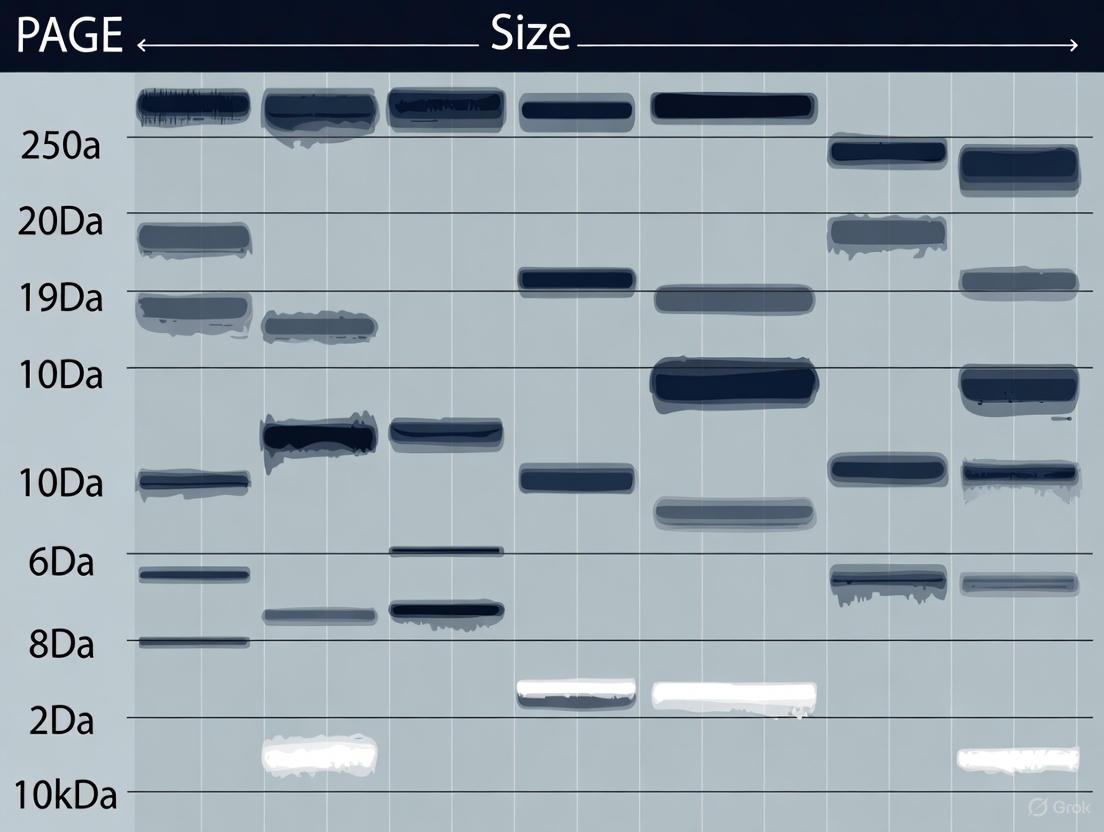
This article provides a comprehensive guide for researchers and drug development professionals on diagnosing, troubleshooting, and preventing the 'smiling bands' phenomenon in polyacrylamide gel electrophoresis (PAGE).
Solving Smiling Bands in PAGE: A Complete Troubleshooting Guide for Reliable Protein and Nucleic Acid Analysis
Abstract
This article provides a comprehensive guide for researchers and drug development professionals on diagnosing, troubleshooting, and preventing the 'smiling bands' phenomenon in polyacrylamide gel electrophoresis (PAGE). Covering foundational principles to advanced optimization strategies, it details how uneven heat distribution causes band curvature and offers practical solutions including voltage modulation, buffer conditioning, and equipment setup. The content also explores modern validation techniques and comparative analyses of troubleshooting approaches to ensure high-quality, reproducible data for biomedical and clinical research applications.
Understanding Smiling Bands: The Science Behind Gel Electrophoresis Distortion
Defining the 'Smiling Band' Phenomenon in PAGE Systems
What is the 'Smiling Band' Phenomenon?
The "smiling band" phenomenon, also known as the "smile effect," describes the appearance of curved, U-shaped protein bands in a polyacrylamide gel, where the bands in the center of the gel migrate faster than those on the sides, creating a smile-like pattern [1] [2]. This effect is an artifact that can compromise the analysis of protein separation by making bands difficult to interpret and compare.
What Causes Smiling Bands?
The primary cause of smiling bands is uneven heat distribution within the gel during electrophoresis [1] [2]. When an electric current flows through the gel, it generates heat. If this heat is not dissipated evenly, the center of the gel becomes warmer than the outer edges. Since the rate of migration is temperature-sensitive, the warmer center migrates faster, leading to the characteristic curved bands.
The table below summarizes the causes and their underlying reasons.
| Cause | Underlying Reason |
|---|---|
| Excessive Heat Generation [1] [2] | Running the gel at too high a voltage causes the running buffer and gel to warm up too quickly. |
| Inefficient Heat Dissipation [2] | Lack of cooling (e.g., not using a cooled apparatus, cold room, or ice packs) allows a temperature gradient to form. |
| Prolonged Run Time [1] | A long electrophoresis run, even at a moderate voltage, can lead to significant heat buildup over time. |
Troubleshooting and Resolving Smiling Bands
Here are the primary methods to prevent and fix the smile effect in your gels.
| Troubleshooting Action | Specific Protocol/Method | Expected Outcome |
|---|---|---|
| Reduce the Run Voltage [1] | Lower the voltage by 25-50% [2] and run the gel for a longer period. A standard practice is to run at 10-15 V/cm of gel length [1]. | Slower migration reduces heat generation, leading to straighter bands. |
| Implement Active Cooling [1] [2] | Run the gel in a cold room (4°C) or place the apparatus in a tray with ice packs or cold water. | Actively removes excess heat, preventing a temperature gradient. |
| Ensure Proper Buffer Conditions [2] | Use running buffer at the correct concentration; overly diluted buffer can lead to faster, hotter runs. | Maintains proper ion concentration for stable current flow and heat management. |
Experimental Protocol for Preventing Smiling Bands
Objective: To perform SDS-PAGE with minimal band curvature for optimal protein resolution.
Materials:
- Pre-cast or hand-cast polyacrylamide gel
- Protein samples and ladder
- SDS-PAGE running buffer (e.g., 1x Tris-Glycine-SDS)
- Electrophoresis apparatus and power supply
- Cooling equipment: ice bath, ice packs, or a cold room
Method:
- Setup: Assemble the gel apparatus according to the manufacturer's instructions. Fill the inner and outer chambers with fresh running buffer.
- Load Samples: Load your protein samples and ladder into the wells.
- Apply Cooling: Place the entire gel apparatus in an ice bath or surround it with ice packs in the tank. Alternatively, move the setup to a cold room.
- Run Electrophoresis: Connect the power supply and run the gel at a constant voltage of 100-150V, or at 10-15 V/cm for smaller gels [1]. Monitor the migration of the dye front.
- Stop the Run: Once the dye front is near the bottom of the gel, turn off the power supply.
The Scientist's Toolkit: Essential Research Reagent Solutions
| Item | Function in PAGE |
|---|---|
| Polyacrylamide/Bis-acrylamide | Forms the cross-linked porous gel matrix that separates proteins based on size. |
| SDS (Sodium Dodecyl Sulfate) | A denaturing detergent that coats proteins with a uniform negative charge, masking their native charge and allowing separation based solely on molecular weight [2]. |
| TEMED & Ammonium Persulfate (APS) | Catalyzes the polymerization reaction of acrylamide to form a gel [2]. |
| Tris-Glycine Running Buffer | Provides the ions necessary to carry the electric current and maintains a stable pH during the run [1]. |
| Coomassie Blue Stain | A common protein dye used to visualize separated protein bands after electrophoresis [1]. |
| L-Valine-13C5,15N,d8 | L-Valine-13C5,15N,d8 Stable Isotope|Supplier |
| Ibuprofen-13C,d3 | Ibuprofen-13C,d3 Stable Isotope - 1261394-40-4 |
Diagram: Cause and Solution for Smiling Bands
The diagram below illustrates the primary cause of smiling bands and the corresponding solutions.
Frequently Asked Questions (FAQs)
Q1: Can smiling bands be fixed after the gel has run? A1: No, the band curvature is a result of the migration process and cannot be altered once the run is complete. The gel must be re-run using the preventive measures outlined above.
Q2: Are there other causes of distorted bands besides heat? A2: Yes. While heat is the main cause of smiling, other issues like the "edge effect" (distorted peripheral lanes due to empty wells) [1], poor gel polymerization [2], or high salt concentration in samples [2] can also cause band distortion. Ensuring wells are not left empty and samples are properly prepared is crucial.
Q3: Is a slight smile effect acceptable? A3: A very minor curvature may not impact the analysis of well-separated bands, but a pronounced smile effect can make it difficult to accurately determine molecular weights and compare bands across lanes. It is best practice to minimize the effect as much as possible.
In polyacrylamide gel electrophoresis (PAGE), the ideal result is a gel with straight, well-resolved bands that migrate uniformly across all lanes. However, Joule heating—the heat generated when electric current passes through the conductive buffer and gel matrix—often disrupts this ideal, leading to the phenomenon of "smiling" or "frowning" bands. These distorted bands curve upward or downward, indicating uneven migration where samples in the center of the gel migrate faster than those on the edges. This artifact is more than a cosmetic issue; it compromises the accuracy of molecular weight determination, hinders precise quantification, and can render samples unsuitable for downstream applications. Understanding and mitigating Joule heating is therefore critical for generating reproducible, publication-quality data in biochemical research and drug development.
The Troubleshooting Guide
Diagnosing the Cause of Band Distortion
Use the following flowchart to diagnose the root cause of uneven band migration in your polyacrylamide gels.
Troubleshooting FAQs
Q1: Why do my protein bands curve upwards ("smile") in the middle lanes of my SDS-PAGE gel? This "smiling" effect is almost always a direct result of uneven heat distribution across your gel. The center of the gel becomes hotter than the edges due to Joule heating, causing samples in the middle lanes to migrate faster. This temperature gradient warps the migration path of the bands [3] [4]. To resolve this, run your gel at a lower voltage, use a power supply with a constant current mode, or perform the electrophoresis in a cold room or with a built-in cooling apparatus [3] [4].
Q2: How does excessive voltage lead to band distortion and smearing? Running your gel at a very high voltage generates intense Joule heating, which can cause several problems:
- Localized Overheating: Creates temperature gradients, leading to the curved bands described above [3].
- Band Smearing: The heat can denature proteins or nucleic acids, breaking them into a spectrum of smaller fragments that appear as a smear [3] [5].
- Reduced Resolution: High voltage can increase diffusion, reducing the effective separation distance between bands of similar sizes [3]. A standard practice is to run polyacrylamide gels at around 150V, though optimal voltage can depend on gel size and buffer system [4].
Q3: My samples have high salt concentrations. How does this cause distortion? Excess salt in a sample creates a local zone of high conductivity within the well. This leads to increased local heating and distorts the electric field in the immediate vicinity of the well, causing band distortion and smearing as the sample enters the gel [3] [5]. To avoid this, desalt your samples using spin columns, dialysis, or precipitation methods before loading them onto the gel [3].
Q4: Can the electrophoresis setup itself cause uneven migration? Yes, an improper setup is a common contributor to this problem. Issues such as an improperly seated gel, crooked electrodes, or uneven buffer levels can create a non-uniform electric field [3]. This means different parts of the gel experience slightly different field strengths, leading to inconsistent migration rates and distorted bands. Always ensure the gel apparatus is assembled correctly and that buffer levels are even across the tank.
Q5: What is the "edge effect," and how is it related to heating? The "edge effect" occurs when the outermost lanes (especially the left and right edges) of the gel are distorted, often appearing compressed or curved. This can happen when peripheral wells are left empty, altering the local electric field and heat dissipation properties for the adjacent sample lanes [4]. To prevent this, load all wells with experimental samples, protein ladders, or a control protein solution—never leave them empty.
Experimental Protocols for Mitigation
Protocol: Optimizing Run Conditions to Minimize Joule Heating
This protocol provides a method to empirically determine the optimal voltage and temperature for your specific PAGE setup to prevent band distortion.
Key Reagents:
- Pre-cast or hand-cast polyacrylamide gel (e.g., 4-20% gradient gel)
- Fresh running buffer (e.g., Tris-Glycine-SDS)
- Standard protein ladder
- Control protein sample (e.g., BSA)
Methodology:
- Prepare identical samples of your protein ladder and control protein.
- Load the same volume and concentration into multiple lanes of your gel.
- Run the gel at different constant voltages (e.g., 100V, 120V, 150V, 180V) in separate but identical tanks, or sequentially if possible.
- For one set of runs, employ active cooling by placing the tank in a cold room or using a circulation cooler. For another set, run at room temperature without cooling.
- Carefully monitor the run, and if possible, use an infrared thermometer to track the gel's surface temperature at the center and edges.
- Stop the run when the dye front reaches the bottom of the gel.
- Stain and destain the gels following your standard procedure.
Data Analysis:
- Compare the band shapes (straight vs. curved) and sharpness across the different voltages and temperatures.
- The condition that produces the straightest, sharpest bands without excessively prolonging the run time is the optimal condition for your system.
Quantitative Data for Experimental Planning
The following table summarizes key parameters that influence Joule heating and provides recommended ranges for robust experimental design.
Table 1: Operational Parameters to Control Joule Heating in PAGE
| Parameter | Sub-optimal Condition | Impact on Joule Heating & Band Morphology | Recommended Practice |
|---|---|---|---|
| Voltage / Current | Very high voltage (>150V for standard mini-gels) | Generates intense heat, leading to smiling bands, smearing, and poor resolution [3] [4]. | Run at 100-150V, or use constant current mode. For sharper bands, use lower voltage for a longer duration [3] [6]. |
| Buffer System | Incorrect concentration; depleted or old buffer | Alters system resistance, leading to inconsistent heating and migration; poor buffering causes pH shifts [3]. | Always use fresh buffer at the correct concentration. TBE buffered gels can yield sharper bands than TAE [6]. |
| Temperature Control | No active cooling at high voltages | Allows significant temperature gradients to form across the gel, causing uneven migration [3] [4]. | Run in a cold room, use a circulating cooler, or submerge the tank in an ice water bath for high-voltage runs. |
| Sample Composition | High salt concentration | Creates a local high-conductivity zone in the well, causing localized heating and distortion [3] [5]. | Desalt samples prior to loading via spin columns, dialysis, or ethanol precipitation. |
| Gel Tank Setup | Uneven buffer levels; crooked electrodes | Creates a non-uniform electric field, causing lanes on one side to migrate faster than the other [3]. | Ensure the gel is seated properly, electrodes are straight and parallel, and buffer levels are even across the tank. |
The Scientist's Toolkit: Key Research Reagent Solutions
Selecting the right reagents is fundamental to minimizing artifacts in PAGE. The table below lists essential materials and their functions in combating Joule heating and ensuring even band migration.
Table 2: Essential Reagents for High-Quality PAGE
| Reagent / Material | Function & Rationale | Key Considerations |
|---|---|---|
| Fresh Running Buffer (e.g., Tris-Glycine) | Maintains stable pH and ionic strength for consistent current flow and heat distribution. Old buffer has depleted buffering capacity [3]. | Prepare fresh or use aliquots from a concentrated stock. Ensure the buffer level is uniform in the tank [3]. |
| High-Purity Acrylamide/ Bis-acrylamide | Forms the sieving matrix with consistent pore size. Contaminants can increase conductivity and heating. | Use molecular biology-grade reagents. Prepared stock solutions should be used within a few months as they break down into acrylic acid over time [7]. |
| Fresh Ammonium Persulfate (APS) | Catalyst for acrylamide polymerization. Old APS leads to slow or incomplete polymerization, creating an unstable gel matrix [6]. | Prepare fresh solutions for reliable and complete gel polymerization. Stored APS solutions lose efficiency quickly [6] [7]. |
| Tetramethylethylenediamine (TEMED) | Stabilizes free radicals to initiate gel polymerization. Oxidized TEMED will fail to polymerize the gel properly. | Store tightly capped at room temperature to prevent oxidation and degradation [7]. |
| Active Cooling System | Actively dissipates heat generated during electrophoresis to maintain a uniform temperature across the gel. | This can be a built-in circulator, a Peltier cooler, or simply running the gel in a cold room [4]. Passive cooling (e.g., using materials with high thermal conductivity) can also be effective [8]. |
| Phenylbutazone-13C12 | Phenylbutazone-13C12, CAS:1325559-13-4, MF:C19H20N2O2, MW:320.29 g/mol | Chemical Reagent |
| Oxyclozanide | Oxyclozanide, CAS:1353867-74-9, MF:C13H6Cl5NO3, MW:401.4 g/mol | Chemical Reagent |
Impact of Temperature Gradients on Gel Matrix and Sample Mobility
In polyacrylamide gel electrophoresis (PAGE), the control of temperature is not merely a technical detail but a fundamental factor determining separation quality. The electrophoretic process generates heat due to electrical resistance in the gel matrix, creating inevitable temperature gradients that directly impact macromolecule mobility and band morphology. This technical guide addresses how these thermal phenomena, particularly Joule heating, cause the problematic "smiling bands" often encountered in slab gel electrophoresis and provides evidence-based solutions for researchers seeking to optimize their experimental outcomes. Understanding that gel temperature exhibits a parabolic distribution across the slab—with the center significantly warmer than the edges—is essential for diagnosing and resolving these common artifacts [9]. The following sections provide comprehensive troubleshooting guidance and methodological approaches to mitigate these thermal effects for superior separation reproducibility.
Troubleshooting FAQs: Addressing Temperature-Related Artifacts
What causes "smiling" or "frowning" bands in my polyacrylamide gels?
The phenomenon of smiling bands—where bands curve upward at the edges—is predominantly caused by uneven heat distribution across the gel plate. This uneven heating creates a viscosity gradient within the gel matrix, leading to differential migration rates [3] [10].
Primary causes include:
- Joule heating: The center of the gel becomes hotter than the edges during electrophoresis, causing samples in the middle lanes to migrate faster than those on the sides [3] [9].
- Excessive voltage: Running gels at inappropriately high voltages generates excessive heat, exacerbating temperature differentials [11] [3].
- Inadequate cooling: Poor heat dissipation from the electrophoresis apparatus allows significant thermal gradients to develop [10].
- High salt concentrations in samples can create local regions of high conductivity, leading to localized heating and band distortion [3].
How does temperature specifically affect my gel matrix and sample mobility?
Temperature impacts electrophoresis through multiple simultaneous mechanisms:
Gel Matrix Effects:
- Viscosity changes: Increased temperature reduces gel viscosity, allowing faster sample migration [12] [13].
- Electrical resistance: Higher temperatures decrease electrical resistance, potentially increasing current and generating more heat in a positive feedback loop [13].
- Pore dynamics: While the chemical cross-linking remains stable, the physical pores may exhibit altered sieving properties due to thermal expansion effects.
Sample Mobility Effects:
- Increased diffusion: Higher temperatures accelerate molecular diffusion, leading to band broadening and reduced sharpness [3].
- Altered charge states: In native PAGE, temperature affects ionization equilibria (pKa of ionizable groups), changing the effective charge of molecules [9].
- Structural integrity: Elevated temperatures may denature sensitive proteins even in non-denaturing conditions, altering their migration characteristics [3].
What are the most effective strategies to minimize temperature gradients?
Implementing a comprehensive approach to thermal management yields the best results:
Operational Adjustments:
- Reduce voltage: Lower voltages (10-15V/cm) for extended run times significantly reduce Joule heating [11] [3].
- Use constant current: Constant current power supplies maintain more uniform temperature by controlling heat generation rate [3].
- Active cooling: Run gels in a cold room or use pre-chilled buffers and integrated cooling systems [11] [10].
Technical Innovations:
- Thermal conductive nanoparticles: Embedding TiOâ‚‚ (0.025% w/v) or ceria (0.03% w/v) nanoparticles increases thermal conductivity by 16.5-35%, improving heat dissipation [9].
- Temperature gradient programming: Implementing a downward temperature gradient during the initial run phase can improve macromolecule migration in continuous gels without stacking gels [13].
Quantitative Data: Temperature Effects on Electrophoresis Parameters
Table 1: Effect of Embedded Nanoparticles on Gel Thermal Properties
| Nanoparticle Type | Concentration (% w/v) | Thermal Conductivity Improvement | Maximum Voltage Increase | Separation Efficiency Improvement |
|---|---|---|---|---|
| TiOâ‚‚ | 0.025% | 16.5% | 30V | 63% |
| Ceria (CeOâ‚‚) | 0.03% | 35% | 50V | 56% |
| g-C₃N₄ nanosheets | 0.04% | 20% | Not specified | Significant |
Table 2: Troubleshooting Guide for Temperature-Related Artifacts
| Problem | Primary Cause | Immediate Solution | Preventive Approach |
|---|---|---|---|
| Smiling bands | Uneven center-edge heating | Reduce voltage by 25-30% | Use constant current mode |
| Band smearing | Localized overheating | Run gel at 4°C | Add thermal nanoparticles to gel |
| Poor resolution | Excessive diffusion from heat | Extend run time at lower voltage | Optimize gel concentration for target MW |
| Vertical band spreading | High salt in samples | Desalt samples before loading | Dilute samples in nuclease-free water |
| Complete band absence | Sample degradation from heat | Verify power supply connections | Implement active cooling system |
Experimental Protocols: Methodologies for Thermal Management
Protocol: Incorporating TiOâ‚‚ Nanoparticles for Enhanced Heat Dissipation
This protocol details the preparation of polyacrylamide/TiOâ‚‚ composite gels with improved thermal conductivity, based on established methodologies [9].
Reagents and Materials:
- Titanium isopropoxide (TTIP, 97.0%) or pre-synthesized TiOâ‚‚ nanoparticles
- Acrylamide/bis-acrylamide stock solution (30% for proteins)
- Tris-hydrochloride buffer (1.5M, pH 8.8 for resolving gel)
- Ammonium persulfate (10% w/v fresh solution) and TEMED
- Standard SDS-PAGE reagents and apparatus
Procedure:
- Nanoparticle Preparation: Synthesize TiOâ‚‚ nanoparticles via sol-gel method using TTIP precursor in ethanol/water mixture with acidic catalyst. Characterize by XRD to confirm anatase phase with average crystallite size of 15-20nm.
- Gel Solution Preparation: Prepare polyacrylamide solution at desired concentration (e.g., 12% for most proteins). Add 0.025% w/v TiOâ‚‚ nanoparticles relative to total gel volume.
- Sonication: Sonicate the mixture for 10-15 minutes to ensure uniform nanoparticle distribution without forming aggregates.
- Polymerization: Add TEMED and APS according to standard protocols (typically 0.1% v/v and 0.1% w/v final concentration, respectively) and cast gels as usual.
- Electrophoresis: Run gels with standard protein samples at optimized voltages (typically 180-200V for standard mini-gels with composite matrix).
Validation:
- Compare separation efficiency by calculating theoretical plates for standard protein mixtures.
- Document temperature reduction using thermal camera imaging if available.
- Expect an average temperature reduction of 2.5°C after 15 minutes at 200V compared to standard PA gels.
Protocol: Temperature Gradient Electrophoresis Without Stacking Gel
This method utilizes a programmed temperature decrease during the initial run phase as an alternative to conventional stacking gels [13].
Reagents and Materials:
- Standard polyacrylamide gel components (without stacking layer)
- Programmable temperature control system or recirculating chiller with temperature programming capability
- Standard electrophoresis equipment and samples
Procedure:
- Gel Casting: Prepare continuous gel (no stacking layer) at appropriate percentage for target separation.
- Initial Conditions: Set initial running temperature to 15-18°C using cooling system.
- Temperature Programming: Implement a downward temperature gradient to 8-10°C over the first 30-40% of the total run time.
- Electrophoresis Conditions: Apply standard voltage (100-150V for mini-gels) throughout the run.
- Completion: Maintain final temperature for the remainder of the separation.
Validation:
- Compare band sharpness and resolution with conventional stacking gel methods.
- Optimize temperature gradient slope for specific sample types.
- This approach capitalizes on the inverse relationship between temperature and electrical resistance to create effective stacking conditions [13].
Diagram 1: Temperature Gradient Electrophoresis Workflow. This diagram illustrates the relationship between programmed temperature changes and their effects on gel properties that lead to improved separation.
The Scientist's Toolkit: Essential Research Reagents and Materials
Table 3: Key Reagent Solutions for Thermal-Managed Electrophoresis
| Reagent/Material | Function | Specific Application Notes |
|---|---|---|
| TiOâ‚‚ nanoparticles (anatase) | Thermal conductivity enhancement | 0.025% w/v in gel; improves heat dissipation by 16.5% |
| Ceria (CeOâ‚‚) nanoparticles | High thermal conductivity additive | 0.03% w/v in gel; improves heat dissipation by 35% |
| Graphitic carbon nitride (g-C₃N₄) | Nanosheet heat sinks | 0.04% w/v; also catalyzes acrylamide polymerization |
| Programmable thermoelectric cooler | Precise temperature control | Enables temperature gradient protocols |
| Constant current power supply | Uniform heat generation management | Prevents thermal runaway during extended runs |
| Pre-chilled Tris-glycine buffer | Immediate heat absorption capacity | Maintains lower initial temperature throughout run |
| Thermal imaging camera | Temperature distribution visualization | Validates thermal profile across gel surface |
| Aldicarb sulfone-13C2,d3 | Aldicarb sulfone-13C2,d3, MF:C7H14N2O4S, MW:227.27 g/mol | Chemical Reagent |
| Fmoc-Ser(tBu)-OH-13C3,15N | Fmoc-Ser(tBu)-OH-13C3,15N, MF:C22H25NO5, MW:387.4 g/mol | Chemical Reagent |
Advanced Technical Considerations
Molecular Interactions Under Thermal Stress
The interplay between temperature gradients and molecular migration involves complex physicochemical relationships. As temperature increases, the electrophoretic mobility of proteins increases approximately 2-3% per degree Celsius due to reduced buffer viscosity. However, this relationship becomes non-linear under the denaturing conditions of SDS-PAGE, where protein-surfactant complexes may undergo structural transitions at elevated temperatures [12] [9]. In native PAGE, these effects are more pronounced as proteins maintain their higher-order structure and temperature-sensitive charge characteristics.
The use of nanoparticle-enhanced gels represents a significant advancement in thermal management. These composite materials function not merely as passive heat sinks but actively modify the thermal transport properties through phonon transfer mechanisms at the polymer-nanoparticle interface. The selected nanoparticles (TiO₂, ceria, g-C₃N₄) provide high surface-area-to-volume ratios for efficient heat transfer while minimally impacting the gel's sieving properties [9].
Diagram 2: Thermal Impact on Band Morphology. This diagram illustrates the causal relationship between Joule heating and the smiling band artifact through multiple interconnected pathways.
Integration with Broader Research Methodologies
Addressing thermal artifacts extends beyond immediate troubleshooting to encompass strategic experimental design. Researchers conducting drug development studies requiring precise quantification of protein-ligand interactions must particularly prioritize thermal management, as mobility shifts of just 1-2% can significantly impact binding calculations [12]. Similarly, clinical applications such as lipoprotein analysis using techniques like fluorescence-based HI-PAGE demand exceptional reproducibility, where temperature-induced band distortion compromises diagnostic accuracy [14].
The integration of thermal control strategies with other optimization parameters creates a comprehensive approach to electrophoresis quality. When combined with appropriate gel percentage selection (higher percentages for smaller proteins), optimized buffer systems (tris-tricine for low molecular weight targets), and careful sample preparation (desalting, proper denaturation), temperature management completes the quartet of essential separation enhancement techniques [5] [12] [15]. This holistic methodology ensures that electrophoresis remains a robust, reproducible foundation for biomedical research and diagnostic applications.
How Equipment Setup and Buffer Conditions Contribute to Band Curvature
Band curvature, often referred to as the "smiling effect," is a common artifact in polyacrylamide gel electrophoresis (PAGE) where protein bands curve upward at the edges. This phenomenon can compromise the accuracy of molecular weight determination and the qualitative analysis of protein samples. Within the broader context of advancing PAGE methodologies, this guide addresses the critical roles that equipment configuration and buffer chemistry play in generating and preventing this issue, providing targeted troubleshooting for research and drug development professionals.
FAQs on Band Curvature
1. What exactly is "band curvature" or the "smiling effect" in PAGE? Band curvature describes a phenomenon where protein bands in an SDS-PAGE gel curve upwards at the sides and downwards in the center, creating a smiling appearance. This distortion occurs when the center of the gel runs hotter than the edges, causing proteins in the warmer center to migrate faster than those on the cooler sides [16] [2].
2. Which equipment setup issues most commonly cause smiling bands? The primary equipment-related cause is uneven heat distribution across the gel slab. This can be exacerbated by running the gel at an inappropriately high voltage, which generates excessive heat, or by an apparatus that lacks efficient and uniform cooling capabilities [16] [2].
3. How do buffer conditions influence band curvature? While heat is the direct cause, buffer conditions can indirectly contribute. Using a running buffer that is too diluted or has an incorrect ionic strength can lead to increased electrical resistance and excessive Joule heating during the run. Furthermore, a buffer with low buffering capacity may not maintain a stable pH over longer runs, potentially affecting migration uniformity [16].
Troubleshooting Guide: Resolving Band Curvature
Problem: Smiling or Curved Bands
- Observed Effect: Protein bands curve upward at the edges of the gel.
| Possible Cause | Detailed Explanation | Recommended Solution |
|---|---|---|
| Excessive Heat Generation | High voltage causes increased current, generating heat. The center of the gel is often warmer than the edges, leading to faster migration in the center. | Run the gel at a lower voltage for a longer duration [16] [2]. |
| Inefficient Cooling | The electrophoresis apparatus does not dissipate heat evenly across the entire gel surface. | Conduct the run in a cold room or use a specialized gel tank that incorporates a cooling unit or allows for immersion in an ice water bath [16]. |
| Incorrect Buffer Ionic Strength | A running buffer that is too diluted has higher electrical resistance, which can contribute to excessive heating during the run. | Ensure the running buffer is prepared at the correct concentration. Remake the buffer if necessary [16]. |
Troubleshooting workflow for smiling bands.
Experimental Protocols for Mitigation
Protocol 1: Optimizing Electrophoresis Run Conditions to Minimize Heating
This protocol is designed to systematically reduce the internal heat generation that causes band curvature.
- Gel Preparation: Cast or obtain a standard SDS-polyacrylamide gel appropriate for your target protein size [17] [18].
- Sample Loading: Load your protein samples and molecular weight markers into the wells.
- Voltage Application: Instead of using a constant high voltage (e.g., 150-200V), initiate the run at a lower voltage, such as 80-100 volts.
- Monitoring: As the tracking dye (e.g., bromophenol blue) moves through the stacking gel and into the resolving gel, you may increase the voltage slightly, but do not exceed 100-120 volts for the remainder of the run. A good practice is to run the gel at 10-15 Volts/cm of gel length [16].
- Completion: Stop the run when the tracking dye front reaches about 1 cm from the bottom of the gel.
Protocol 2: Implementing Active Cooling During Electrophoresis
This protocol addresses the dissipation of heat from the gel apparatus to ensure uniform temperature.
- Apparatus Setup: After loading the samples, assemble the gel tank according to the manufacturer's instructions.
- Cooling Method Selection:
- Cold Room: Place the entire electrophoresis apparatus in a 4°C cold room and conduct the run there [16].
- Ice Bath: If a cold room is unavailable, the gel tank can be placed in a container filled with ice water, ensuring the water level is compatible with the apparatus design.
- Integrated Cooler: If available, attach or activate the cooling unit integrated into the electrophoresis system.
- Buffer Circulation (Optional): For systems that support it, gentle stirring of the running buffer can help distribute heat more evenly.
- Run Initiation: Proceed with the run at the optimized voltage from Protocol 1. The cooling will help maintain a consistent temperature across the gel.
The Scientist's Toolkit: Essential Reagents and Materials
| Item | Function in Electrophoresis |
|---|---|
| Tris-Glycine-SDS Running Buffer | Maintains pH and ionic strength for consistent protein migration and current flow. Incorrect preparation is a common cause of overheating [16] [18]. |
| Polyacrylamide Gel (Gradient Gel) | A 4-20% gradient gel can separate a wide range of protein sizes and often incorporates a built-in stacking effect, which can help produce sharper bands [17] [2]. |
| Precast Gels | Offer consistency in polymerization and well formation, reducing variables that can lead to artifacts like smiling [2]. |
| Molecular Weight Standards | Essential for estimating the size of unknown proteins and assessing the quality of the electrophoresis run, including band straightness [17] [18]. |
| Tenoxicam-D3 | Tenoxicam-D3, MF:C13H11N3O4S2, MW:340.4 g/mol |
| Parbendazole-d3 | Parbendazole-d3, MF:C13H17N3O2, MW:250.31 g/mol |
### FAQ: Understanding Band Curvature
What are "smiling" and "frowning" bands in electrophoresis? "Smiling" and "frowning" bands refer to the upward or downward curvature of sample bands within a gel lane instead of running in a straight line. A "smile" curves upward at the edges, while a "frown" curves downward at the edges. This artifact hinders accurate analysis by distorting band migration.
What causes bands to smile or frown? The primary cause is an uneven temperature distribution across the gel during the run. "Smiling" often occurs when the center of the gel is hotter than the edges, causing samples in the middle to migrate faster. "Frowning" is the opposite, where the edges run hotter and faster than the center [19]. Other factors include improper buffer concentration, overloading sample wells, or damaged wells [5].
### Troubleshooting Guide: Resolving Band Curvature
Problem: My gel has smiling bands.
- Diagnosis: The center of the gel is likely warmer than the edges, causing faster migration in the middle.
- Solution:
- Adjust electrophoresis parameters: Run the gel at a lower voltage to reduce overall heat generation [19]. Ensure the power supply and electrodes are functioning correctly.
- Cool the gel evenly: Use a gel apparatus with a cooling system or place the entire setup in a cold room while it runs. For some systems, a compatible ice pack can be placed in the buffer chamber [19].
- Check buffer concentration: Use fresh running buffer at the correct concentration and ensure the buffer level is even across the gel surface [19].
Problem: My gel has frowning bands.
- Diagnosis: The edges of the gel are warmer than the center.
- Solution:
- Ensure even contact: Check that the gel is making uniform contact with the buffer across its entire width, particularly in vertical gel systems.
- Verify electrode function: Confirm that both electrodes are operating correctly and are parallel to the gel.
- Adjust voltage: Similar to smiling, running at a lower voltage can help mitigate heat-related distortion [19].
Problem: My bands are distorted, but not in a uniform smile or frown.
- Diagnosis: This is often related to issues with the gel cassette or sample well integrity.
- Solution:
- Inspect the gel cassette: Ensure the gel cassette is properly assembled and not leaking.
- Check well formation: Avoid pushing the comb all the way to the bottom of the gel, which can cause sample leakage and smearing [5]. Use a clean, undamaged comb and remove it carefully after polymerization to prevent well damage [5].
- Avoid sample overloading: Do not overload wells with too much sample, as this can cause trailing smears and warped or U-shaped bands [5].
Experimental Protocol: Mitigating Band Curvature
For reproducible, straight bands, follow this optimized electrophoresis protocol:
- Gel Preparation: Cast a gel of uniform thickness (3–4 mm is recommended for horizontal agarose gels [5]). Ensure the gel comb is clean and correctly positioned—not pushed to the bottom of the cassette. Allow the gel to polymerize completely.
- Sample Preparation: Denature samples appropriately. For proteins, ensure complete denaturation by boiling in SDS-sample buffer for about 5 minutes, then immediately place on ice to prevent renaturation [19]. Avoid sample overloading; a general recommendation is 0.1–0.2 μg of DNA or RNA per millimeter of gel well width [5].
- Gel Running Conditions:
- Use fresh running buffer formulated with the correct salt concentrations [19].
- Set the power supply to a constant voltage. Begin the run at a lower voltage (e.g., 80-100 V) for the first few minutes until the samples have entered the gel matrix, then increase to the standard running voltage.
- If available, activate the gel apparatus's cooling function or perform the run in a cold room [19].
- Post-Run Analysis: Visualize the gel promptly after electrophoresis to avoid band diffusion [5].
Diagram: Troubleshooting workflow for smiling and frowning bands. Corrective actions address uneven temperature distribution across the gel.
Research Reagent Solutions
The following table details key reagents and materials essential for preventing gel artifacts.
| Reagent/Material | Function & Importance | Technical Notes |
|---|---|---|
| Fresh Running Buffer | Maintains correct ionic strength and pH for consistent current flow and protein denaturation [19]. | Overused or improperly formulated buffers hinder separation [19]. Make fresh before each run. |
| Polyacrylamide Gels | Forms a sieving matrix to separate molecules by size. The percentage must be appropriate for the target size [19]. | Incomplete polymerization causes poor resolution. Ensure TEMED and APS are fresh [19]. |
| SDS & DTT/β-ME | Denaturing agents (SDS and Dithiothreitol/β-mercaptoethanol) linearize proteins and impart uniform charge [19]. | Insufficient denaturation leads to aberrant migration and poor separation [19]. |
| Pre-cast Gels | Ensure consistent gel matrix, well formation, and polymerization, minimizing preparation artifacts [19]. | A simple solution to avoid issues like poorly formed wells or incomplete polymerization [19]. |
Proactive Prevention: Methodological Approaches to Eliminate Band Distortion
Optimizing Voltage and Current Settings for Minimal Heat Generation
In polyacrylamide gel electrophoresis (PAGE), managing heat generation is crucial for obtaining high-quality, reproducible results. Excessive heat is a primary cause of the "smiling band" phenomenon, where protein bands curve upward at the edges, and can also lead to smeared bands or even protein degradation. This guide provides troubleshooting and FAQs to help you optimize your electrical settings for minimal heat production.
Understanding Electrical Modes and Heat Generation
What are the differences between constant current, voltage, and power modes?
Most modern power supplies allow you to run gels in constant current, constant voltage, or constant power mode. The choice of mode directly influences heat production in your system [20].
Constant Current: The current (I, in milliamps) remains fixed. Voltage and power increase as resistance increases, leading to more heat generation over time. This mode provides a constant migration rate, allowing for predictable run times [20].
Constant Voltage: The voltage (V, in volts) remains fixed. Current and power decrease as resistance increases, producing less heat overall. However, sample migration slows down, potentially leading to longer run times and diffuse bands [20].
Constant Power: Power (P, in watts) remains constant. Voltage and current fluctuate inversely over time. While heat production remains more stable, the sample migration rate cannot be easily predicted [20].
The relationship between these parameters is defined by Ohm's Law [20]: Voltage (V) = Current (I) × Resistance (R) and the power calculation: Power (P) = Voltage (V) × Current (I)
The heat generated during electrophoresis is known as Joule or Ohmic heating. Excessive heat causes gels to expand, leading to uneven protein migration and the characteristic "smiling" pattern where bands curve upward at the edges [20] [21].
Troubleshooting Common Heat-Related Issues
My gel shows "smiling" bands. What should I do?
"Smiling" bands occur when excessive heat causes the gel to expand, resulting in curved protein bands [21].
- Run at a lower voltage: Use a lower voltage for a longer run time. A standard practice is 10-15 volts per cm of gel length [21].
- Implement cooling: Run your gel in a cold room, place ice packs in the electrophoresis apparatus, or ensure adequate cooling [20] [21].
- Avoid over-cooling: Excessive cooling increases resistance, leading to longer run times [20].
The protein bands in my gel appear smeared. Could heat be the cause?
Yes, smeared bands often indicate that you're running your gel at too high a voltage, generating excessive heat [21].
- Reduce voltage: Lower your operating voltage and increase run time accordingly [21].
- Verify buffer concentration: Ensure your running buffer has the proper salt concentration, as diluted buffer can cause faster migration and smearing [21].
My protein samples are migrating too quickly. How do I slow them down?
Rapid migration often results in broad, diffused smears rather than discrete bands [21].
- Check running buffer: Use running buffer with proper salt concentration, not diluted buffer [21].
- Reduce voltage: Running at very high voltage causes this issue; standard practice is around 150V for typical gels [21].
Experimental Protocols for Heat Management
Standard Protocol for Minimal Heat Generation
Pre-electrophoresis Setup:
- Prepare gel according to your standard protocol
- Load samples and assemble electrophoresis apparatus
- Add fresh, properly prepared running buffer
Voltage and Current Settings:
Monitoring and Adjustment:
- Monitor the run for signs of overheating
- Adjust settings if necessary
- Stop run when dye front reaches bottom of gel [21]
Advanced Protocol: Staged Voltage Application
Research has shown that using a stepwise voltage program can optimize separation while minimizing heat effects [22]:
- Initial Phase: 120V constant voltage for 15 minutes
- Intermediate Phase: Increase to 150V constant voltage for 15 minutes
- Final Phase: Further increase to 200V constant voltage for 15 minutes
This approach, used in fluorescence-based PAGE methods, allows for completion of the entire electrophoresis process within 1.5 hours while maintaining resolution [22].
Quantitative Settings Guide
Table 1: Recommended Electrical Settings for Different Gel Conditions
| Gel Condition | Electrical Mode | Recommended Setting | Expected Run Time | Heat Production |
|---|---|---|---|---|
| Standard 1-mm gel | Constant Voltage | 5-15 V/cm gel length [20] | Variable | Moderate |
| Sharp bands desired | Constant Current | 100-120 mA [20] | ~1-1.5 hours | Higher risk |
| Multiple chambers | Constant Voltage | Same as single gel setting [20] | Variable | Lower risk |
| Heat-sensitive proteins | Constant Power | Optimized for system | Longer runs | Most stable |
| Standard separation | Constant Voltage | 150V [21] | ~1-1.5 hours | Moderate |
Table 2: Troubleshooting Guide for Heat-Related Issues
| Problem | Possible Cause | Solution | Preventive Measures |
|---|---|---|---|
| "Smiling" bands | Gel expansion from overheating | Run gel at lower voltage for longer time [21] | Use cooling system; optimize voltage |
| Smeared bands | Voltage too high | Reduce voltage [21] | Follow recommended V/cm guidelines |
| Diffuse bands | Run time too long with constant voltage | Use constant current for sharper bands [20] | Monitor dye front; stop at gel bottom [21] |
| No separation | Buffer improper; current flow issues | Remake running buffer [21] | Verify buffer ion concentration and pH |
| Edge distortion | Empty peripheral wells (edge effect) | Load all wells with samples or dummy proteins [21] | Always load ladders or proteins in peripheral wells |
The Scientist's Toolkit: Essential Reagents and Materials
Table 3: Key Research Reagent Solutions for PAGE Heat Management
| Reagent/Material | Function in Electrophoresis | Role in Heat Management |
|---|---|---|
| Tris-Glycine-SDS Buffer | Common running buffer system | Proper ion concentration ensures efficient current flow and minimizes excessive resistance [23] [21] |
| Acrylamide/Bis-acrylamide | Gel matrix formation | Proper concentration (\%T) affects pore size and migration; higher \% increases resistance [23] |
| TEMED (Tetramethylethylenediamine) | Polymerization catalyst | Fresh TEMED ensures proper gel formation, preventing irregularities that exacerbate heating issues [23] |
| APS (Ammonium Persulfate) | Polymerization initiator | Freshly prepared APS ensures uniform gel structure for even heat distribution [23] |
| Pre-cast Gels (Bis-Tris systems) | Alternative buffer system | More stable at neutral pH, less degradation, longer shelf life, potentially more consistent runs [23] |
| Cooling apparatus/Ice packs | External temperature control | Directly counteracts Joule heating during electrophoresis [20] [21] |
| L-Valine-2-13C | L-Valine-2-13C, MF:C5H11NO2, MW:118.14 g/mol | Chemical Reagent |
| (-)-Fucose-13C | (-)-Fucose-13C|13C Labeled L-Fucose |
Frequently Asked Questions
Should I run my gel in constant current or constant voltage mode to minimize heat?
Constant voltage generally produces less heat because current and power decrease as resistance increases during the run. However, for sharper bands and predictable run times, constant current is often preferred despite its higher heat generation potential. The best choice depends on your specific application and equipment [20].
How can I safely run my gel in the cold room without damaging equipment?
Place the power pack at room temperature and only run the leads into the cold room. This prevents condensation from damaging the power pack's electronics. You can seal the fridge door with tape for extra security, but avoid cooling the chamber too much as increased resistance will lead to longer run times [20].
What is the "edge effect" and how does it relate to heat?
The edge effect occurs when the peripheral lanes of your gel are distorted due to empty wells at the edges. While not directly caused by heat, it compounds heat-related issues. To prevent this, never leave peripheral wells empty; load them with ladders or control proteins [21].
My samples migrated out of the wells before I started electrophoresis. What happened?
This occurs when there's a significant delay between loading samples and applying power. Without immediate current application, samples diffuse haphazardly. Always start electrophoresis immediately after loading your last sample [21].
Workflow Optimization
Optimizing Electrical Settings Workflow
By implementing these voltage and current optimization strategies, you can significantly reduce heat-related artifacts in your polyacrylamide gel electrophoresis, leading to more reliable results and eliminating the frustrating "smiling band" phenomenon.
In polyacrylamide gel electrophoresis (PAGE), precise temperature control is not merely beneficial—it is fundamental to obtaining reliable, reproducible results. The "smiling band" phenomenon, where bands curve upward at the edges, is a direct consequence of uneven heat distribution across the gel. This artifact occurs when the center of the gel becomes significantly warmer than the edges, causing samples in the center lanes to migrate faster than those in the peripheral lanes [24]. This troubleshooting guide provides detailed methodologies for implementing effective temperature control strategies to mitigate such heat-related issues, ensuring high-resolution separations for research and drug development applications.
Troubleshooting Guides & FAQs
Frequently Asked Questions
Q1: Why do my gels exhibit "smiling" or "frowning" bands? This is a classic sign of uneven heating. When the gel's center becomes hotter than its edges, bands in the center migrate faster, creating a upward-curving "smile." Conversely, if the edges are warmer, bands will curve downward, creating a "frown." This temperature gradient disrupts uniform migration [25] [24].
Q2: Can I simply run my gel at a very low voltage to avoid heating? While reducing voltage minimizes heat generation, it significantly increases run time. A more effective strategy is to find an optimal balance—running the gel at a moderately lower voltage for a slightly longer time, often in combination with an active cooling system [25] [19].
Q3: What is the most effective method for cooling a standard gel apparatus? For most systems, submerging the entire gel tank in a cold water bath is highly effective. Alternatively, using a refrigerated/circulating bath to pump coolant through the apparatus's heat exchanger ports or placing pre-cooled ice packs directly into the tank buffer are also reliable methods [25].
Q4: When should I use a cold room for electrophoresis? Running gels in a cold room (typically 4°C) is an excellent comprehensive strategy for heat-sensitive protocols or for extended, high-voltage runs. It ensures the entire apparatus and buffer are maintained at a consistently low temperature [25].
Troubleshooting Common Temperature-Related Issues
| Observed Problem | Primary Cause | Recommended Solution |
|---|---|---|
| Smiling Bands | Uneven heat distribution across the gel, with the center warmer than the edges [24]. | Run the gel at a lower voltage; Use a cold room or external cooling; Ensure the gel apparatus is properly assembled with tight contacts [25] [24]. |
| Smeared or Diffuse Bands | Gel running at too high a voltage, causing overheating and band distortion [25] [5]. | Run the gel at 10-15 Volts/cm; Use a lower voltage for a longer time; Employ active cooling to keep the system cool [25]. |
| Poor Band Resolution | Excessive heat can denature samples prematurely and disrupt clean separation, leading to blurry or overlapping bands [25]. | Ensure proper sample preparation and denaturation; Implement temperature control; Verify that running buffer is fresh and properly formulated [25] [19]. |
| Bands Migrating Too Fast | Overheating of the running buffer and gel, often from excessively high voltage [25]. | Confirm running buffer concentration is correct; Reduce the operating voltage to standard levels (e.g., 150V for SDS-PAGE) [25]. |
Experimental Protocols for Temperature Control
Protocol 1: Standard Gel Electrophoresis with Active Cooling
This protocol outlines the steps for running a polyacrylamide gel using a recirculating cooler or cold bath attachment.
Materials:
- Gel electrophoresis apparatus
- Power supply
- Recirculating chiller or cold water bath
- Appropriate tubing and connectors
Methodology:
- Setup: Assemble the gel apparatus according to the manufacturer's instructions. Connect the inlet and outlet ports of the apparatus's cooling jacket to the recirculating chiller using the appropriate tubing.
- Pre-Cooling: Fill the buffer chambers with fresh running buffer. Start the recirculating chiller and set the temperature to 4-10°C. Allow the buffer to circulate for 15-20 minutes before applying voltage to pre-cool the entire system.
- Loading and Run: Load your samples and molecular weight ladder into the wells. Connect the electrodes to the power supply.
- Electrophoresis: Apply the desired voltage. For better resolution and less heat, a lower voltage (e.g., 100-120V) is recommended. Monitor the buffer temperature throughout the run if possible.
- Completion: Once the dye front has migrated the desired distance, turn off the power supply and disassemble the apparatus for gel processing.
Protocol 2: Low-Cost Cooling Using a Cold Room or Ice Packs
This method provides an accessible alternative for labs without specialized cooling equipment.
Materials:
- Gel electrophoresis apparatus
- Power supply
- Cold room (4°C) OR large container and ice packs
Methodology:
- Cold Room Method: Move the entire gel apparatus to a cold room. Connect the electrodes to a power supply located outside the cold room, running the cables through a port or slightly open door. Run the gel at the standard voltage.
- Ice Pack Method: Place the gel apparatus in a large container or secondary tank. Fill the surrounding space with cold tap water. Submerge several sealed ice packs in the water around the gel tank. Replace the ice packs as needed during the run to maintain a cool temperature.
- Voltage Adjustment: In both setups, you may opt to run the gel at a slightly lower voltage for a longer duration to synergistically minimize heat production [25].
Visual Workflow: Troubleshooting Smiling Bands
The following diagram illustrates the logical relationship between the causes of smiling bands, the underlying problem of uneven heating, and the corresponding cooling strategies to resolve the issue.
The Scientist's Toolkit: Essential Reagents & Materials
| Item | Function / Role in Temperature Control |
|---|---|
| Recirculating Chiller | An external device that pumps temperature-controlled coolant through ports in the gel apparatus, providing precise and active cooling during a run. |
| Cold Room | A refrigerated room (typically 4°C) that provides a stable, low-temperature environment for the entire electrophoresis process, eliminating heat buildup. |
| Ice Packs | A simple, low-cost solution for absorbing heat. Pre-cooled ice packs are placed directly in the buffer tank surrounding the gel cassette. |
| Fresh Running Buffer | Essential for maintaining proper ionic strength and pH. Overused buffer has reduced buffering capacity and can lead to increased resistance and heat generation [25] [19]. |
| Pre-cast Gels | Gels polymerized under controlled factory conditions, ensuring consistent polymerization and reducing a potential variable in heat-related artifacts. |
| L-Asparagine-13C4,15N2 | L-Asparagine-13C4,15N2, MF:C4H8N2O3, MW:138.076 g/mol |
| L-Histidine-15N3 | L-Histidine-15N3, MF:C6H9N3O2, MW:158.13 g/mol |
Proper Gel Tank Setup and Buffer Circulation for Even Heat Dissipation
In polyacrylamide gel electrophoresis (PAGE) research, the "smile effect"—a phenomenon where protein bands curve upwards at the ends—presents a significant challenge to data accuracy and reproducibility. This band distortion is primarily a consequence of uneven heat dissipation across the gel tank. Effective thermal management is not merely a technical detail but a fundamental requirement for producing high-quality, reliable data in drug development and scientific research. This guide provides detailed methodologies and troubleshooting protocols to address this core issue.
FAQs & Troubleshooting Guides
1. What causes 'smiling' or curved bands in my polyacrylamide gel?
The "smile effect" is directly caused by an uneven temperature gradient across your gel. The center of the gel becomes hotter than the edges, causing molecules to migrate faster in the center and resulting in upward-curving bands [26] [2]. This uneven heat distribution, known as Joule heating, is an inherent side effect of the electric current passing through the conductive buffer solution [27].
2. How does buffer circulation help prevent uneven heating?
Buffer circulation is critical for dissipating heat and maintaining a consistent temperature throughout the gel tank. Without circulation, hot spots can develop in the buffer, leading to inconsistent transfer efficiency across the membrane surface [28]. A magnetic stirrer is used to continuously mix the buffer during the run, which helps to eliminate these temperature variations and ensures even heat distribution [28].
3. Besides buffer circulation, what other steps can I take to manage heat?
- Reduce Voltage: Running the gel at a lower voltage for a longer time is a highly effective strategy to minimize overall heat generation [26].
- Use External Cooling: Placing the entire gel apparatus in a cold room or using built-in cooling elements, ice packs, or an ice bath around the tank can actively remove excess heat [26] [27] [29].
- Optimize Buffer Conditions: Ensure your running buffer has the correct ionic concentration. A buffer that is too diluted or too concentrated can lead to suboptimal current flow and heat-related issues [26] [30].
4. I see band distortion only in the peripheral lanes of my gel. Is this related to heat?
This is likely the "edge effect," which is a distinct issue from the general smile effect, though it also results in distorted bands on the outer lanes [26]. This problem arises when the wells at the very left and right of the gel are left empty. The solution is to load all peripheral wells with a sample, even if it is just a protein ladder or a control buffer, to ensure a uniform electric field across all lanes of interest [26].
Experimental Protocols for Optimal Heat Management
Protocol 1: Standard SDS-PAGE with Active Buffer Circulation
This protocol is designed for standard protein separation with integrated heat control.
- Step 1: Gel Preparation: Cast polyacrylamide gels according to your standard protocol. Ensure the gel mixture is well-mixed and degassed before pouring to prevent inconsistencies that can exacerbate heat issues [2].
- Step 2: Tank Setup & Buffer Circulation: After placing the gel cassette in the tank and filling it with running buffer, place a small, clean magnetic stir bar into the bottom of the tank. Position the entire tank on a multi-position magnetic stirrer [28]. Begin stirring at a moderate speed to ensure consistent buffer flow without creating bubbles.
- Step 3: Sample Loading & Run Conditions: Load your samples promptly to minimize diffusion from the wells [26]. Run the gel at a constant voltage of 100-120V instead of higher voltages. For a standard 8-10% gel, this should provide separation in 1-1.5 hours while keeping heat production manageable [26].
- Step 4: Monitoring: Stop the run when the dye front is about to reach the bottom of the gel to prevent proteins from running off [26].
Protocol 2: Low-Temperature Overnight Transfer for High-Molecular-Weight Proteins
This method is ideal for transferring large proteins (>100 kDa) in Western blotting, where extended run times can generate significant heat.
- Step 1: Gel Equilibration: Following SDS-PAGE, soak the gel in transfer buffer for 5-10 minutes to remove salts from the running buffer [28].
- Step 2: Cassette Assembly: Create the gel-membrane sandwich, carefully rolling out any air bubbles with a 15 mL tube [29].
- Step 3: Tank Setup & Cooling: Place the cassette in the transfer tank, completely immersed in transfer buffer. To manage heat during the extended run, surround the tank with ice packs or immerse it in an ice bath [29]. A buffer circulation system with a magnetic stirrer is also highly recommended for this setup [28].
- Step 4: Run Conditions: Apply a low voltage (25-30 V) and run the transfer overnight (12-16 hours) [29]. The combination of low voltage and active cooling prevents overheating and promotes efficient transfer of large proteins.
Data Presentation: Cooling Method Comparison
The following table summarizes the primary methods for managing heat during gel electrophoresis, comparing their effectiveness and practicality.
Table 1: Comparison of Heat Management Techniques for Gel Electrophoresis
| Method | Mechanism of Action | Best For | Advantages | Disadvantages |
|---|---|---|---|---|
| Buffer Circulation [28] | Stirring eliminates hot spots and equalizes buffer temperature. | All run types, especially long runs and high voltages. | Highly effective; maintains consistent temperature. | Requires additional equipment (stirrer). |
| Reduced Voltage [26] | Lower power generates less Joule heating. | Standard analytical gels where run time is flexible. | Simple, no extra equipment needed. | Increases the total run time. |
| External Cooling [26] [29] | Active heat sinking via ice packs, cold room, or cooled apparatus. | High-percentage gels, sensitive samples, and overnight runs. | Directly counteracts heat buildup. | Can create temperature gradients if not uniform. |
| Optimized Buffer [26] [30] | Correct ionic strength ensures proper conductivity. | Routine experiments and troubleshooting resolution issues. | Fundamental to proper system function. | Requires accurate buffer preparation. |
Visualization of Workflow and Troubleshooting
The diagram below outlines the cause of smiling bands and the logical pathway for troubleshooting heat-related issues in your gel system.
The Scientist's Toolkit: Essential Research Reagent Solutions
The following reagents and equipment are critical for successfully implementing the protocols above and achieving even heat dissipation.
Table 2: Essential Materials for Proper Gel Tank Setup and Heat Management
| Item | Function / Purpose | Technical Notes |
|---|---|---|
| Magnetic Stirrer [28] | Circulates buffer to eliminate hot spots and maintain uniform temperature. | A multi-position stirrer allows for multiple experiments or other lab tasks. Ensure it remains cool during continuous use. |
| Gel Running Buffer (e.g., Tris-Glycine-SDS) [30] | Provides ionic strength for current flow and buffering capacity for stable pH. | Must be freshly prepared. Incorrect salt concentration leads to poor resolution or excessive heat [26] [30]. |
| Transfer Buffer [29] [30] | Facilitates protein movement from gel to membrane during Western blotting. | For large proteins, add SDS and reduce methanol to 10-15%. Keep cold during use [29]. |
| Pre-cast Gels | Ensures consistent gel polymerization and porosity for reproducible results. | Avoids issues with uneven gel casting that can contribute to poor heat distribution and band distortion [2]. |
| Ice Packs / Cooling Units [26] [27] | Actively sinks heat from the electrophoresis apparatus. | Essential for high-voltage or long-duration runs. Can be refillable ice packs or Peltier-based cooling plates [27]. |
| 2-Amino-2-methyl-1-propanol-d11 | 2-Amino-2-methyl-1-propanol-d11, MF:C4H11NO, MW:100.20 g/mol | Chemical Reagent |
| SPD-473 citrate | SPD-473 citrate, MF:C23H31Cl2NO8S, MW:552.5 g/mol | Chemical Reagent |
Sample Preparation Techniques to Reduce Salt-Induced Heating Effects
In polyacrylamide gel electrophoresis research, "smiling bands"—the upward curvature of protein bands at the gel's edges—often indicate uneven heat distribution during the run. A primary source of this effect is high salt concentration in samples, which increases electrical conductivity and localized heating. This technical guide provides researchers with targeted methods to identify and mitigate salt-induced heating through optimized sample preparation.
Frequently Asked Questions (FAQs)
Q1: How does high salt concentration in my sample cause smiling bands? High salt increases the electrical conductivity of your sample, which can cause excessive and uneven heat generation in the corresponding gel lanes during electrophoresis. This localized heating makes proteins migrate faster in the center of the gel than at the edges, creating the characteristic curved "smiling" pattern [31] [2] [32].
Q2: What are the visual signs that my gel issues are salt-related? Besides smiling bands, high salt can cause band smearing, distorted bands in peripheral lanes, and poor overall resolution [33] [2]. These artifacts occur because salt interferes with the uniform charge provided by SDS and disrupts the stacking process.
Q3: What salt concentrations are considered "high" and problematic? While the exact threshold can vary, samples solubilized in buffers like isotonic saline (0.9 M NaCl) or similar high-ionic-strength solutions are likely to cause issues [32]. Signs of problems can appear with even lower concentrations if the salt significantly alters the conductivity relative to the running buffer.
Q4: What is the fastest way to desalt a protein sample before SDS-PAGE? For a quick protocol, protein precipitation using acetone, TCA, or commercial spin desalting columns is effective [2]. Dialysis is a gentler alternative for larger sample volumes if time permits [31].
Troubleshooting Guide: Mitigating Salt Effects
Problem: Smiling or Distorted Bands Due to High Salt
| Troubleshooting Step | Action | Underlying Principle |
|---|---|---|
| Assess Sample Conductivity | Review your sample buffer composition. Avoid or minimize use of NaCl, guanidine-HCl, or phosphate buffers [31]. | High ionic strength increases current flow, leading to excessive Joule heating [31] [32]. |
| Desalt the Sample | Use a desalting column, dialysis, or protein precipitation (e.g., TCA/acetone) followed by resuspension in low-salt buffer [2]. | Physically removes salt ions, reducing sample conductivity and preventing heat-induced band distortion [31] [2]. |
| Dilute the Sample | Dilute the sample with a low-ionic-strength buffer or water, provided the target protein concentration remains sufficient for detection. | Dilution lowers the overall ionic strength, mitigating the "destacking" effect and uneven heating [32]. |
| Adjust Electrophoresis Conditions | Run the gel at a lower voltage (e.g., reduce by 25-50%) and/or in a cold room or with a cooling apparatus [33] [2]. | Reduces the total heat generated within the gel system, counteracting the additional heat from salt. |
Problem: Band Smearing and Poor Resolution Due to High Salt
| Troubleshooting Step | Action | Underlying Principle |
|---|---|---|
| Verify SDS and Reducing Agent Concentrations | Ensure sample buffer contains sufficient SDS (e.g., 1-2%) and fresh reducing agent (e.g., DTT or β-mercaptoethanol) [2] [34]. | High salt can compete with SDS for protein binding. Adequate SDS ensures complete denaturation and uniform charge masking [2]. |
| Optimize Gel Running Buffer | Confirm running buffer is correctly prepared and not overly diluted. Use the recommended ionic strength [33] [2]. | Proper buffer ionic strength ensures consistent current flow and protein migration, countering local disruptions from sample salt [33]. |
| Reduce Protein Load | Load less total protein onto the gel [2]. | High protein load, combined with salt, can overwhelm the gel's sieving capacity, leading to smearing. |
Experimental Protocols for Sample Desalting
Protocol 1: Rapid Desalting Using Spin Columns
This method is ideal for small volumes (typically < 5 mL) and quick processing.
- Equilibration: Select a gravity-flow or spin desalting column with an appropriate size exclusion limit. Equilibrate the resin with at least 3-5 column volumes of your desired low-salt buffer (e.g., Tris-HCl, ammonium bicarbonate).
- Sample Application: Carefully load your protein sample onto the center of the resin bed. For spin columns, follow manufacturer's instructions for maximum load volume.
- Elution: Place the column in a clean collection tube. Centrifuge per the manufacturer's protocol or allow the buffer to flow through by gravity.
- Collection: The desalted protein will be in the flow-through fraction. Salt ions will be retained in the column resin.
Protocol 2: Protein Precipitation for Total Buffer Exchange
This method effectively removes salts and other small molecules.
- Precipitation: Add 4-5 volumes of pre-chilled (-20°C) acetone or 1 volume of 10-20% Trichloroacetic acid (TCA) to your protein sample. Vortex and incubate at -20°C for at least 1 hour (or overnight for maximum recovery).
- Pellet: Centrifuge the sample at high speed (e.g., >12,000 × g) for 10-15 minutes at 4°C. A protein pellet should be visible at the bottom of the tube.
- Wash: Carefully decant the supernatant. Wash the pellet with cold acetone (for TCA precipitates, use acetone with 0.1% HCl) to remove residual acid/salt. Centrifuge again and remove all wash solution.
- Resuspension: Air-dry the pellet briefly to evaporate residual acetone. Redissolve the protein in an appropriate volume of SDS-PAGE sample buffer (e.g., Laemmli buffer) with vigorous vortexing. Brief sonication or heating at 85°C for 2-5 minutes may help solubilize the pellet [31].
The table below summarizes key parameters and their effects related to salt in SDS-PAGE.
| Parameter | Optimal/Recommended Range | Effect of Deviation (High Salt) |
|---|---|---|
| Sample Ionic Strength | Dissolve in low-ionic-strength buffer or 1:10 dilution of run buffer [32]. | Increased conductivity; causes destacking, uneven heating, smiling bands, and smearing [31] [32]. |
| Gel Running Voltage | 100-150 V (standard mini-gels); 10-15 V/cm gel length [33]. | Excessive heat generation system-wide, exacerbating salt-induced "smiling" and band distortion [33] [2]. |
| SDS Concentration | 1-2% in sample buffer [34]. | Incomplete protein denaturation and charge masking, leading to poor resolution and smearing, especially with high salt [2]. |
| Final NaCl/Salt Conc. | Keep as low as possible; dialyze or desalt high-salt samples [31]. | Directly increases current and heat in sample lanes, leading to all the artifacts listed above [31] [2]. |
Research Reagent Solutions
The following table lists essential reagents for preparing low-salt samples for SDS-PAGE.
| Reagent | Function in Sample Preparation |
|---|---|
| Desalting Columns / Spin Concentrators | Rapidly exchange sample buffer to a low-ionic-strength solution via size exclusion [2]. |
| Dialysis Membranes and Tubing | Gentle, large-volume buffer exchange to remove salts and other small molecules through diffusion [31]. |
| Trichloroacetic Acid (TCA) / Acetone | Precipitates proteins out of solution, allowing for complete removal of the original high-salt supernatant [2]. |
| SDS Sample Buffer (Laemmli Buffer) | Contains SDS to denature proteins and confer uniform negative charge, and a reducing agent (e.g., DTT) to break disulfide bonds [34] [35]. |
| Dithiothreitol (DTT) | A reducing agent that breaks disulfide bonds in proteins, ensuring linearization for accurate size-based separation [31] [35]. |
Workflow Diagram
The diagram below illustrates the decision-making process for diagnosing and correcting salt-induced gel artifacts.
Implementing Constant Current vs. Constant Voltage for Temperature Stability
In polyacrylamide gel electrophoresis (PAGE), temperature instability often manifests as "smiling bands"—a phenomenon where protein bands curve upwards at the edges of the gel. This smiling effect occurs when excessive heat generated during electrophoresis causes uneven gel expansion, resulting in distorted band migration patterns [36]. Managing this heat is fundamentally tied to your choice of electrical parameters: constant current or constant voltage. This guide will help you select and troubleshoot the optimal settings for temperature stability in your experiments.
Core Concepts: Current, Voltage, and Power
Understanding the Relationship
The electrical parameters in electrophoresis are governed by Ohm's Law: Voltage (V) = Current (I) × Resistance (R). Power (P), which directly correlates with heat generation, is described by the equation: Power (P) = Voltage (V) × Current (I) [20].
During a run, resistance in the system naturally increases as buffer electrolytes are used up. How your power supply responds to this change depends on whether you've selected constant current or constant voltage mode, with significant implications for heat production and temperature stability [20].
Comparison of Operating Modes
The table below summarizes the key characteristics, advantages, and disadvantages of constant current and constant voltage modes with respect to temperature control and band morphology.
| Parameter | Constant Current | Constant Voltage |
|---|---|---|
| Defining Principle | Maintains a steady current; Voltage increases as resistance increases [20] | Maintains a steady voltage; Current decreases as resistance increases [20] |
| Heat Production | Increases during the run (can lead to a cycle of more resistance and more heat) [20] | Decreases during the run, leading to less overall heat generation [20] |
| Band Sharpness | Sharper bands due to faster, consistent migration rate [20] [37] | More diffuse bands due to slower migration and longer run times [20] |
| Risk of 'Smiling Bands' | Higher due to significant Joule heating [20] [36] | Lower as it is a inherently safer and cooler-running mode [20] |
| Typical Run Settings | 100 - 120 milliamps (mA) for standard SDS-PAGE [20] | 5 - 15 Volts per cm of gel length [20] [37] |
Troubleshooting Guide: FAQs on Temperature and Band Distortion
My gels consistently show 'smiling' bands. How can I fix this?
Problem: Excessive heat generation during electrophoresis is causing the gel to expand unevenly [36].
Solutions:
- Switch to Constant Voltage: This mode produces less heat and is the safest option to prevent overheating [20].
- Lower the Voltage: Run your gel at a lower voltage for a longer time. A standard practice is 10-15 V/cm of gel [36].
- Implement Active Cooling: Run your gel in a cold room or place ice packs inside the gel-running apparatus to dissipate heat [20] [36].
- Use a Recirculating Chiller: For high-precision work, a chiller circulates temperature-controlled fluid through the chamber to maintain stable temperature [38].
I am using constant current, but my bands are smeared. What is the cause?
Problem: Running your gel at too high of a voltage or current causes overheating and band distortion [36].
Solutions:
- Reduce the Current: If using constant current, do not exceed 120 mA for standard gels. Start at 100 mA and monitor heat production [20].
- Verify Voltage: Ensure you are not accidentally running at a very high voltage. High voltage can cause samples to migrate too fast, resulting in broad, smeared bands rather than discrete ones [36].
- Cool the System: Immediately employ the cooling strategies mentioned above (ice packs, cold room) to manage the excess heat [20].
Should I use constant current or constant voltage for sharper bands?
Answer: This involves a trade-off between band sharpness and temperature control.
- For Sharper Bands: Constant current provides a constant migration rate and faster run times, which can result in sharper protein bands [20] [37].
- For Temperature Stability: Constant voltage generates less heat, reducing the risk of smiling bands and other heat-related distortions, but may produce more diffuse bands due to longer run times [20].
Recommendation: If you require sharp bands and choose constant current, you must implement active cooling to manage the associated heat.
My power supply shut off during a run. What happened?
Problem: This is a common safety feature, especially in constant current mode.
Explanation and Solutions:
- In Constant Current Mode: As resistance increases, the power supply must increase voltage to maintain the set current. If resistance becomes too high (e.g., from buffer depletion or a leak), the voltage may exceed the power supply's limit, causing it to shut off [20].
- In Constant Voltage Mode: If resistance increases drastically, the current and power will fall, but a shutdown is less likely. If it does shut off, it is often due to a fault that the system cannot compensate for [20].
- Troubleshooting Steps: Check for buffer leaks, damaged electrodes, or spent running buffer. Ensure all connections are secure and the chamber is dry on the outside [20] [39].
Experimental Protocol: Optimizing Your Run for Temperature Stability
Method for Direct Comparison of Modes
Objective: To empirically determine the best electrical parameters for your specific protein system while minimizing heat-induced smiling bands.
Materials:
- Power Supply: Modern unit capable of constant current (CC), constant voltage (CV), and constant power (CP) modes [20].
- Vertical Electrophoresis System: Compatible with your gel size.
- Pre-cast or Hand-cast Gels: Of identical percentage and batch.
- Protein Samples: Standardized lysate or protein ladder.
- Cooling Apparatus: Ice pack or recirculating chiller [38].
Procedure:
- Sample Preparation: Prepare identical aliquots of your protein sample.
- Gel Setup: Cast or obtain multiple gels of the same percentage. Load the same amount of sample in the same position on each gel.
- Experimental Conditions: Run the gels under the following conditions:
- Gel 1 (Constant Current): Set to 100 mA. Place an ice pack in the buffer or use a chiller.
- Gel 2 (Constant Voltage): Set to 12 V/cm (e.g., 120V for a 10cm gel).
- Gel 3 (High Current Control): Set to 150 mA without any active cooling.
- Monitoring: Run the gels until the dye front is about 1 cm from the bottom. Record the run time for each.
- Analysis: After staining, compare the gels for:
- Degree of band smiling or distortion.
- Sharpness and resolution of bands.
- Overall migration pattern.
This direct comparison will allow you to visualize the trade-offs and optimize your protocol.
Decision Workflow for Method Selection
The following diagram outlines a logical workflow to help you choose between constant current and constant voltage based on your experimental priorities.
The Scientist's Toolkit: Essential Materials for Temperature-Stable Electrophoresis
| Item | Function | Considerations for Temperature Stability |
|---|---|---|
| Programmable Power Supply | Provides stable electrical current/voltage for separation. | Essential for selecting CC/CV modes. Look for safety features like overload protection [39] [37]. |
| Recirculating Chiller | Actively cools electrophoresis chamber via temperature-controlled fluid. | Ideal for high-precision/high-throughput work; manages heat from constant current runs [38]. |
| Ice Packs | Passively cools buffer during gel run. | Low-cost alternative to a chiller; place directly in buffer tank [20] [36]. |
| Low EEO Agarose | Gel matrix for nucleic acid separation. | Agarose with low Electroendosmosis (EEO) reduces buffer ion flow and heat-related issues [7]. |
| High-Quality Acrylamide/Bis-Acrylamide | Gel matrix for protein separation (SDS-PAGE). | Use fresh, molecular biology-grade reagents for consistent polymerization and conductivity [7]. |
| Proper Running Buffer | Maintains pH and conducts current. | Correct ion concentration ensures stable current flow; improper buffer can cause overheating and smearing [36]. |
Troubleshooting Smiling Bands: Systematic Diagnosis and Resolution
Step-by-Step Diagnostic Protocol for Smiling Band Incidents
FAQ: Understanding and Resolving Smiling Bands
What are "smiling bands" and what do they indicate in my electrophoresis gel?
Smiling bands, also referred to as the "smile effect," describe the phenomenon where protein or DNA bands in a gel curve upward at the ends, resembling a smile. This artifact indicates uneven migration of molecules across the gel, primarily caused by uneven heat distribution during electrophoresis. The warmer center of the gel causes samples to migrate faster than those at the cooler edges, resulting in the characteristic curved pattern [40] [41]. This effect compromises the accuracy of molecular weight determination and makes comparing samples from different lanes difficult.
What are the primary causes of smiling bands I should investigate?
The underlying cause is almost always related to excessive or uneven heat. The table below summarizes the key factors to investigate.
Table 1: Root Causes of Smiling Bands
| Category | Specific Cause |
|---|---|
| Electrophoresis Conditions | Running the gel at too high a voltage [41] [42] |
| Inefficient heat dissipation from the apparatus [40] | |
| Gel Composition & Setup | Irregular gel polymerization [34] |
| Empty lanes on the periphery of the gel (edge effect) [41] | |
| Sample-Related Issues | Overloading wells with too much sample [42] |
What is the step-by-step protocol to diagnose and fix a smiling band incident?
Follow this logical troubleshooting workflow to systematically identify and correct the issue. The diagram below outlines the diagnostic decision-making process.
Diagram: Diagnostic workflow for smiling band incidents.
Step 1: Optimize Electrophoresis Running Conditions
- Action: Immediately reduce the running voltage. A standard practice is to run SDS-PAGE gels at around 150V [41]. If smiling occurs, lower the voltage further, accepting a longer run time for improved band clarity.
- Rationale: High voltage causes excessive resistive heating within the gel matrix. The center of the gel becomes warmer than the edges, and molecules migrate faster in the warmer, less dense medium, creating the upward curve [40] [41].
- Protocol: For a standard mini-gel, reduce the voltage from 150V to 100-120V and monitor the time until the dye front reaches the bottom.
Step 2: Enhance Heat Dissipation
- Action: Implement an active cooling system for the electrophoresis apparatus.
- Rationale: Efficient heat removal prevents the formation of a thermal gradient across the gel.
- Protocol:
- Run the gel in a cold room (4°C) [41].
- If a cold room is unavailable, place the entire tank in an ice-water bath or use pre-cooled running buffer.
- Some advanced systems have built-in cooling coils; ensure they are functioning correctly.
Step 3: Verify Gel Casting Integrity
- Action: Examine the polymerized gel for bubbles, irregularities, or uneven thickness before use.
- Rationale: Physical imperfections in the gel can create local variations in resistance and pore size, leading to aberrant migration paths, including smiling [34].
- Protocol: Ensure the gel cassette is level during pouring and that the polymerization process occurs evenly without disturbance.
Step 4: Reconfigure Sample Loading Layout
- Action: Avoid leaving the outermost wells of the gel empty.
- Rationale: Empty peripheral lanes can lead to an "edge effect," where the electric field is distorted at the edges, causing uneven migration and distorted bands in the adjacent lanes [41].
- Protocol: Load control samples, protein ladders, or dummy loading buffer into all wells, especially the left-most and right-most lanes, to ensure a uniform electric field across the entire gel.
How can I prevent smiling bands in future experiments?
Prevention is the most effective strategy. Adopt the following practices:
- Standardize Voltage: Consistently use a moderate, pre-optimized voltage for your specific gel system. Do not arbitrarily increase voltage to shorten run times.
- Incorporate Routine Cooling: Make gel cooling a standard part of your electrophoresis protocol, especially for long runs or high-percentage gels.
- Maintain Equipment: Regularly check that your electrophoresis apparatus makes even contact with the cooling tank or plate.
- Load Gels Completely: Develop a sample loading plan that utilizes all lanes to prevent the edge effect.
Research Reagent Solutions
The following table lists key materials and their functions relevant to preventing gel electrophoresis artifacts.
Table 2: Essential Reagents for Optimal Gel Electrophoresis
| Reagent/Material | Function | Consideration for Smiling Bands |
|---|---|---|
| Polyacrylamide | Forms the sieving matrix for separation. | Ensure fresh, proper preparation for uniform pore structure [43]. |
| SDS (Sodium Dodecyl Sulfate) | Denatures proteins and confers uniform charge. | Correct concentration ensures consistent mobility, preventing band shape issues [34]. |
| Tris-Glycine Buffer | Standard running buffer for SDS-PAGE. | Use fresh, correctly prepared buffer for consistent ionic strength and conductivity [41]. |
| Protein Molecular Weight Marker | Provides size reference for samples. | Loading a marker in an outer lane can help diagnose the edge effect [41]. |
| Cooling Apparatus | Regulates gel temperature during run. | Essential for dissipating heat and preventing the thermal gradient that causes smiling [40] [41]. |
Troubleshooting Guide: Addressing Smiling Bands in PAGE
FAQ: Why do my protein bands curve upward (smile) at the edges of the gel?
Answer: This phenomenon, known as the "smiling effect," is primarily caused by uneven heat distribution across the gel during electrophoresis [44]. The edges of the gel dissipate heat more efficiently than the center, causing molecules to migrate faster in the warmer central region. This temperature gradient leads to curved, upwardly arched bands. Excessive heat can also accelerate gel hydrolysis, particularly in traditional high-pH Tris-glycine gels, which further distorts migration [44].
FAQ: How does reducing voltage correct this distortion?
Answer: Lowering the applied voltage directly reduces the current and, consequently, the Joule heating generated within the gel [45]. With less overall heat produced, the temperature gradient between the center and edges of the gel is minimized. This results in a more uniform migration rate for proteins across the entire gel, producing straight, non-distorted bands.
FAQ: What are the signs that my voltage is too high?
Answer: Indicators of excessively high voltage include:
- Visible smiling or frowning of bands.
- Streaked or diffuse bands rather than sharp, tight ones.
- Bubbles forming in the buffer tanks due to rapid electrolysis.
- The gel feeling warm to the touch after a run.
FAQ: Can I simply run my gel in a cold room instead of reducing voltage?
Answer: While running gels in a cold room assists with heat dissipation, it is most effective when combined with optimized voltage settings. Active temperature control systems, such as a circulating water bath or a Peltier-cooled apparatus, provide superior and more consistent results than passive cooling alone [45].
Experimental Protocol: Optimizing Voltage to Minimize Distortion
This protocol provides a systematic method to determine the optimal voltage for your specific PAGE setup to eliminate heat-related smiling.
Materials and Equipment
- Standard SDS-PAGE setup (glass plates, casting stand, electrophoresis tank, power supply) [46] [47]
- Pre-made or freshly cast polyacrylamide gel (e.g., 10-12% resolving gel) [48] [47]
- Protein sample (e.g., cell lysate) and loading buffer [49]
- Molecular weight marker [49]
- Running buffer (e.g., Tris-Glycine-SDS) [49] [44]
Procedure
- Sample Preparation: Prepare your protein samples by mixing them with SDS-PAGE loading buffer. Heat denature at 95-100°C for 3-5 minutes [49] [48].
- Gel Setup: Assemble the gel apparatus and fill the upper and lower chambers with running buffer. Load an equal amount of sample and molecular weight marker into multiple wells [47].
- Initial Electrophoresis: Start the run by applying a constant voltage. Begin with a low voltage (e.g., 80-100 V) for the stacking gel phase to allow proteins to concentrate into sharp bands [49].
- Voltage Optimization: Once the dye front enters the resolving gel, continue the run. It is recommended to not exceed 120-150 V for standard mini-gels during this phase [49]. For larger gels, higher voltages may be required, but ensure the gel does not become excessively warm.
- Monitoring: Run the gel until the dye front is near the bottom. Disassemble the apparatus and stain the gel to visualize the protein bands [48].
Expected Outcomes
When voltage is optimized, protein bands will be straight and sharp across all lanes. At excessively high voltages, bands in the center lanes will appear curved upward compared to those at the edges.
The following workflow summarizes the systematic approach to troubleshooting and correcting the smiling effect:
Quantitative Data: Voltage and Heat Management
The table below summarizes key parameters for effective voltage and heat management during PAGE.
Table 1: Voltage and Heat Management Guidelines for Standard Mini-Gels (≈8 cm x 10 cm)
| Parameter | Recommended Setting | Effect on System | Rationale |
|---|---|---|---|
| Stacking Gel Voltage | 80-100 V [49] | Low current, minimal heat | Allows slow, focused stacking of proteins for sharp bands. |
| Resolving Gel Voltage | 100-150 V [49] | Moderate current, manageable heat | Balances run time with band resolution; minimizes smiling. |
| Gel Buffer pH | Near-neutral (6.5-7.5) [44] | Reduces gel hydrolysis | Prevents degradation that causes migration interference and smiling. |
| Running Buffer | Tris-Glycine-SDS [49] [44] | Maintains charge-to-mass ratio | Standard buffer for SDS-PAGE; ensures proper protein separation. |
The Scientist's Toolkit: Essential Reagents for PAGE
Table 2: Key Research Reagent Solutions for Polyacrylamide Gel Electrophoresis
| Reagent | Function | Key Consideration |
|---|---|---|
| Acrylamide/Bis-acrylamide | Forms the porous gel matrix that separates proteins by size. | Total concentration (%T) dictates pore size; higher % for smaller proteins [46] [48]. |
| Ammonium Persulfate (APS) & TEMED | Catalyzes the polymerization of acrylamide to form the polyacrylamide gel [46] [48]. | Fresh solutions are critical for consistent and complete gel polymerization. |
| Sodium Dodecyl Sulfate (SDS) | Denatures proteins and confers a uniform negative charge, masking intrinsic charge [49] [48]. | Essential for SDS-PAGE; separation becomes primarily based on molecular weight. |
| Tris-based Buffers | Provides the conductive medium and maintains stable pH during electrophoresis [49] [44]. | Using near-neutral pH gel buffers (e.g., with Tricine) can extend gel shelf-life and reduce hydrolysis-related distortion [44]. |
| β-mercaptoethanol or DTT | Reducing agent that breaks disulfide bonds in proteins, ensuring complete denaturation [49] [48]. | Crucial for "reducing SDS-PAGE" to analyze protein subunits. |
| Coomassie Blue or Silver Stain | Dyes used to visualize separated protein bands after electrophoresis [45] [48]. | Silver stain is more sensitive; Coomassie is more common for general use. |
In polyacrylamide gel electrophoresis (PAGE), the quality of your results is fundamentally tied to the quality of your buffers. Proper buffer management—encompassing fresh preparation and correct ionic strength—is not merely a recommendation but a prerequisite for reproducible, high-resolution data. This is particularly true when addressing the pervasive issue of smiling bands, a phenomenon where protein bands exhibit an upward curvature, giving the gel lane a smile-like appearance. Within the context of a broader thesis on resolving smiling bands in polyacrylamide gel electrophoresis research, this guide establishes that improper buffer conditions are a primary, and often overlooked, contributor to this problem. Inconsistent ionic strength or the use of degraded buffers can lead to uneven electrical conductivity and heat distribution across the gel, directly causing the distorted migration patterns characteristic of smiling [50] [43]. This technical support article provides researchers and drug development professionals with targeted troubleshooting guides and FAQs to diagnose and rectify buffer-related issues, ensuring optimal electrophoretic separation.
Troubleshooting Guides & FAQs
FAQ: How do buffers cause smiling bands in my gels?
Smiling bands occur due to uneven heat distribution across the gel during electrophoresis. When the running buffer has an incorrect ionic strength, it can lead to non-uniform electrical resistance. A buffer with ionic strength that is too low has poor conductivity, generating excessive heat for a given voltage. Conversely, a buffer with ionic strength that is too high can lead to overly rapid migration and heating. This heat is often dissipated more efficiently at the edges of the gel than in the center, causing proteins at the edges to migrate faster and creating the characteristic upward-curving "smile" [50]. Proper buffer management ensures even conductivity and heat production, which is essential for straight, well-resolved bands.
FAQ: Why must I prepare running buffer fresh, and can I reuse it?
Running buffer should be prepared fresh or used from a recently made stock to ensure consistent pH and ionic strength, both of which are critical for stable electrophoretic conditions. Over time, and especially with reuse, a running buffer can experience several issues:
- Electrolysis: The electrochemical reactions at the electrodes can alter the pH of the buffer in the upper and lower chambers [30].
- Dilution: Water electrolysis and evaporation can change the ionic concentration of the buffer.
- Contamination: Leaching of gel components like urea (which can break down into cyanate) or sample components can accumulate, interfering with the current flow and protein mobility [43]. Reusing buffer introduces uncontrollable variables that lead to artifacts like smiling, poor resolution, and erratic migration times. For reproducible results, always use fresh running buffer.
Troubleshooting Guide: Common Buffer-Related Gel Issues
| Problem | Possible Buffer-Related Cause | Solution |
|---|---|---|
| Smiling Bands | Excessive heat from high voltage or incorrect buffer ionic strength [50]. | Run gel at a lower voltage for a longer time; ensure running buffer is at correct concentration; run in a cold room or with a cooling apparatus [50]. |
| Poor Band Resolution | Running buffer is too diluted or incorrectly prepared, leading to improper current flow and pH [50]. | Remake the running buffer to the correct specification, ensuring proper ionic strength and pH. |
| Very Slow Migration | Running buffer ionic strength is too high, or the buffer is old and its composition has degraded [30]. | Prepare fresh running buffer at the correct concentration. |
| Very Fast/Smeared Migration | Running buffer is too diluted or gel is run at a very high voltage [50]. | Use running buffer with proper salt concentration; run gel at standard voltage (e.g., 100-150V for many mini-gels) [50] [34]. |
| Vertical Streaking | Sample buffer contaminated with keratins or other proteins; or incomplete dissolution of sample in SDS [43]. | Aliquot and store sample buffer at -20°C; filter samples after preparation; wear gloves to prevent contamination. |
Experimental Protocols for Proper Buffer Management
Protocol 1: Standard Procedure for Preparing and Using Tris-Glycine-SDS Running Buffer
This protocol details the preparation of a standard 1X running buffer for SDS-PAGE from a 10X stock solution.
Principle: The Tris-Glycine-SDS system provides the ions necessary for conductivity and the buffering capacity to maintain a stable pH around 9.0 during the run, which is crucial for the stacking and separation of SDS-coated proteins [51]. SDS in the running buffer helps maintain protein denaturation.
Materials:
- 10X Tris-Glycine-SDS Running Buffer (e.g., 250 mM Tris, 1.92 M Glycine, 1% (w/v) SDS)
- Deionized water
- Graduated cylinder or volumetric flask
- pH meter (optional for 1X dilution)
Method:
- Dilution: Aseptically dilute the 10X stock solution to a 1X working concentration. For 1 L of 1X running buffer, add 100 mL of 10X stock to approximately 800 mL of deionized water.
- Mixing: Stir thoroughly to ensure a homogeneous solution.
- Final Volume: Add deionized water to bring the final volume to 1 L.
- Verification: While the pH of the 1X solution is typically around 8.3-9.0 without adjustment, it is good practice to verify the pH if experimental consistency is critical. The buffer is now ready for use.
- Usage: Pour the freshly prepared 1X running buffer into the upper and lower chambers of the electrophoresis apparatus, ensuring the gel is fully submerged as per manufacturer instructions.
Technical Tips:
- Always match the running buffer to the gel system. For example, use Tris-Glycine running buffer for Tris-Glycine gels [30].
- For longer runs (>2 hours), ensure the buffer has sufficient buffering capacity to prevent pH drift [5].
- Avoid reusing running buffer between experiments, as its ionic composition and pH can change, leading to artifacts [30].
Protocol 2: Systematic Investigation of Ionic Strength on Band Morphology
This protocol is designed to methodically test the hypothesis that running buffer ionic strength directly influences gel temperature and band straightness.
Principle: Ionic strength directly affects the conductivity of the buffer. Lower ionic strength increases electrical resistance, leading to more heat generation for a given voltage, which can promote smiling [50] [30].
Materials:
- 10X Tris-Glycine-SDS Running Buffer
- Deionized water
- Identical protein samples (e.g., a commercial protein ladder)
- Multiple identical polyacrylamide gels (e.g., 4x 10% mini-gels)
- Electrophoresis apparatus and power supply
- Infrared thermometer (optional)
Method:
- Prepare Buffers: Prepare 1L of 1X running buffer (standard control). Also prepare 1L each of 0.75X and 1.5X running buffer by diluting the 10X stock with 900 mL or 66.7 mL of water, respectively.
- Load and Run Gels: Load an identical amount of protein ladder in the first well of each gel. Run the four gels simultaneously on separate tanks, if possible, or sequentially with the same apparatus thoroughly rinsed between runs.
- Gel 1 (Control): Use 1X running buffer at standard voltage (e.g., 150V for a mini-gel).
- Gel 2 (Low Ionic Strength): Use 0.75X running buffer at 150V.
- Gel 3 (High Ionic Strength): Use 1.5X running buffer at 150V.
- Gel 4 (Cooled Control): Use 1X running buffer but run the gel in a cold room or with an ice pack in the buffer tank at 150V.
- Monitor: Note the starting current for each run. If available, monitor the temperature of the glass plates or buffer at the end of the run.
- Analyze: After staining, compare the band morphology between gels. Pay specific attention to the curvature of the lanes and the sharpness of the bands.
Expected Outcomes:
- Gel 2 (Low Ionic Strength) will likely show the most pronounced smiling and may have smeared bands due to excessive heat generation.
- Gel 3 (High Ionic Strength) may show very fast migration but could also exhibit "frowning" (downward curved bands) or other distortions due to altered electrical field and possible overheating.
- Gel 1 (Control) should show relatively straight bands.
- Gel 4 (Cooled Control) should show the straightest bands, demonstrating that controlling heat is key to preventing smiling.
This experiment visually validates the critical importance of precise buffer ionic strength and temperature control in achieving publication-quality gel images.
The Scientist's Toolkit: Research Reagent Solutions
| Reagent / Material | Function in Buffer Management |
|---|---|
| Tris Base | A primary buffering agent used in both gel and running buffers to maintain a stable alkaline pH, which is critical for the charge and mobility of proteins and nucleic acids [30] [51]. |
| Glycine | An amino acid that serves as the leading ion in discontinuous buffer systems like Tris-Glycine for SDS-PAGE. Its charge and mobility are pH-dependent, enabling the stacking of proteins into sharp bands before separation [51]. |
| SDS (Sodium Dodecyl Sulfate) | An anionic detergent that denatures proteins and confers a uniform negative charge. It is included in the sample buffer and often the running buffer to maintain protein denaturation during electrophoresis [34] [51]. |
| Ultrapure Urea | A potent denaturant used in sample buffers and gels for RNA or secondary structure-prone proteins. Must be of high quality and solutions prepared fresh to avoid contamination with cyanate ions, which can carbamylate proteins and alter their mobility [52] [43]. |
| TEMED & APS | The catalyst (TEMED) and initiator (Ammonium Persulfate) for the free-radical polymerization of acrylamide into a gel matrix. Freshness is crucial for consistent and complete gel polymerization [51]. |
| High-Quality Water | Used as the solvent for all buffers. Impurities in water can interfere with polymerization, conductivity, and background staining. Use deionized, distilled, or nuclease-free grade water as required [43]. |
Visual Guide: Troubleshooting Smiling Bands
The following workflow diagram illustrates the logical process for diagnosing and resolving smiling bands in polyacrylamide gels, with a focus on buffer and heat management.
Frequently Asked Questions (FAQs)
Q1: How does high salt concentration in my sample affect my gel? High salt concentration (e.g., from cell lysis or storage buffers) disrupts the uniform electric field within the gel. This leads to band smearing, distorted bands, and uneven migration, which can manifest as "smiling" or "frowning" effects [2] [53]. Excess salt can also cause excessive current and overheating.
Q2: What is the consequence of loading an incorrect volume of protein sample? Loading too much volume can cause samples to leak into adjacent lanes, leading to cross-contamination and smearing [54]. Loading too high a mass of protein (overloading) results in thick, diffuse, smeared bands and poor resolution, as the gel matrix becomes saturated [5] [2].
Q3: How can I fix a sample with a high salt concentration before loading it on a gel? Common and effective laboratory methods for desalting include:
- Dialysis: Using a semi-permeable membrane to exchange the buffer [2].
- Precipitation: Using trichloroacetic acid (TCA) or other agents to precipitate the protein, followed by resuspension in a compatible buffer [2].
- Desalting Columns: Using size-exclusion chromatography columns to rapidly exchange the buffer and remove salts [2].
Q4: My sample has diffused out of the well before I started the run. What happened? This occurs when there is a significant time lag between loading the sample and applying the electric current. Without the current to drive the proteins into the gel, the samples will diffuse haphazardly out of the wells. To prevent this, start the electrophoresis run immediately after finishing sample loading [53].
Troubleshooting Guide
The following tables summarize common problems, their causes, and solutions related to salt concentration and loading volume.
Table 1: Troubleshooting Band Distortions and Smiling
| Problem | Possible Cause | Recommended Solution |
|---|---|---|
| Smiling bands (curved bands) | Excessive heat generation during electrophoresis, often exacerbated by high salt content [53]. | Run the gel at a lower voltage; perform electrophoresis in a cold room or with a cooling apparatus [53]. |
| Smeared bands | High salt concentration in the sample [2]. | Desalt the sample via dialysis, precipitation, or a desalting column [2]. |
| Too high a voltage [2] [53]. | Decrease the voltage by 25-50% [2]. A standard practice is 10-15 V/cm [53]. | |
| Skewed or distorted bands | High salt concentration [2]. | Desalt the sample as described above [2]. |
| Protein aggregation or precipitation in the wells [54]. | Ensure proper sample preparation; add a reducing agent (DTT or BME) or urea to the lysis buffer [54]. |
Table 2: Troubleshooting Loading and Resolution Issues
| Problem | Possible Cause | Recommended Solution |
|---|---|---|
| Samples leaking from wells | Insufficient glycerol in the loading buffer [54]. | Check and increase the concentration of glycerol in the loading buffer to help samples sink. |
| Overfilled wells [54]. | Do not load the well more than 3/4 of its capacity [54]. | |
| Poor band resolution | Protein concentration too high (overloading) [2]. | Load a maximum of 0.1–0.2 μg of nucleic acid or 10 μg of protein per well [5] [54]. |
| Sample volume is too large [2]. | Concentrate the sample or use a well that can accommodate the volume without leaking. | |
| No bands or faint bands | Protein samples ran off the gel [2]. | Use a gel with a higher % acrylamide; stop the run when the dye front is near the bottom [2] [53]. |
| Sample degraded [5] [2]. | Ensure no protease contamination; use fresh samples and nuclease-free reagents. |
Experimental Protocols
Protocol 1: Sample Desalting Using a Spin Column
This protocol provides a rapid method for buffer exchange and salt reduction.
- Principle: Size-exclusion chromatography resin in a spin column separates proteins from small molecules like salts based on size. Proteins pass through the column faster, while small molecules are trapped in the pores.
- Materials: Desalting spin column, microcentrifuge, compatible collection tube.
- Procedure:
- Prepare the column according to the manufacturer's instructions.
- Apply your protein sample to the center of the resin bed.
- Place the column in a collection tube and centrifuge at the recommended speed and time.
- The flow-through in the collection tube contains your desalted protein.
Protocol 2: Trichloroacetic Acid (TCA) Precipitation
This protocol is used to concentrate proteins and simultaneously remove salts and other contaminants.
- Principle: TCA acidifies the solution and disrupts hydration shells, causing proteins to denature and precipitate.
- Materials: 100% TCA, ice-cold acetone, microcentrifuge tube, centrifuge.
- Procedure:
- Add 1/4 volume of 100% TCA to your protein sample to achieve a final 20% TCA concentration.
- Incubate on ice for 30 minutes.
- Centrifuge at high speed (e.g., 14,000 x g) for 10 minutes at 4°C to pellet the protein.
- Carefully decant the supernatant.
- Wash the pellet with ice-cold acetone to remove residual TCA.
- Air-dry the pellet and resuspend in an appropriate SDS-PAGE sample buffer.
Experimental Workflow for Troubleshooting Sample Issues
The diagram below outlines a logical decision-making process for diagnosing and resolving issues related to salt concentration and loading volume.
Sample Issue Diagnosis Workflow
Research Reagent Solutions
Table 3: Essential Materials for Troubleshooting Sample Issues
| Item | Function/Benefit |
|---|---|
| Desalting Columns | Rapidly exchange buffer and remove salts from protein samples via size-exclusion chromatography [2]. |
| Trichloroacetic Acid (TCA) | Precipitates proteins, allowing for concentration and removal of contaminants like salts before resuspension in a compatible buffer [2]. |
| Urea (4-8 M) | Added to lysis or sample buffer to solubilize hydrophobic proteins and prevent aggregation that can cause smearing [54]. |
| Dithiothreitol (DTT) / β-Mercaptoethanol (BME) | Reducing agents that break disulfide bonds to minimize protein aggregation and ensure linear migration in SDS-PAGE [54] [2]. |
| Glycerol | A key component of loading dyes; increases sample density to ensure it sinks to the bottom of the well during loading [54]. |
Troubleshooting Guides
Issue 1: Smiling or Frowning Bands
Problem Description: Bands curve upwards ("smiling") or downwards ("frowning") instead of migrating in straight lines.
Underlying Cause: This distortion is primarily due to uneven heat distribution across the gel, a phenomenon known as Joule heating. The center of the gel often becomes hotter than the edges, causing samples in the middle to migrate faster [3].
Solutions:
- Adjust Voltage: Run the gel at a lower voltage to minimize heat generation [55] [3] [2].
- Use Cooling Systems: Run the gel in a cold room or use a cooled apparatus with ice packs [55] [2].
- Optimize Power Supply Settings: Use a constant current power supply to maintain a more uniform temperature [3].
- Check Buffer Conditions: Ensure fresh running buffer is used at the correct concentration and level [3].
Issue 2: Poor Band Resolution
Problem Description: Protein or nucleic acid bands are poorly separated, appearing blurry, overlapping, or as a single broad band.
Underlying Cause: Insufficient separation can result from an incorrect gel composition, suboptimal run time, or improper buffer conditions [55] [5] [3].
Solutions:
- Optimize Gel Composition: Select a polyacrylamide concentration appropriate for your target protein's molecular weight. For broader separation, use a gradient gel [55] [2].
- Adjust Electrophoresis Duration: Run the gel until the dye front is near the bottom. Extend run time for high molecular weight proteins [55].
- Reduce Sample Load: Overloading wells can cause bands to merge; reduce the amount of protein loaded [5] [2].
- Verify Running Buffer: Prepare fresh running buffer with the correct ion concentration to ensure proper current flow and pH [55].
Issue 3: Smeared Bands
Problem Description: Bands appear as a broad, diffused smear rather than sharp, discrete bands.
Underlying Cause: Smearing can be caused by excessive voltage, sample degradation, or overloading [55] [3] [2].
Solutions:
- Lower Voltage: Decrease the voltage by 25-50% to reduce overheating and band diffusion [55] [2].
- Ensure Sample Integrity: Avoid protein or nucleic acid degradation by handling samples carefully, using sterile reagents, and including protease inhibitors where necessary [3] [2].
- Reduce Salt Concentration: High salt in samples can cause smearing; desalt samples via dialysis or precipitation [2].
Issue 4: Faint or Absent Bands
Problem Description: Bands are weak, fuzzy, or completely missing after staining.
Underlying Cause: This often indicates low sample quantity, degradation, or issues with the staining protocol [5] [2].
Solutions:
- Increase Sample Concentration: Load more protein or use a more sensitive stain [2].
- Check for Sample Degradation: Ensure samples are free of nucleases or proteases and have not undergone multiple freeze-thaw cycles [2].
- Verify Staining Procedure: Use fresh staining solutions and ensure adequate staining duration [5].
Frequently Asked Questions (FAQs)
Q1: What is the single most important factor for improving resolution in a gel? The gel concentration is the most critical factor. Selecting a gel with a pore size optimized for the size range of your target molecules is essential for achieving sharp, well-resolved bands [3].
Q2: My gel shows 'smiling' bands. How can I fix this? "Smiling" bands are typically caused by uneven heating. To resolve this, run the gel at a lower voltage to minimize Joule heating. Using a cooling system or a constant current power supply can also help maintain a uniform temperature across the gel [55] [3].
Q3: Why did my proteins run off the gel? This usually happens if the gel is run for too long. A standard practice is to stop the run when the dye front reaches the bottom of the gel. If you are analyzing low molecular weight proteins, a shorter run time may be necessary to prevent them from running off [55].
Q4: How can I prevent band smearing in my protein gel? To avoid smearing, ensure your samples are properly denatured, run the gel at a lower voltage, and avoid overloading the wells. Also, check that your samples are not degraded and have low salt concentration [3] [2].
Experimental Optimization Data
Table 1: Systematic Optimization of Rehydration Buffer Components
This table summarizes the effect of different rehydration buffer components on the number of protein spots detected in 2D gel electrophoresis, based on a Taguchi optimization method [56].
| Buffer Formulation | Ampholytes (%) | CHAPS (%) | ASB14 (%) | DTT (mM) | Spot Number Detected |
|---|---|---|---|---|---|
| 1 | 0.5 | 0.5 | 0.4 | 20 | 361 |
| 2 | 0.5 | 1.0 | 0.8 | 40 | 339 |
| 3 | 0.5 | 2.0 | 1.6 | 80 | 339 |
| 4 | 1.0 | 0.5 | 0.8 | 80 | 296 |
| 5 | 1.0 | 1.0 | 1.6 | 20 | 351 |
| 6 | 1.0 | 2.0 | 0.4 | 40 | 355 |
| 7 | 2.0 | 0.5 | 1.6 | 40 | 319 |
| 8 | 2.0 | 1.0 | 0.4 | 80 | 327 |
| 9 | 2.0 | 2.0 | 0.8 | 20 | 299 |
Table 2: Optimized Electrophoresis Conditions for Common Issues
This table provides key parameter adjustments to resolve specific electrophoresis problems [55] [3] [2].
| Issue Type | Key Parameter to Adjust | Recommended Adjustment |
|---|---|---|
| Smiling Bands | Voltage | Reduce voltage; use 10-15 V/cm [55]. |
| Temperature | Use active cooling (cold room or ice packs) [55]. | |
| Poor Resolution | Gel Concentration | Use lower % acrylamide for high MW proteins [55]. |
| Run Time | Extend run time for high MW targets [55]. | |
| Smeared Bands | Sample Load | Reduce protein amount loaded [2]. |
| Salt Concentration | Desalt samples via dialysis or precipitation [2]. |
Experimental Protocol: Optimizing Conditions to Minimize Smiling Bands
Objective: To systematically investigate and establish gel running conditions that minimize smiling bands through controlled voltage and temperature management.
Materials:
- Polyacrylamide gel setup
- Power supply with constant current capability
- Pre-chilled running buffer
- Cooling apparatus (e.g., ice bath or recirculating chiller)
- Protein samples and molecular weight marker
Methodology:
- Prepare identical protein samples and load them across multiple lanes of the same gel.
- Set up the electrophoresis apparatus with a cooling system. Pre-chill the running buffer to 4°C.
- Apply different voltages to identical gels run in parallel: 80V, 120V, and 150V.
- Maintain constant temperature by running one set of gels in a cold room (4°C) and another set at room temperature (25°C) without active cooling.
- Run all gels until the dye front reaches the bottom of the gel.
- Stain and visualize the gels using standard Coomassie Blue or silver staining protocols.
- Analyze band curvature by measuring the migration distance of bands at the center versus the edges of the gel.
Workflow Diagram: Troubleshooting Smiling Bands
Research Reagent Solutions
Table 3: Essential Reagents for Optimized Gel Electrophoresis
| Reagent Name | Function in Electrophoresis | Optimization Tip |
|---|---|---|
| CHAPS Detergent | Solubilizes proteins while maintaining integrity [56]. | Optimal concentration around 1.32% for improved protein solubility [56]. |
| DTT (Dithiothreitol) | Reducing agent that breaks disulfide bonds [56]. | Use at approximately 34-43 mM for optimal protein focusing [56]. |
| Carrier Ampholytes | Establish and maintain pH gradient during IEF [56]. | Lower concentrations (e.g., 0.25%) can improve spot detection in 2D gels [56]. |
| Acrylamide/Bis | Forms the porous gel matrix for molecular sieving. | Adjust percentage based on target protein size; use gradients for broad MW ranges [2]. |
| Tris-Glycine Buffer | Running buffer that provides ions for current flow. | Prepare fresh for each run; ensure correct concentration for proper conductivity [55]. |
Validation and Technology Comparison: Ensuring Electrophoresis Reliability
Quantifying Resolution Improvement Post-Optimization
Troubleshooting Guides
FAQ: How can I troubleshoot and fix smiling bands in my polyacrylamide gel?
Problem: My protein bands are curved (smiling) instead of straight. What causes this and how can I fix it?
Answer: Smiling bands, where bands curve upwards at the edges, are primarily caused by uneven heat distribution across the gel during electrophoresis. The center of the gel becomes warmer than the edges, causing molecules to migrate faster in the center [57] [2].
Solutions:
- Reduce Voltage: Run the gel at a lower voltage for a longer duration to minimize heat generation [57] [2].
- Use a Cooling System: Perform the electrophoresis in a cold room or use a gel apparatus with a built-in cooling system [57].
- Ensure Even Current Distribution: Check that your running buffer is properly prepared and at the correct ionic concentration to support even current flow [34].
FAQ: What should I do if my protein bands are smeared?
Problem: My protein bands appear as diffuse, fuzzy smears rather than sharp, distinct bands.
Answer: Band smearing can result from several factors related to sample preparation and running conditions [2].
Solutions:
- Optimize Protein Load: Reduce the amount of protein loaded onto the gel, as overloading is a common cause of smearing [2].
- Adjust Voltage: Decrease the running voltage by 25-50% to prevent overheating and band distortion [57] [2].
- Check Sample Integrity: Ensure samples are not degraded and are free of excessive salt, which can interfere with migration. Desalt samples if necessary [2].
FAQ: Why are my protein bands poorly resolved?
Problem: The bands in my gel are poorly separated and appear closely stacked or blurred together.
Answer: Poor resolution prevents accurate analysis of individual proteins and is often due to suboptimal gel composition or running time [57] [2].
Solutions:
- Optimize Gel Percentage: Use a gel with an appropriate acrylamide concentration for your target protein's size. For a wide size range, use a gradient gel (e.g., 4%-20%) [34] [2].
- Increase Run Time: Ensure the gel runs for a sufficient duration to allow for proper separation. Stop the run when the dye front is near the bottom of the gel [57].
- Check Buffer: Remake the running buffer to ensure correct ion concentration and pH for proper current flow [57].
Quantitative Optimization Data
Table 1: Optimized Polyacrylamide Gel Percentages for Protein Separation
| Gel Percentage (%) | Effective Separation Range (kDa) | Best For |
|---|---|---|
| 8% | 25 - 200 | Large proteins |
| 10% | 15 - 100 | Standard range of proteins |
| 12% | 10 - 60 | Standard range of proteins |
| 15% | 5 - 45 | Small to medium proteins |
| 4% - 20% Gradient | 5 - 200 | Complex mixtures of varied sizes |
Table 2: Voltage and Timing Parameters for SDS-PAGE Optimization
| Parameter | Standard Condition | Optimized for Resolution | Effect of Deviation |
|---|---|---|---|
| Initial Voltage (Stacking Gel) | 80 V | 80 V | Prevents protein aggregation at start [58]. |
| Main Voltage (Resolving Gel) | 100 - 150 V | 100 - 120 V | Higher voltage causes smearing; lower voltage improves sharpness [57] [58]. |
| Total Run Time | ~90 min (for 10-12% gel) | Until dye front is ~1 cm from bottom | Over-running causes loss of small proteins; under-running leads to poor separation [57] [58]. |
Experimental Protocols
Protocol: Optimized SDS-PAGE for High Resolution
Objective: To separate a complex protein mixture with high resolution for western blotting or analysis.
Materials:
- Pre-cast or hand-cast polyacrylamide gel (choose percentage from Table 1)
- SDS-PAGE running buffer (1X)
- Protein samples mixed with 1X SDS loading buffer
- Molecular weight marker
- Vertical electrophoresis cell and power supply
Method:
- Sample Preparation: Dilute protein samples in 1X SDS loading buffer. Heat denature at 95°C for 5 minutes. Centrifuge briefly to collect condensation [34].
- Gel Setup: Assemble the gel apparatus according to the manufacturer's instructions. Fill the inner and outer chambers with 1X running buffer.
- Sample Loading: Load an equal volume of protein sample (e.g., 10-20 µL) and molecular weight marker into the wells. Load a reference protein or ladder in empty edge wells to prevent the "edge effect" [57].
- Electrophoresis:
- Apply a constant voltage of 80 V through the stacking gel.
- Once the dye front has entered the resolving gel, increase the voltage to 100-120 V.
- Continue running until the bromophenol blue dye front is approximately 1 cm from the bottom of the gel [58].
- Post-Run Analysis: Proceed with gel staining (Coomassie, silver stain) or transfer for western blotting [34].
Workflow Visualization
The Scientist's Toolkit
Table 3: Essential Research Reagent Solutions for SDS-PAGE
| Reagent | Function | Key Consideration |
|---|---|---|
| SDS (Sodium Dodecyl Sulfate) | Denatures proteins and confers a uniform negative charge, enabling separation by molecular weight alone [34]. | Ensure sufficient concentration in sample buffer to fully denature all proteins. |
| Acrylamide/Bis-Acrylamide | Forms the cross-linked polyacrylamide gel matrix that acts as a molecular sieve [59] [60]. | The ratio and total percentage determine pore size and resolution range (see Table 1). |
| APS & TEMED | Ammonium persulfate (APS) and TEMED are catalysts that initiate and accelerate the polymerization of the gel [60]. | Use fresh solutions for consistent and complete gel polymerization. |
| Tris-Glycine-SDS Buffer | The standard running buffer that provides ions to carry current and maintains pH for protein migration [59] [57]. | Incorrect concentration can lead to poor resolution and band artifacts. |
| Loading Buffer | Contains dye to track migration and glycerol to density-load samples into wells [61] [34]. | Includes a reducing agent (e.g., DTT) to break disulfide bonds for full denaturation. |
| Coomassie/Silver Stain | Dyes used to visualize separated protein bands post-electrophoresis [59] [34]. | Coomassie is less sensitive; silver stain detects lower abundance proteins. |
Comparative Analysis of Troubleshooting Approaches Across Laboratory Settings
This technical support center addresses a common challenge in molecular biology laboratories: the appearance of smiling bands during polyacrylamide gel electrophoresis. "Smiling" refers to the upward-curving shape of protein or nucleic acid bands at the edges of a gel, which can compromise data interpretation and quantification. This guide provides targeted troubleshooting methodologies to help researchers identify and correct the underlying causes of this phenomenon, ensuring the integrity of experimental results in drug development and basic research.
Troubleshooting Guide: Smiling Bands
Q: What are "smiling bands" and what causes them in my polyacrylamide gel?
A: Smiling bands are protein bands that curve upwards at the edges of an SDS-PAGE gel, creating a smiling appearance. The primary cause is excessive heat generated during electrophoresis [62]. When an electric current passes through the gel, it produces heat. If this heat is not distributed evenly, the gel expands more in warmer areas (typically the center) than in cooler areas (the edges), causing uneven migration of samples and the characteristic curved bands [62].
Q: What are the specific steps to fix and prevent smiling bands?
A: To resolve smiling bands, implement the following protocols focused on temperature management [62]:
- Reduce Voltage: Run the gel at a lower voltage for a longer duration. A standard practice is 10-15 Volts/cm of gel length. This reduces the total heat generated [62].
- Active Cooling: Perform electrophoresis in a cold room (4°C) to dissipate heat.
- Use a Cooling Apparatus: Place ice packs in the buffer tanks of the gel-running apparatus to maintain a consistent, low temperature across the entire gel [62].
- Ensure Proper Buffer Circulation: If using a system with buffer circulation, ensure it is functioning correctly to eliminate temperature gradients.
Table 1: Troubleshooting Smiling Bands in SDS-PAGE Gels
| Possible Cause | Recommended Solution | Expected Outcome |
|---|---|---|
| Excessive heat generation from high voltage | Run gel at lower voltage (e.g., 10-15 V/cm) for a longer time [62]. | Straight, even bands across the gel. |
| Inefficient heat dissipation from apparatus | Run gel in a cold room or use ice packs in the buffer tanks [62]. | Consistent temperature across the gel, preventing uneven expansion. |
Detailed Experimental Protocol for Mitigation
Title: Standard Operating Procedure for SDS-PAGE to Prevent Smiling Bands
Objective: To separate protein samples via SDS-PAGE while maintaining straight, well-resolved bands by controlling gel temperature.
Materials:
- Polyacrylamide gel (stacking and resolving)
- Protein samples and ladder
- SDS-PAGE running buffer
- Vertical gel electrophoresis unit
- Power supply
- Ice packs or cooling unit
Methodology:
- Sample Preparation: Dilute protein samples in Laemmli buffer, denature at 95-100°C for 5 minutes, and briefly centrifuge.
- Gel Setup: Assemble the electrophoresis apparatus according to the manufacturer's instructions and fill the buffer chambers with running buffer.
- Sample Loading: Load equal volumes of protein ladder and samples into the wells.
- Electrophoresis with Cooling:
- Connect the apparatus to the power supply.
- If available, activate the cooling module of the electrophoresis unit.
- Alternatively, place sealed ice packs into the outer buffer tank (if space permits) or run the gel in a cold room (4°C).
- Initiate the run at a constant voltage of 100-150V. Monitor the gel to ensure the voltage does not cause overheating. Adjust voltage downward if smiling is observed in initial trials.
- Completion: Stop the run once the dye front has reached the bottom of the gel. Proceed with staining or western blotting.
Workflow Visualization
The Scientist's Toolkit: Essential Research Reagent Solutions
Table 2: Key Reagents for SDS-PAGE Troubleshooting
| Item | Function |
|---|---|
| Polyacrylamide Gel Components | Forms the porous matrix that separates proteins based on molecular weight. |
| SDS-PAGE Running Buffer | Conducts electric current and maintains optimal pH during electrophoresis [62]. |
| Pre-stained Protein Ladder | Provides molecular weight standards for estimating sample protein size and monitoring run progress. |
| Protein Loading Dye | Contains SDS, glycerol, and a tracking dye to denature proteins and visualize migration. |
| Coomassie Blue Stain | A common protein dye used for visualizing separated bands on the gel post-electrophoresis. |
Frequently Asked Questions (FAQs)
Q: Can smiling bands affect my experimental conclusions? A: Yes. Curved bands can lead to inaccurate molecular weight estimation and poor quantification, especially when comparing bands across different lanes. For precise analysis, such as in quantitative western blotting for drug development, straight bands are essential.
Q: I'm already running my gel at a low voltage. What else could be wrong? A: If voltage is controlled, the issue likely lies with heat dissipation. Ensure your gel apparatus is clean and the seals are intact. Verify that the cooling system, if your apparatus has one, is functioning correctly. Also, check that the running buffer is at the correct concentration and volume, as improper buffer can increase resistance and heat [62].
Q: Are there other common SDS-PAGE issues I should look out for? A: Absolutely. Other frequent issues include [5] [62]:
- Smeared Bands: Can be caused by sample overloading, protein degradation, or running the gel at too high a voltage.
- Poor Resolution: May result from an incorrect acrylamide percentage, insufficient run time, or improper buffer preparation.
- Edge Effect: Distortion of outer lanes can occur if wells at the periphery of the gel are left empty. Load a dummy sample or ladder in all unused wells to prevent this [62].
Emerging AI Tools for Automated Band Detection and Analysis
Gel electrophoresis is a cornerstone technique in molecular biology for separating and analyzing biomolecules like DNA, RNA, and proteins. For decades, the analysis of gel images has relied on manual or semi-automated software tools, processes that are often tedious, time-consuming, and subject to user bias. However, the field is now undergoing a significant transformation with the introduction of Artificial Intelligence (AI) and Machine Learning (ML). These emerging technologies are poised to revolutionize gel band detection by offering unprecedented levels of automation, speed, and accuracy. This technical support center article explores these cutting-edge AI tools, providing a framework for their application, particularly for researchers troubleshooting complex issues such as smiling bands in polyacrylamide gel electrophoresis.
FAQ: AI Tools for Gel Analysis
Q1: What are the main limitations of traditional gel analysis software that AI aims to solve?
Traditional software often relies on classical algorithms that require significant manual intervention. Users frequently need to manually define lanes, adjust baselines, and set thresholds for band detection. These methods struggle with sub-optimal gel conditions, leading to several common problems [63]:
- Missed bands and false positives in complex images.
- Inaccurate identification of band edges, affecting quantification.
- Difficulty handling smeared, faint, or warped bands.
- User bias and inconsistency, reducing reproducibility between different researchers.
Q2: How does an AI-based system like GelGenie actually work?
GelGenie employs a specific type of AI known as a neural network, trained on a massive dataset of over 500 manually labeled gel images [63]. Its workflow fundamentally differs from traditional methods:
- Pixel-Level Segmentation: Instead of reducing a lane to a 1D intensity profile, GelGenie's model is trained to classify every single pixel in an image as either 'band' or 'background' [63]. This allows it to identify bands regardless of their shape, position, or orientation.
- Handling Real-World Variability: Because it was trained on a vast and varied dataset, the AI can accurately analyze gels with high background levels, contaminants, diffuse bands, and other common imperfections [63].
- One-Click Simplicity: The process is integrated into a user-friendly application where analysis can be initiated in a single click, requiring no expert knowledge in image processing [63].
Q3: I work with protein gels (SDS-PAGE). Can these AI tools analyze my images?
The research and tool development is advancing rapidly. The GelGenie publication specifically demonstrates its application for DNA gel analysis [63]. However, the underlying principle of pixel-level segmentation is universally applicable. The key is for the AI model to be trained on a relevant dataset. While the current publicly released GelGenie model is for DNA, the framework could be adapted. Researchers are encouraged to check the latest updates from AI tool developers for SDS-PAGE specific model availability.
Q4: How does the accuracy of AI-based quantification compare to traditional methods?
In rigorous validation tests, the AI-based segmentation approach has demonstrated performance on par with, and in some cases potentially superior to, traditional methods. In one study, the quantitation error obtained through manual segmentation (the principle behind the AI) was statistically no different from that of a background-corrected analysis using the established software GelAnalyzer [63]. This confirms that the segmentation approach is a robust and reliable method for quantification.
Q5: What are the system requirements for running an AI tool like GelGenie?
GelGenie has been released as an open-source, cross-platform application [63]. It is designed to run on a user's own device (your computer) without needing an internet connection, which helps protect data privacy. While specific requirements may vary, running AI models typically benefits from a computer with a capable processor and adequate RAM.
Troubleshooting Guide: Connecting Classic Issues to AI Solutions
This section addresses common gel electrophoresis problems, their traditional causes, and how AI tools can aid in diagnosis and resolution.
Smiling Bands (Warped or Curved Bands)
Table: Troubleshooting Smiling Bands in Polyacrylamide Gels
| Possible Cause | Traditional Solution | How AI Can Assist |
|---|---|---|
| Excessive Heat Generation | Run the gel in a cold room, use lower voltage, or place ice packs in the apparatus [64]. | AI can accurately detect and quantify the curved bands, allowing for more consistent analysis and comparison despite the gel artifact. |
| Improper Gel Polymerization | Ensure reagents are fresh and mixed thoroughly; allow complete gel polymerization before running [5]. | AI models trained on various gel qualities can better identify bands in uneven gels, reducing the need to repeat the experiment. |
Smeared Bands
Table: Troubleshooting Smeared Bands
| Possible Cause | Traditional Solution | How AI Can Assist |
|---|---|---|
| Sample Overloading | Load the recommended amount of sample (e.g., 0.1–0.2 μg of DNA per mm of well width) [5]. | Advanced segmentation can distinguish the primary band from the smear, providing a more accurate quantification of the target. |
| High Voltage | Lower the voltage to the recommended range for your gel size and type [64] [42]. | AI provides consistent analysis even if running conditions were sub-optimal, saving time on experiment repetition. |
| Sample Degradation | Use nuclease-free reagents and practices; work quickly on ice [5]. | AI's pattern recognition may help differentiate between a degradation smear and other types of smearing. |
Faint or No Bands
Table: Troubleshooting Faint or Absent Bands
| Possible Cause | Traditional Solution | How AI Can Assist |
|---|---|---|
| Low Sample Quantity | Concentrate the sample and ensure an adequate amount is loaded [5]. | AI's high sensitivity in pixel classification can help detect bands that are too faint for the human eye or traditional software thresholds. |
| Incorrect Staining | Use fresh stain; ensure sufficient staining/destaining time, especially for thick gels [5]. | AI models can be trained to work with various stain backgrounds and intensities, improving detection reliability. |
| Electrophoresis Issues | Check electrode connections; ensure correct buffer is used; run gel for appropriate duration [5]. | Provides a definitive analysis to confirm if the issue was with the gel itself or the detection method. |
Experimental Protocol: Validating AI Tool Performance
To independently verify the performance of an AI gel analysis tool in your own lab, you can follow this validation protocol.
Objective: To compare the band detection and quantification accuracy of an AI tool (e.g., GelGenie) against a traditional software method and manual inspection.
Materials:
- Standard DNA or protein ladder with known molecular weights and quantities.
- Your experimental samples.
- Gel electrophoresis system (polyacrylamide or agarose).
- Staining and imaging equipment.
- Computer with AI analysis tool (e.g., GelGenie) and traditional software (e.g., GelAnalyzer or ImageJ).
Method:
- Gel Preparation and Electrophoresis:
- Run a gel with multiple lanes. Load the standard ladder in several lanes and your experimental samples in others.
- Purposefully include lanes with variations in band intensity, slight smearing, or other minor artifacts to test robustness.
Image Acquisition:
- Capture a high-resolution image of the gel using your standard imaging system.
Parallel Analysis:
- AI Analysis: Process the image through the AI tool using its default settings. Export the data on band position, size, and intensity/volume.
- Traditional Analysis: Analyze the same image using your laboratory's standard software, manually adjusting lanes and bands as needed. Export the same set of data.
Data Comparison and Validation:
- For Ladder Lanes: Compare the known mass or molecular weight of each ladder band against the values predicted by both the AI and traditional methods. Calculate the percentage error for each band.
- For Sample Lanes: Compare the band volumes and sizes obtained from both methods. Check for consistency in the number of bands detected.
The workflow for this experimental validation is summarized in the following diagram:
The Scientist's Toolkit: Research Reagent Solutions
Table: Essential Reagents for Gel Electrophoresis
| Item | Function / Description | Considerations for AI Analysis |
|---|---|---|
| High-Sieving Agarose | Ideal for separating small DNA fragments (20-800 bp), comparable to polyacrylamide gels [42]. | Provides sharp, well-resolved bands, which are easier for any analysis method to detect but demonstrate AI's ability to handle complex band patterns. |
| Advanced Nucleic Acid Stains | Safe alternatives to ethidium bromide (e.g., GelRed, GelGreen) with different fluorescence profiles [42]. | AI models must be trained on images from various stains. Their ability to do so ensures consistent analysis regardless of the stain used. |
| DNA Ladders | Standardized molecular weight markers with known band sizes and intensities (e.g., 100 bp, 1 kb ladders) [42]. | Crucial for validating AI tools. The known quantities serve as a "ground truth" to calibrate and verify the AI's quantification accuracy [63]. |
| Pre-cast Gels | Gels with consistent polymer concentration and well formation. | Minimizes artifacts like smiling or distorted bands, leading to higher quality images and more reliable AI results. |
Frequently Asked Questions (FAQs)
1. What are internal controls and why are they critical in polyacrylamide gel electrophoresis? Internal controls are known, standard samples run alongside experimental samples on the same gel. They are critical for validating the electrophoresis process itself, confirming that the gel has run correctly, the transfer (if applicable) was efficient, and the staining/detection worked as intended. They help distinguish true experimental results from artifacts, such as smiling bands, caused by systemic errors.
2. How can reference standards help troubleshoot smiling bands? Reference standards, particularly molecular weight markers, provide a visual reference for expected band migration and shape. When smiling (curved) bands appear in the reference standard lanes, it immediately indicates a problem with the gel run conditions rather than with the specific experimental samples. This narrows down the cause to issues like improper buffer circulation, uneven heating, or an incorrectly assembled gel apparatus [5].
3. What are the best practices for selecting internal controls? The ideal internal control should be a protein or nucleic acid of known size and behavior. It should be compatible with your sample type (e.g., reduced and denatured for SDS-PAGE) and produce a clear, sharp band at a molecular weight distinct from your target analytes. For quantitative work, ensure the control is present at a level that gives a strong, non-saturating signal [65].
4. My internal controls show smiling bands, but my sample bands are straight. What does this mean? This is a rare occurrence but suggests that the issue may be localized. It could be due to an unevenly polymerized section of the gel where the controls were loaded, or a local temperature variation. However, the integrity of the run is still compromised because the controls, which are used for calibration and validation, are affected. The experiment should be repeated [5].
5. How do I validate that my electrophoresis system is functioning properly before an important experiment? Perform a system suitability test. This involves running a full gel with your standard reference markers and internal controls using a well-established protocol. Validation is confirmed if the reference standards migrate to their expected positions and the internal controls produce sharp, well-defined bands without any distortion, smiling, or smearing [65].
Troubleshooting Guide: Smiling Bands
Smiling bands, where bands curve upwards at the edges, are often caused by uneven heating or electrical field distribution across the gel [5].
Common Causes and Solutions
| Problem Area | Specific Cause | Recommended Solution |
|---|---|---|
| Gel Run Conditions | Excessive voltage generating high heat [5] | Lower the voltage; use a cooling system or run the gel in a cold room. |
| Incompatible or old running buffer [5] | Prepare fresh running buffer with high buffering capacity for long runs. | |
| Apparatus Setup | Loose or uneven electrical connections [5] | Ensure electrodes are clean and firmly connected; check for corrosion. |
| Incorrect assembly of gel cassette [47] | Reassemble the gel mold carefully, ensuring spacers and glass plates are even and tightly sealed. | |
| Gel Composition | Non-uniform polymerization [66] | Mix gel solutions thoroughly and ensure polymerization occurs on a level, vibration-free surface. |
Advanced Troubleshooting Protocol
If the basic solutions fail, follow this detailed protocol to isolate the cause:
- Visual Inspection: Before running, check that the gel is perfectly level in the tank. Ensure the running buffer covers the electrodes evenly and that no air bubbles are trapped beneath the gel.
- Voltage Gradient Test: Run a gel at a very low, constant voltage (e.g., 50-80V). If smiling is eliminated, the issue was likely excessive heat. Gradually increase voltage in subsequent runs to find the optimum for your setup.
- Buffer Circulation Test: For large gels, gently stir the running buffer in the tank during the run to ensure even ion distribution and temperature. If smiling is reduced, inadequate buffer circulation is a contributing factor.
- Apparatus Validation: Test your electrophoresis cell independently. Run a gel with only reference standards using a different, known-good apparatus. If smiling persists only in the original apparatus, it confirms a hardware issue, such as warped plates or faulty electrodes [5] [47].
Experimental Protocols
This is a foundational method for protein separation. Proper execution is key to preventing artifacts.
Key Reagents:
- Acrylamide/Bis-acrylamide Solution (30% stock)
- Resolving Gel Buffer (1.5 M Tris-HCl, pH 8.8)
- Stacking Gel Buffer (0.5 M Tris-HCl, pH 6.8)
- 10% Sodium Dodecyl Sulfate (SDS)
- 10% Ammonium Persulfate (APS)
- TEMED (N,N,N',N'-Tetramethylethylenediamine)
- Isopropanol or water for overlay
Methodology:
- Assemble the gel cassette: Thoroughly clean glass plates and spacers. Assemble the casting mold securely.
- Prepare and cast the resolving gel: Mix components in the order listed in the table below. Swirl gently to mix. Pour the solution between the glass plates and immediately overlay with water or isopropanol to exclude oxygen and create a flat interface. Allow to polymerize completely (20-30 minutes).
Table: Resolving Gel Compositions for Different Percentages (for a 10mL mix)
| Gel % | Water | 30% Acrylamide | 1.5 M Tris-HCl, pH 8.8 | 10% SDS | 10% APS | TEMED |
|---|---|---|---|---|---|---|
| 8% | 4.6 mL | 2.6 mL | 2.6 mL | 100 µL | 100 µL | 10 µL |
| 10% | 3.8 mL | 3.4 mL | 2.6 mL | 100 µL | 100 µL | 10 µL |
| 12% | 3.2 mL | 4.0 mL | 2.6 mL | 100 µL | 100 µL | 10 µL |
| 15% | 2.2 mL | 5.0 mL | 2.6 mL | 100 µL | 100 µL | 10 µL |
- Prepare and cast the stacking gel: Pour off the overlay and rinse the top of the resolving gel. Prepare the 5% stacking gel solution (see table below), pour it on top of the resolving gel, and immediately insert a clean comb. Avoid air bubbles. Polymerize for 20-30 minutes.
Table: Stacking Gel Composition (5% for a 10mL mix)
| Component | Volume |
|---|---|
| Water | 5.86 mL |
| 30% Acrylamide | 1.34 mL |
| 0.5 M Tris-HCl, pH 6.8 | 2.6 mL |
| 10% SDS | 100 µL |
| 10% APS | 100 µL |
| TEMED | 10 µL |
Key Reagents:
- 2X Laemmli Loading Buffer (with Bromophenol Blue and 2-Mercaptoethanol)
- Prestained Protein Molecular Weight Marker (Reference Standard)
- Certified Control Lysate (Internal Control)
Methodology:
- Dilute your protein samples and the internal control to a concentration that allows loading 0.1-0.2 µg of protein per mm of well width [5].
- Mix the sample and internal control with an equal volume of 2X Laemmli loading buffer.
- Heat the mixtures at 95°C for 5 minutes to denature the proteins.
- Centrifuge at high speed (e.g., 16,000 x g) for 5 minutes to pellet any insoluble debris.
- Load the supernatant into the wells. Always load the prestained marker and internal control in designated lanes.
Workflow Visualization
The Scientist's Toolkit: Research Reagent Solutions
Table: Essential Materials for Validation in Gel Electrophoresis
| Reagent/Material | Function | Key Consideration |
|---|---|---|
| Prestained Protein Marker | Reference standard for tracking migration and estimating molecular weight during the run. | The visible colors help monitor run progress and identify smiling artifacts in real-time. |
| Unstained Protein Marker | Provides a highly precise molecular weight standard after protein staining. | Yields sharper, more accurate bands for precise molecular weight determination post-staining. |
| Certified Control Lysate | Serves as an internal control for sample preparation, loading, and gel transfer efficiency. | Contains proteins of known identity and molecular weight to validate the entire workflow. |
| Laemmli Sample Buffer | Denatures proteins and provides negative charge (via SDS) and a visible dye for tracking. | Must contain a reducing agent (e.g., DTT) to break disulfide bonds for accurate size separation [66] [47]. |
| Acrylamide/Bis-acrylamide | Forms the cross-linked polyacrylamide gel matrix that acts as a molecular sieve. | The ratio and concentration determine gel porosity and resolution range [66]. |
| Tris-Glycine-SDS Running Buffer | Maintains the electric field and pH, and provides ions for conduction during electrophoresis. | Must be fresh and correctly formulated to prevent buffer depletion and artifacts [5] [47]. |
FAQs on PAGE and Capillary Electrophoresis
Q1: Why are heat-sensitive samples like proteins particularly problematic in traditional slab gel electrophoresis (PAGE)?
In Polyacrylamide Gel Electrophoresis (PAGE), an electric current passes through the gel, leading to Joule heating [9] [40]. This heating is an inevitable side effect that causes the gel's temperature to rise. For heat-sensitive samples like proteins, this can have several detrimental effects:
- Sample Degradation: Excessive heat can denature proteins, altering their structure and affecting downstream analysis [27].
- Band Distortion: Uneven heat distribution across the gel creates temperature gradients. Samples in the warmer center migrate faster than those on the cooler edges, resulting in a "smiling effect" where bands curve upwards [67] [40].
- Reduced Resolution: Heat increases molecular diffusion within the gel, leading to band broadening and poor separation, which lowers the overall resolution and efficiency of the separation [9].
Q2: How does Capillary Electrophoresis (CE), specifically CE-SDS, mitigate heat-related issues?
Capillary Electrophoresis, specifically the CE-SDS format used for proteins, offers a fundamental architectural advantage for heat management [68] [9].
- High Surface-to-Volume Ratio: The capillary's extremely narrow internal diameter creates a large surface area relative to the volume of the solution inside. This allows for highly efficient heat dissipation to the surrounding environment, often assisted by a thermostatted coolant [9].
- Superior Heat Control: This efficient cooling prevents significant heat buildup, enabling the use of much higher electric fields (voltages) without the adverse effects seen in PAGE. This leads to faster run times and drastically improved resolution [68] [9].
Q3: What are the key trade-offs between PAGE and CE-SDS when selecting a method?
The choice between PAGE and CE-SDS involves balancing cost, throughput, and data quality.
Table: Key Methodological Trade-offs Between PAGE and CE-SDS
| Feature | PAGE (Slab Gel) | CE-SDS (Capillary) |
|---|---|---|
| Initial Instrument Cost | Low [9] | High [9] |
| Throughput | High (Multiple samples run in parallel) [9] | Moderate (Samples analyzed sequentially) [9] |
| Automation & Quantitation | Manual, semi-quantitative [68] | Highly automated and quantitative [68] |
| Data Quality (Resolution) | Lower resolution and signal-to-noise ratio [68] | High resolution and superior signal-to-noise ratio [68] |
| Heat Management | Poor; relies on external cooling and lower voltages [67] | Excellent; inherent design enables high-voltage runs [9] |
| Sample Detection | Post-run staining (e.g., Coomassie, Silver) [40] | On-capillary, real-time UV detection [68] |
Q4: Can PAGE be optimized to better handle heat-sensitive samples?
Yes, several strategies can be employed to manage heat in PAGE:
- Reduce Voltage: Running the gel at a lower voltage for a longer duration minimizes heat generation [67].
- External Cooling: Performing the electrophoresis in a cold room or using an apparatus with a built-in cooling core can help dissipate heat [67].
- Buffer Composition: Using buffers with the correct ionic strength is critical. Overly diluted buffer can lead to excessive current and heating [67].
- Novel Gel Matrices: Research shows that embedding nanoparticles like TiO2 or ceria (CeO2) into the polyacrylamide gel can increase its thermal conductivity, improving heat dissipation by over 16% and allowing for higher separation voltages [9].
Troubleshooting Guide: Addressing "Smiling Bands" in PAGE
Problem: "Smiling bands" or "smile effect," where bands in the center lanes of the gel curve upward compared to the outer lanes.
Primary Cause: The "smile effect" is predominantly caused by uneven heating across the gel matrix [40]. The center of the gel becomes warmer than the edges, causing molecules to migrate faster in the center lanes.
Troubleshooting Steps:
Verify and Adjust Electrophoresis Conditions
- Reduce Voltage: High voltage is a major contributor to Joule heating. Lower the running voltage and increase the run time accordingly [67].
- Ensure Proper Buffer Volume: Confirm that the gel is fully submerged in running buffer with only 3–5 mm of buffer above the surface. Insufficient buffer leads to poor heat dissipation, while too much can cause band distortion [24].
Implement Active Cooling Measures
Optimize Gel Casting and Loading
- Avoid Empty Peripheral Wells: The "edge effect" can distort bands in the outermost lanes. Load a control sample, ladder, or dummy sample into every well to ensure a uniform electric field across the entire gel [67].
- Ensure Gel Integrity: When casting the gel, use a clean comb and avoid pushing it all the way to the bottom of the cassette. Remove the comb carefully to prevent well damage, which can contribute to distorted band migration [5].
Quantitative Data Comparison
The following table summarizes experimental data highlighting the performance differences between the two techniques, particularly regarding heat management and separation quality.
Table: Quantitative Comparison of PAGE and CE-SDS Performance
| Performance Metric | SDS-PAGE | CE-SDS | Experimental Context |
|---|---|---|---|
| Average Increase in Theoretical Plates | Baseline | ~63% increase | At 180 V, with PA/TiO2 composite gel vs. pure PA gel [9] |
| Heat Dissipation Improvement | Baseline | 16.5% improvement | At 200 V, by embedding 0.025% w/v TiO2 nanoparticles in PA gel [9] |
| Signal-to-Noise Ratio | Lower, with difficult autointegration [68] | High, allowing for easy quantitation [68] | Analysis of heat-stressed IgG samples [68] |
| Detection of Nonglycosylated IgG | Not resolved [68] | Easily detected and resolved [68] | Critical for functional antibody analysis [68] |
| Assay Reproducibility | N/A | Good overall reproducibility across fragments [68] | Four consecutive analyses of degraded IgG [68] |
Experimental Protocols
Protocol 1: Standard SDS-PAGE with Heat Mitigation for Proteins
This protocol includes specific steps to minimize heat-related artifacts.
Research Reagent Solutions:
- SDS Sample Buffer: Contains SDS to denature proteins and give a uniform charge, and a reducing agent (β-mercaptoethanol or DTT) to break disulfide bonds [43].
- Polyacrylamide Gel: A stacking gel (lower % acrylamide) and a resolving gel (higher % acrylamide) create a discontinuous system for sharp band formation [40].
- Running Buffer: Tris-Glycine-SDS buffer, which provides the ions necessary to conduct current and maintain the pH for protein migration [67].
- Coomassie Blue Stain: A dye used for post-electrophoresis visualization of protein bands [40].
Methodology:
- Sample Preparation: Dilute protein samples in SDS sample buffer. Heat at 75°C for 5 minutes, not 100°C, to adequately denature proteins while minimizing cleavage of heat-labile Asp-Pro bonds [43]. Centrifuge briefly to pellet any insoluble material.
- Gel Setup: Load samples and molecular weight markers into wells. Ensure no wells are left empty to prevent the "edge effect" [67].
- Electrophoresis Run: Connect the gel apparatus to the power supply. To manage heat, run the gel at a constant 100-150 V rather than higher voltages. If available, activate the cooling system or perform the run in a cold room [67].
- Staining & Visualization: After separation, stain the gel with Coomassie Blue or a more sensitive silver stain to visualize the protein bands [40].
Protocol 2: CE-SDS Analysis for Monoclonal Antibody Purity
This protocol outlines the general workflow for a CE-SDS analysis, as used in biopharmaceutical development.
Research Reagent Solutions:
- SDS-Gel Buffer: A replaceable polymer matrix mixed with SDS, which acts as the separation medium inside the capillary [68].
- Bare Fused-Silica Capillary: The long, narrow tube where separation occurs. Its properties are critical for efficient heat dissipation [68] [9].
- Acidic Wash Solution: Used to rinse the capillary between runs to maintain performance.
Methodology:
- Sample Preparation: Dilute the antibody sample to 1.0 mg/mL with SDS sample buffer. For non-reduced analysis, heat at 70°C for 3 minutes [68].
- Instrument Setup: The automated CE instrument will perform a series of capillary rinses. The sample is injected into the capillary inlet hydrodynamically or by applying a voltage [68].
- Separation and Detection: Apply a separation voltage (e.g., 500 V/cm). Proteins migrate through the capillary and are detected in real-time near the distal end by UV absorbance at 220 nm [68].
- Data Analysis: Software automatically generates an electropherogram (a plot of signal over time), identifies peaks, and calculates peak areas for quantitative purity assessment [68].
Experimental Workflow and Problem Visualization
Conclusion
Smiling bands in polyacrylamide gel electrophoresis represent a solvable challenge rooted in controllable physical parameters, primarily uneven heat distribution. By understanding the underlying science of Joule heating and implementing systematic methodological controls—including optimized voltage settings, proper temperature management, and careful sample preparation—researchers can eliminate this common artifact. The integration of emerging technologies, such as AI-powered image analysis, provides new avenues for validation and quality assurance. As electrophoretic techniques continue to evolve in drug development and clinical diagnostics, mastering these fundamental optimization principles ensures data reliability and reproducibility, ultimately supporting advancements in biomarker discovery, protein characterization, and molecular diagnostics. Future directions should focus on developing standardized protocols and smart electrophoresis systems with integrated temperature feedback control.
References
- 1. Troubleshooting SDS-PAGE Gel Running Issues [https://www.goldbio.com/blogs/articles/troubleshooting-sds-page-gel-running-issues?srsltid=AfmBOopx-JvaE1a8tF-GZipe8E3CUPnFFjevQzIpL3cb75kY66-eIWUK]
- 2. Troubleshooting Sodium Dodecyl Sulfate- Polyacrylamide ... [https://www.hycultbiotech.com/sds-page/troubleshooting/]
- 3. Troubleshooting Common Electrophoresis Problems and ... [https://www.labx.com/resources/troubleshooting-common-electrophoresis-problems-and-artifacts/5539]
- 4. Troubleshooting SDS-PAGE Gel Running Issues [https://www.goldbio.com/blogs/articles/troubleshooting-sds-page-gel-running-issues?srsltid=AfmBOopLHHjJ3idqKgLtfccyK82P8F306dL0MGEf2ts53Hb92Xg1r_e7]
- 5. Nucleic Acid Gel Electrophoresis Troubleshooting [https://www.thermofisher.com/us/en/home/life-science/cloning/cloning-learning-center/invitrogen-school-of-molecular-biology/na-electrophoresis-education/na-electrophoresis-troubleshooting.html]
- 6. Running agarose and polyacrylamide gels [https://eu.idtdna.com/page/support-and-education/decoded-plus/running-agarose-and-polyacrylamide-gels/]
- 7. Five Considerations for the Nucleic Acid Gel ... [https://www.thermofisher.com/us/en/home/life-science/cloning/cloning-learning-center/invitrogen-school-of-molecular-biology/na-electrophoresis-education/na-electrophoresis-considerations.html]
- 8. An Electric Field and Runtime Driven Band Model for High- ... [https://www.sciencedirect.com/science/article/abs/pii/S0003267025002673]
- 9. Heat dissipation in slab gel electrophoresis: The effect of ... [https://www.sciencedirect.com/science/article/abs/pii/S1570023218319123]
- 10. How to avoid band smiling in a slab gel electrophoresis. What is the reason of gel smiling? -BioProtocol [https://bio-protocol.org/exchange/questiondetail?number=415598108777381898]
- 11. Troubleshooting SDS-PAGE Gel Running Issues [https://www.goldbio.com/blogs/articles/troubleshooting-sds-page-gel-running-issues?srsltid=AfmBOoobgLtjGIazO4s1RI9_h_xhvxrDTDFsBi025dEITMGMDfUGHfu2]
- 12. Controlling the separation of native proteins with ... [https://pmc.ncbi.nlm.nih.gov/articles/PMC10033466/]
- 13. Using a Temperature Gradient against the Time in ... [https://ijp.iranpath.org/article_8854.html]
- 14. A Fluorescence-Based Histidine-Imidazole Polyacrylamide ... [https://pmc.ncbi.nlm.nih.gov/articles/PMC12562126/]
- 15. Deciphering food proteins: The applications of SDS-PAGE ... [https://www.sciencedirect.com/science/article/abs/pii/S2212429225003025]
- 16. Troubleshooting SDS-PAGE Gel Running Issues [https://www.goldbio.com/blogs/articles/troubleshooting-sds-page-gel-running-issues?srsltid=AfmBOoqWjW1b948R3n04T3CqXHlVLpRrVnJi7-lEk0rx39PZmh_yX-Gr]
- 17. Overview of Protein Electrophoresis [https://www.thermofisher.com/us/en/home/life-science/protein-biology/protein-biology-learning-center/protein-biology-resource-library/pierce-protein-methods/overview-electrophoresis.html]
- 18. Overview of SDS-PAGE [https://www.creative-proteomics.com/resource/overview-of-sds-page.htm]
- 19. 6 Best Tips for Troubleshooting Poor Band Separation on ... [https://azurebiosystems.com/blog/6-tips-for-troubleshooting-poor-band-separation-on-sds-page-gels/]
- 20. Constant Current or Voltage in SDS-PAGE [https://bitesizebio.com/51744/constant-current-or-voltage-in-sds-page/]
- 21. Troubleshooting SDS-PAGE Gel Running Issues [https://www.goldbio.com/blogs/articles/troubleshooting-sds-page-gel-running-issues?srsltid=AfmBOopR1YWllcuB-Ra92fNVgiAuOuxlqich8pRfj0jfI41LEJntuMCG]
- 22. 基于èšä¸™çƒ¯é…°èƒºå‡èƒ¶ç”µæ³³ç»“åˆåœ¨çº¿è§å…‰æˆåƒçš„蛋白质特异性 ... [https://pmc.ncbi.nlm.nih.gov/articles/PMC12412021/]
- 23. SDS-PAGE - 蛋白质电泳 - 欣伯玉生物 [https://www.x-biotech.com/SDS-PAGE?article_id=34]
- 24. Eight Tips to Improve Gel Electrophoresis Results [https://www.thermofisher.com/us/en/home/brands/thermo-scientific/molecular-biology/molecular-biology-learning-center/molecular-biology-resource-library/spotlight-articles/8-DNA-ladder-tips.html]
- 25. Troubleshooting SDS-PAGE Gel Running Issues [https://www.goldbio.com/blogs/articles/troubleshooting-sds-page-gel-running-issues?srsltid=AfmBOorSyuC1ryMEI3c9RWDGgx_zzpYvw-rIityrgtQUtxHRJMQ9jL25]
- 26. Troubleshooting SDS-PAGE Gel Running Issues [https://www.goldbio.com/blogs/articles/troubleshooting-sds-page-gel-running-issues?srsltid=AfmBOopJ0fZfhbIhbFZob9BgxkTYsRM_vcnz44aQG6nosQC0livOEFIk]
- 27. How to Manage Heat Production During Gel ... [https://eureka.patsnap.com/report-how-to-manage-heat-production-during-gel-electrophoresis]
- 28. Maintaining Buffer Temperature During Western Blot Transfer [https://labsup.net/blogs/blog/methods-for-maintaining-buffer-temperature-during-western-blot-transfer?srsltid=AfmBOoqZqP49iCkkq1K76HiAa_rui_a-XshRtFC3b4kQIh5gFykuwgF1]
- 29. Western blot transfer techniques [https://www.abcam.com/en-us/knowledge-center/western-blot/western-blot-transfer-methods]
- 30. Overview: Electrophoresis Buffers [https://www.bostonbioproducts.com/electrophoresis-buffers-overview/]
- 31. Gel Electrophoresis Sample Preparation [https://www.thermofisher.com/us/en/home/references/protein-analysis-guide/protein-separation/gel-electrophoresis-sample-preparation.html]
- 32. Effects of Sample-dissolving Solvent and Sample Ionic ... [https://www.chromatographyonline.com/view/effects-sample-dissolving-solvent-and-sample-ionic-strength-routine-ce-operation]
- 33. Troubleshooting SDS-PAGE Gel Running Issues [https://www.goldbio.com/blogs/articles/troubleshooting-sds-page-gel-running-issues?srsltid=AfmBOoqDHM5KVa90CHO_mYaFShPIMGUf_SeFdDLYia-rcrCVjCX4HQoP]
- 34. SDS-PAGE guide: Sample preparation to analysis [https://www.abcam.com/en-us/knowledge-center/western-blot/sds-page-guide]
- 35. SDS-PAGE: A Cornerstone of Protein Analysis in Modern ... [https://www.metwarebio.com/sds-page-protein-analysis/]
- 36. Troubleshooting SDS-PAGE Gel Running Issues [https://www.goldbio.com/blogs/articles/troubleshooting-sds-page-gel-running-issues?srsltid=AfmBOorOSbtGl3ygqnGodl5rS--P7XXagHFy28CPv1W0A5oZdNEqThIn]
- 37. How To Choose The Right Power Supply For Gel ... [https://www.stellarscientific.com/blog/how-to-choose-the-right-power-supply-for-gel-electrophoresis/?srsltid=AfmBOornADQCK-uDn94GNqDgtLgKN_2UWP5sH6KQ32HRgcmVCo8MTIdW]
- 38. Electrophoresis - ATC [https://app-therm.com/industry-application/electrophoresis/]
- 39. Electrophoresis Safety [https://ehs.stanford.edu/reference/electrophoresis-safety]
- 40. Electrophoresis concepts - BSCI 1510L Literature and Stats ... [https://researchguides.library.vanderbilt.edu/c.php?g=69346&p=817936]
- 41. Troubleshooting SDS-PAGE Gel Running Issues [https://www.goldbio.com/blogs/articles/troubleshooting-sds-page-gel-running-issues?srsltid=AfmBOopRBz_h0LG26K3ws9cwaYtqASy9S7dX0iOVk6l6WbM1plCiIoVU]
- 42. Troubleshooting Nucleic Acid Gel Electrophoresis—Solved in ... [https://www.yeasenbio.com/blogs/molecular-biology/troubleshooting-nucleic-acid-gel-electrophoresis-solved-in-one-go]
- 43. Common artifacts and mistakes made in electrophoresis [https://pmc.ncbi.nlm.nih.gov/articles/PMC7295095/]
- 44. CN108351324B - 具有延长的ä¿è´¨æœŸå’Œé«˜æ€§èƒ½çš„电泳å‡èƒ¶ [https://patents.google.com/patent/CN108351324B/zh]
- 45. 电泳技术 [https://zjubiolab.zju.edu.cn/shiji/page/news.php?action=show&id=698]
- 46. : a versatile tool for the... Polyacrylamide gel electrophoresis [https://pmc.ncbi.nlm.nih.gov/articles/PMC9887536/]
- 47. The principle and method of polyacrylamide ... gel electrophoresis [https://www.mblbio.com/bio/g/support/method/sds-page.html]
- 48. - Wikipedia Polyacrylamide gel electrophoresis [https://en.wikipedia.org/wiki/Polyacrylamide_gel_electrophoresis]
- 49. , How It... | Technology Networks Polyacrylamide Gel Electrophoresis [https://www.technologynetworks.com/analysis/articles/polyacrylamide-gel-electrophoresis-how-it-works-technique-variants-and-its-applications-359100]
- 50. Troubleshooting SDS-PAGE Gel Running Issues [https://www.goldbio.com/blogs/articles/troubleshooting-sds-page-gel-running-issues?srsltid=AfmBOoqt8SeMra2qWiT1ChSRQIZEl1HnrIT3cE9pLY-Y9DHcDPq6m9a-]
- 51. Overview of Protein Electrophoresis [https://www.thermofisher.com/ru/en/home/life-science/protein-biology/protein-biology-learning-center/protein-biology-resource-library/pierce-protein-methods/overview-electrophoresis.html]
- 52. Denaturing Urea Polyacrylamide Gel Electrophoresis ... [https://pmc.ncbi.nlm.nih.gov/articles/PMC3329804/]
- 53. Troubleshooting SDS-PAGE Gel Running Issues [https://www.goldbio.com/blogs/articles/troubleshooting-sds-page-gel-running-issues?srsltid=AfmBOooPDIV69K4rSdyDH5_M0OobPf6d5izX6UosmfWvsqJp_xsIFaJk]
- 54. Troubleshooting SDS-PAGE Sample Preparation Issues [https://www.goldbio.com/blogs/articles/troubleshooting-sds-page-sample-preparation-issues?srsltid=AfmBOoo0bFyqZ4rGXIOAzOAajZmO6VuSOfjCPKVemVG2DHCse-4CSgE8]
- 55. Troubleshooting SDS-PAGE Gel Running Issues [https://www.goldbio.com/blogs/articles/troubleshooting-sds-page-gel-running-issues?srsltid=AfmBOopUDkIxSBeT16KT-2HUmi_1ApiQr0z_zQwf5Ab-h8-BuiEs3VSa]
- 56. Optimisation of the two-dimensional gel electrophoresis ... [https://pmc.ncbi.nlm.nih.gov/articles/PMC517948/]
- 57. Troubleshooting SDS-PAGE Gel Running Issues [https://www.goldbio.com/blogs/articles/troubleshooting-sds-page-gel-running-issues?srsltid=AfmBOoon2GBYXg8BAmUhBR_4S5RqSt2p428hPzYKvtiO6V4KzzFYF1gA]
- 58. Optimizing Gel Electrophoresis: Best Practices for Sample ... [https://www.gelepchina.com/news/optimizing-gel-electrophoresis-best-practices-for-sample-volume-voltage-and-timing/]
- 59. Mastering Gel Electrophoresis: 10 Tips and Tricks for ... [https://americanlaboratorytrading.com/mastering-gel-electrophoresis-10-tips-and-tricks-for-successful-results/?srsltid=AfmBOoouNvE73wUculGDiU9ln06XnfIx5llJJt0nnFjJ9tqpXFWe3UL-]
- 60. Steps in Nucleic Acid Gel Electrophoresis [https://www.thermofisher.com/us/en/home/life-science/cloning/cloning-learning-center/invitrogen-school-of-molecular-biology/na-electrophoresis-education/na-electrophoresis-workflow.html]
- 61. Protocols Agarose Gel Electrophoresis [https://www.addgene.org/protocols/gel-electrophoresis/]
- 62. Troubleshooting SDS-PAGE Gel Running Issues [https://www.goldbio.com/blogs/articles/troubleshooting-sds-page-gel-running-issues?srsltid=AfmBOoqf0oihdi4KRadPHfw2xLbciRBFGd3hCEdwr8-m3IC_0SJ08tyo]
- 63. GelGenie: an AI-powered framework for gel ... [https://pmc.ncbi.nlm.nih.gov/articles/PMC12053679/]
- 64. Troubleshooting SDS-PAGE Gel Running Issues [https://www.goldbio.com/blogs/articles/troubleshooting-sds-page-gel-running-issues?srsltid=AfmBOoqhfNzjs-Lc1-RnoOtF7kGykOJeNwowFQ_ZEPF5WWYzGc5-NzIH]
- 65. Biotechnology-Derived Articles—Polyacrylamide Gel ... [https://www.uspnf.com/official-text/revision-bulletins/biotechnology-derived-articles-polyacrylamide-gel-electrophoresis]
- 66. Comprehensive Guide to Polyacrylamide Gel Preparation ... [https://www.alfa-chemistry.com/resources/comprehensive-guide-to-polyacrylamide-gel-preparation-and-application.html]
- 67. Troubleshooting SDS-PAGE Gel Running Issues [https://www.goldbio.com/blogs/articles/troubleshooting-sds-page-gel-running-issues?srsltid=AfmBOorI9sRJVbzViZzCRJfSnADahu9QUVKgG3NcZ6-X1emFYpwOr4zV]
- 68. Comparing SDS-PAGE and CE-SDS for Antibody Purity ... [https://www.bioprocessintl.com/qa-qc/comparing-sds-page-and-ce-sds-for-antibody-purity-analysis]